My Planner Setup for 2025

It’s the beginning of 2025, so it’s time to go over my full planner setup for both work and home. None of this setup is truly new, as I’ve used much of it during part or all of 2024, but there are a few tweaks and minor adjustments that I’ll highlight. As I use a 13 week year (or a quarter) in my planner, I started Q1 of 2025 on the 29th of December and not the 1st of January.

Home Planner Setup

The planner setup I use while I’m at home includes a Leuchtturm1917 Bullet Journal as my weekly planner, a Well Appointed Desk Rebel Plans pad as my monthly planner, and a stack of Kokuyo KB A4 paper that I cut in half to make A5 sheets.

The heart of the system is my weekly planner. I started a new one in 2025, and after some deliberation I decided to splurge on a Leuchtturm1917 Bullet Journal and not just the 120gsm edition because I like the endpapers and it was only a few dollars more.

The setup of this planner is divided into two parts:

Lists

I crossed out all the bullet journal related headers and created list pages of my own from page 3 to (potentially) page 75. Currently they include: Unread Books on My Kindle, Mindful Consuming (a list of things that I actually want to watch, not algorithmically recommended), Conversations not Connections (A list of people that I want to invest time in, not just like their Facebook posts. This makes sure that I don’t fall out of touch with people, but actively initiate phone calls, meetups or skype/zoom calls for those that are abroad), List of Courses that I’ve Enrolled To (I started this list during Covid, and it tracks which online courses I’ve enrolled to and need to complete), Things from Abroad (a running list of packages that I’m expecting. Yes, I know there are apps for this, but writing it down helps me be more aware and careful with what I’m buying and how much), Blog Post Ideas (self explanatory), Books to Review (self explanatory), Medium Post Planning (as part of my focus on work, I decided to make my work more visible by writing more Medium posts this year). I will be adding to these lists over the next year, and copying them over to the next notebook once I finish with this one.

Quarterly and Weekly Planning

Starting at page 76, this section will include four quarterly plans and four 13 week double spreads. Each quarterly plan can take up to four pages (Q1’s plan takes 2.5 out of the 4 currently, but that’s OK. The extra is in case something major happens and I need to work out a pivot or significant change into my plans), and is divided into various subsections. I’ll write a separate post about my Q1 plan and how I worked on it, but you can read about the process here.

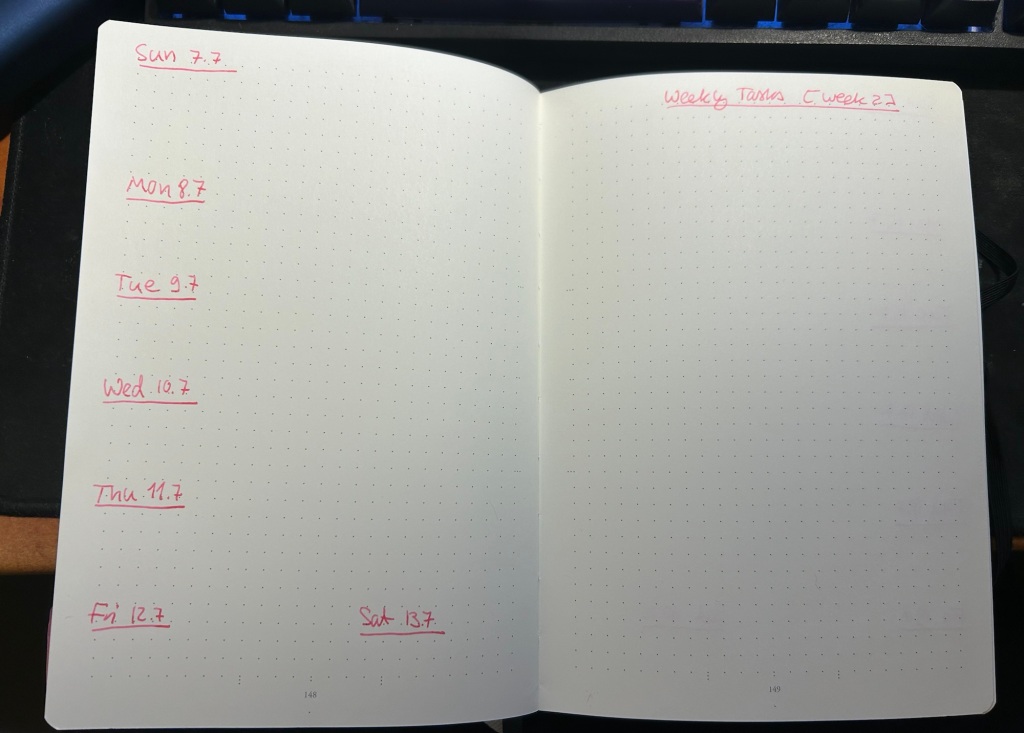
Then come 13 weekly spreads, each one taking two pages. The left side of the page has the weekly calendar, with events on it plus my exercise plan for the week. It’s also where I note things that I want to remember that need to happen on a certain day that week. Every week on Friday or Saturday evening I plan the next week, and for this side of the weekly plan I mark significant weather events, plan my running, swimming and gym schedule, transfer important events and meetings from my calendar (these are all things that I need to prepare for actively), and set reminders (like clean the cats’ water fountain on Friday, or replace filters on things, etc).

The left side of the page is taken mostly by various trackers, and by my weekly goals (they go in the empty spot in the middle) which I select from my quarterly goals each week. Any goals that can be managed by trackers are managed by trackers – either trackers in my planner, or trackers in the Streaks app. The reason I don’t track everything in an app, is to make sure that I have to reference this planner at least once, likely twice a day, every day. That helps keep the weekly goals, which are tied to the quarterly goals, top-of-mind.

I use two different colours of ink for these pages – when I plan the quarter I create 13 weekly spreads with just the dates and the “Weekly Tasks” title with the week number. Then I work everything else in on a week by week basis with whatever fountain pen I am using at the time. That helps keep things clearer for me without me having to spend a lot of time “prettifying” my planner.
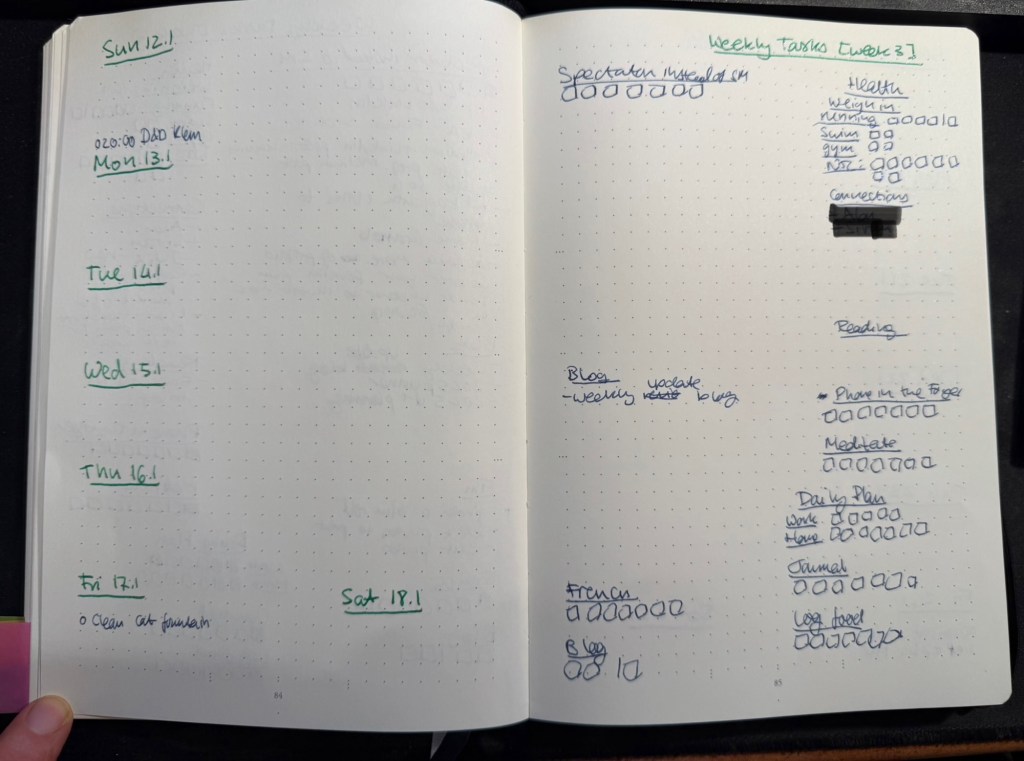
Weekly page in my home planner

Daily Plan

Every day I take a sheet of A5 Kokuyo KB paper and write the day and the date on top. Then I write a running list of tasks that I want to complete that day. This includes chores, daily routines, and tasks that I’ve pulled from my weekly planner. I cross them off as I go along, and at the end of the day either I flip the page and create another daily planner for the next day on the other side of the page, or I crumple the page up (if it’s used on both sides) and throw it into the recycling bin. I don’t keep these pages, since anything important in them is already in my journal.

I recently started tracking if I prepare a daily plan for every day at work and at home, and the reason is that I’ve discovered time and again that if I don’t have a plan, I am liable to just get back from work and veg out with a book or silly YouTube videos.

Monthly Plan

The monthly planner is tiny, and its only goal is to give me a better feel for how my month looks, and what major events lay ahead. It also tracks some things – books (which I track on a monthly basis), running (I track this twice because I also want to get a feel for my monthly load), swimming (the same – tracked on both weekly and monthly basis to get a better feel for my training load), gym (which doesn’t appear in the photo below because I haven’t finished creating the page), blog (how many blog posts I’ve written this month), and there’s usually an Apple challenge tracker.

Monthly planner

What About Projects/Backlog Items?

Most of my long term projects are tracked as part of the quarterly plan. For instance, I’m working on getting a certain professional certification this quarter, so I have that certification listed under my professional goals. The breakdown of this headline to individual tasks is something I do in the project specific notebook that I’m using for my study notes, tips that I’ve collected about the exam, etc. I then can just reference the headline task (the certification name in this case) in my weekly and daily plans, and reference what exactly I’m supposed to be working on next in my project notebook. It saves having to copy a lot of things over and over.

As for general “backlog” items (shopping lists, packing lists, travel plans, things I want to get to sometime in the future but aren’t part of my quarterly plan, recurring tasks tied to various medical checkups, etc) – these are all managed in the Things app. It’s easier to manage recurring and long term tasks like these in an app, and when it comes time to actually do them I reference them (or sometimes copy them) into my weekly and daily plans. I have very few tasks in Things, and sweep of the tasks there once or twice a week is enough to ensure that I haven’t forgotten anything.

Work Planner Setup

This consists of a Leuchtturm1917 dotted A5 hardcover notebook that I bought at the local art museum, and Maruman Mnemosyne A5 with blank paper (though I also use the squared paper Mnemosyne indiscriminately, if that happens to be what’s available). As I work 3 days a week from an office and 2 days a week from home I needed a setup that’s as simple and as light to carry as possible, and after some trial and error this is what I’ve been using for over a year.

My work planner and a piece of blotting paper – a must with this paper

The work planner, my Leuchtturm, is a daily planner, with each day divided into three parts. The top of the page has the day and the date, and the upper third part of every page is for the tasks I plan on working on that day. I deliberately make sure that less than half of the A5 page is left for tasks, because otherwise I’ll just jam in much more than I can do in a day and then feel bad at the end of the day for no good reason.

The last thing I do before signing out at work is to fill in the next day’s page. That includes pulling out the next tasks I plan on working on from Jira (we use Jira to plan tasks and projects at work), and leaving about half of the task area open for things that will pop up during the day. The nature of my job is that I’m constantly working on about 50% unplanned things, so I have to leave myself enough room to take that into account.

Next come the meetings, which I track under a separate heading. I set them apart so that they don’t disappear into my ever changing task list. This is also useful for me to reference when I’m planning my day, both in terms of how many tasks I think I can get to, and in terms of preparing for certain meetings.

The Notes section is where I write down things that I need to take into account or remember that day. If a team member is taking a day off I note it here to remind myself not to message them. If I am on “on call” duty I note it here so that I can significantly reduce the number of tasks I’m working on that day. I also look ahead a bit, and if I see a project deadline looming, I’ll note it in the notes section, so that I remember to prioritize my tasks accordingly.
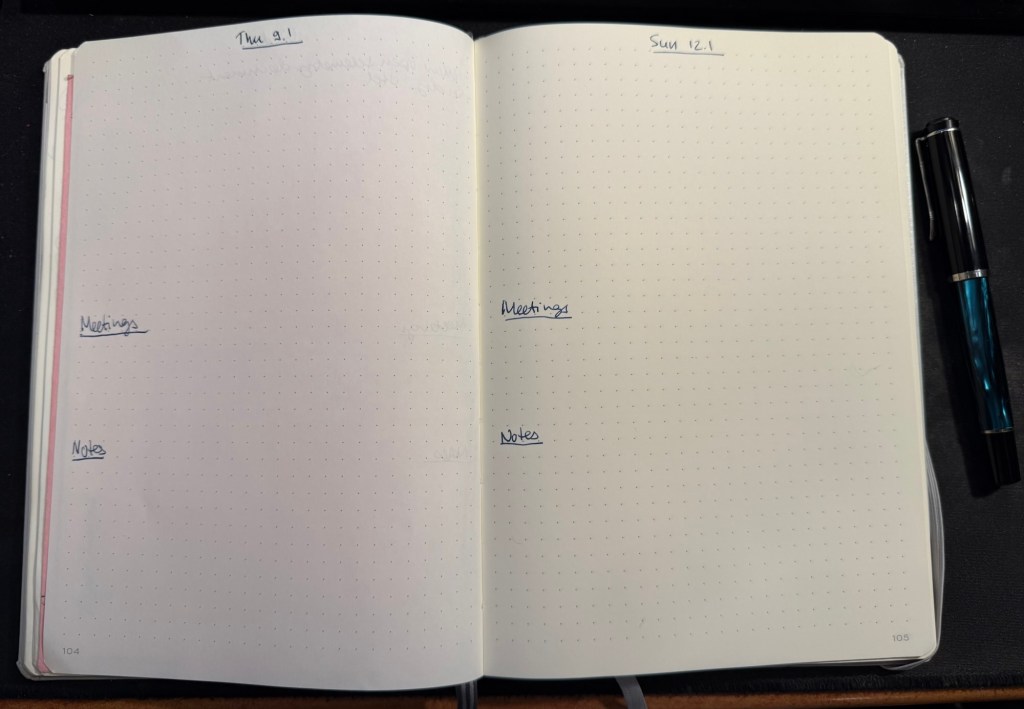
Daily spread in my work planner

The Mnemosyne serves as my “dashboard” and catch all. If I’m working on a project, this is where I’ll plan out the project before inputting whatever relevant tasks there are into Jira. I reference and work with this page while I’m working on the project, and that’s why I view this notebook as the “dashboard” for my current work.

The Mnemosyne is also where I keep a running list of things I want to get to. All of these things will have to be formalized into Jira tasks before I can work on them, but it’s useful for me to have them down on paper first because I think better on paper.
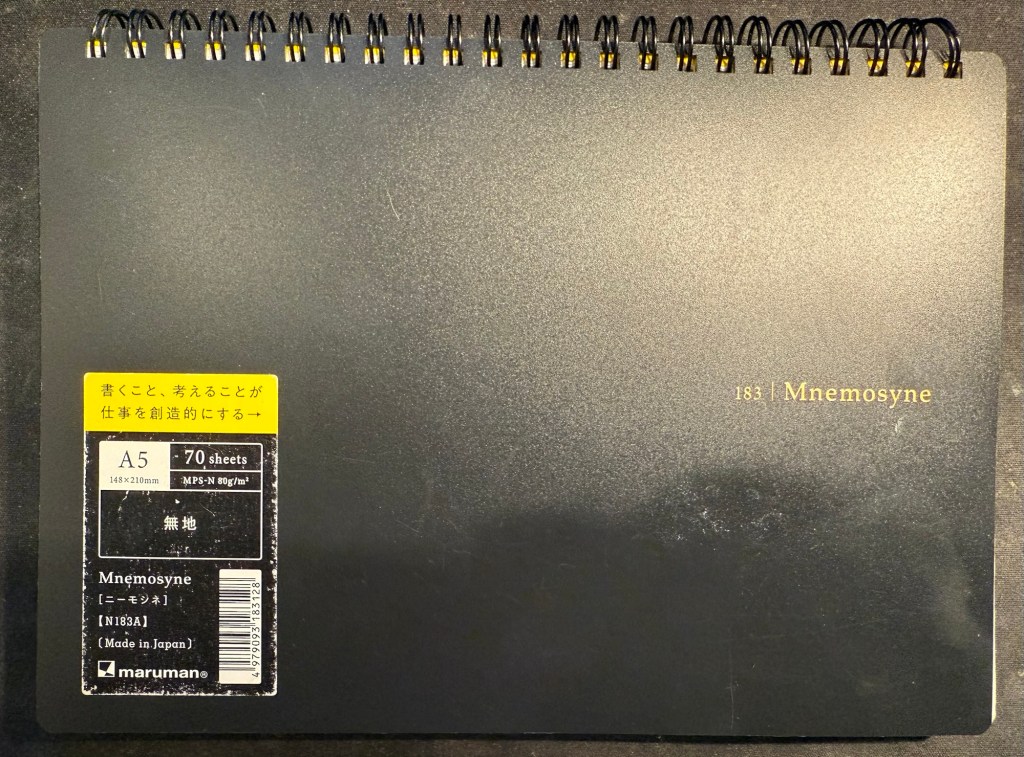
Maruman Mnemosyne “Dashboard”

I don’t use scrap paper at work as I want to be able to reference these things in the future, and as a rule I don’t journal about my work tasks.

That’s my full planner setup for 2025, and as all of it has been in use throughout 2024 with great success I doubt that it will see much change.

What are your planner plans for 2025?

Weekly Update: Impressionism, Cal Newport and Inkvent End

Inkvent

I’m finally done with reviewing the Diamine Inkvent 2024 Black Edition calendar and it’s been exhausting. I haven’t been able to get a proper buffer for the even this year, which meant that I was chasing every post every day.

On the plus side, it was nice to dust off 25 bears and sketch them. My sketching and my blogging had been in a rut recently and this event kickstarted them, so I am grateful for that. I also got some lovely comments from people, which is always wonderful to read.

Wild sunset today

Cal Newport

The latest episode of Cal Newport’s Deep Questions podcast was excellent, and in the final segment Cal discussed his new approach to making a quarterly plan. It’s worth listening to, but basically his idea of pillars and foundations and focusing on a certain pillar at a time really resonated with me. My next quarter will be focused on craft as a pillar, as I want to earn a professional certification and work towards a deeper understanding and more hands on experience with certain more obscure aspects of my job.

Reading

I finished reading the HBR “Dealing with Difficult People” book, and started reading Paul Auster’s “The New York Trilogy”. So far it’s a very Paul Auster book, for good and for bad.

Impressionism

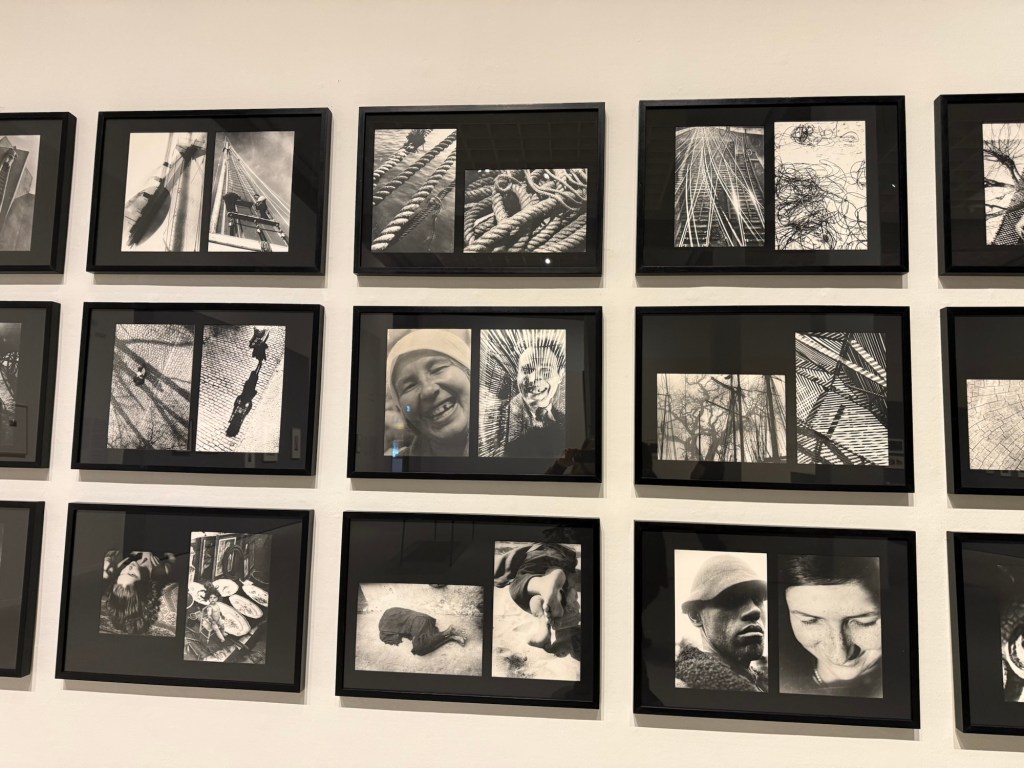
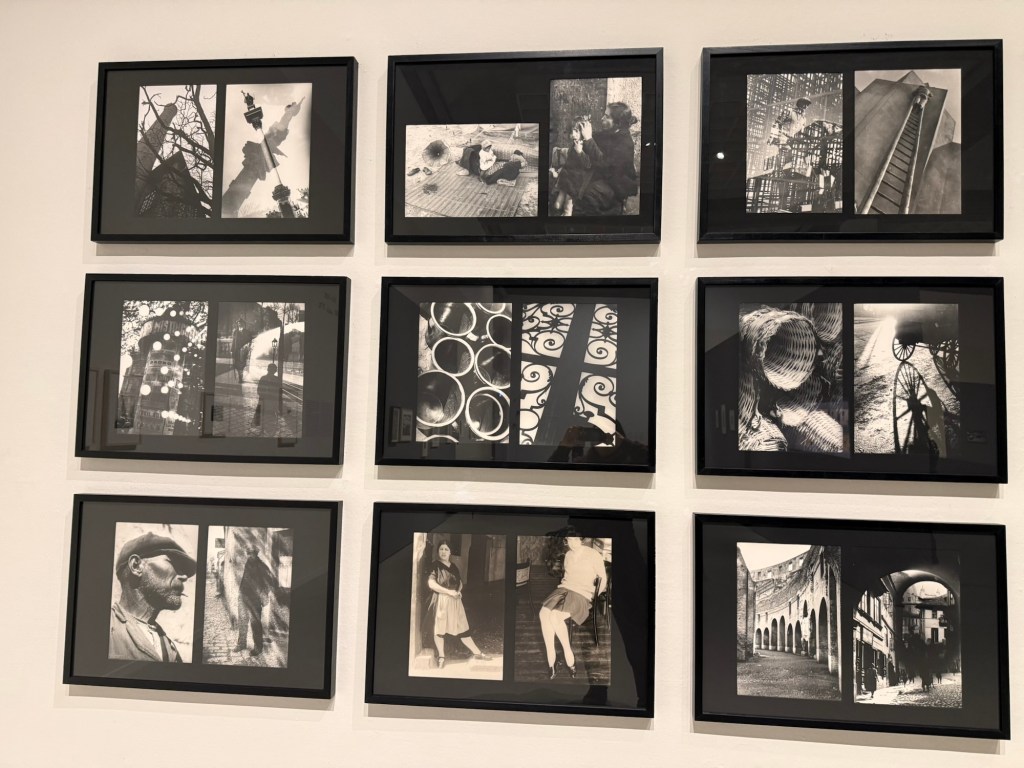
I went to see an Impressionist exhibition, celebrating 150 years to the movement, at the local art museum. The exhibition itself was nice enough, but a bit thin in terms of the artwork on display. There was also a nice print exhibition, and an excellent retrospective exhibition dedicated to Moi Ver. It was wonderful seeing a master photographer at work, and his design work is also worth seeing.

Ci-Contre Moi Ver
Ci-Contre Moi Ver

I went to the museum store later and went a little wild, purchasing a handmade ceramic cup made by a local artist, three postcards (which I wrote on and will give away), and a Leuchtturm1917 A5 dotted notebook that I didn’t need but I wanted anyway. I bought a Leuchtturm notebook the last time I was in that store, and it’s now my work daily driver notebook, so I assume I’ll find use for this notebook soon enough. The paper isn’t perfect, but it’s good enough for me for daily fountain pen use.

Have a great week!

Planning Update – How I Plan a 13 Week Year

This is the second post on this topic. For an explanation on the 13 week year read this post.

As life tends to constantly throw curveballs at me, planning ahead in short bursts has proven to be invaluable. During the previous quarter my dad went through an unexpected open-heart surgery and I realized that I’d have to find a new apartment in the not so distant future. If I had planned ahead for an entire year (goals/themes, the system is immaterial), I would have had to scrap all my plans on February. As it was, I made a few minor adjustments, and finished not so far from where I originally planned.

Just before this 13 week/quarter started I got some bad news about my cat. That’s going to affect my plans, which I made before I realized that he was likely dealing with cancer. That’s OK – my plans are short term enough to allow me to easily change them, and I’ve already built plenty of wiggle room into the plans that I made. Unlike themes, which I find to be to vague to be useful, or yearly plans, which are too long term to be practical in my circumstances, 13 week planning allows for just enough time to make meaningful progress in the key areas of my life whilst being short enough to allow me to quickly pivot if necessary.

How I Make a 13 Week Plan

This is my third round with 13 week planning, and I’m getting progressively better at it. Here’s what I do that’s been working so far:

  1. List all the roles and areas in my life and make sure I’m covering all of them. Some examples of the areas I use: Health and Fitness, Reading, Mental Health (important enough for me with my PTSD to have it under a separate area), Conversations (meaningful connections with friends – that’s face to face get togethers or one on one phone calls or zoom meetings, not WhatsAapp messages), French, Creative Projects, Film Photography (more on that in a separate post), Professional Development (this is the only work related stuff that I track at home), Decluttering (trying to prepare for a future move), Drawing, Blog, Money. Yes there are a lot of them, yes it’s worth listing everything down and addressing as much of it as you can with your plan.
  2. Figure out measurable goals that can be reached during the 13 week stretch. Where possible I set a bare minimum, easily achievable goal, and then stretch goals. So for instance the minimum reading goal is 6 books, with 8 books and 10 books as my stretch goals. This means that if the unexpected happens, it’s almost always only my stretch goals that are affected. It also means that I’m not setting myself up to say: “this is impossible, why even bother?” Every little bit helps, and it helps to be kind to your future self.
  3. Set up various scaffolds and aides to your goals. Wherever possible I use the app “Streaks” to help me hit my goals. I also use the great NRC (Nike Run Club) app to help me keep track of my running goals and challenge me there, and I schedule as many things as possible in my calendar ahead of time. GoodReads has a reading challenge that helps me track books. Then there is my weekly planning session, where I build up next week’s plan. During that time I go over all of my goals for the quarter and make sure that I’m hitting at least a few of them that week.
  4. When executing your plan, break things down to monthly, weekly and daily goals. Whether it’s X amount of running sessions a month, X minutes of exercise a week, or how much time you spent away from screens every day, the longer term goals need to be broken down to shorter term chunks for you to actually be able to do them. It’s also helpful when reviewing your weekly or monthly plan to see where your quarterly (or 13 week) plan was too optimistic. If, for example, you’re travelling for two weeks in August, you need to make sure you didn’t account for those two weeks during your quarterly plan, because chances are you won’t be able to hit very many goals during that time.
  5. Don’t be afraid to refactor the plan when major things happen. Your plan should be flexible enough to account for the small and medium sized surprises life throws at us (broken fridge, out of town friend unexpectedly drops by for a few days, you picked up a new hobby), but don’t be afraid to rethink your plans when the big things hit (major illness, unexpected move, promotion, job change, etc). You don’t score points for sticking to the plan – the plan is just a tool meant to help you achieve your goals.

My planning is done on paper, and then I use Fantastical (a calendar app) and Streaks on my phone to help me keep daily track of things. I look at my weekly plan almost every day, and I track things there as well. On a weekly basis I review my progress and decide what to focus on next week. If it’s a busy week I’ll select only a few relatively easy goals, for example. The point is to build a plan that is detailed enough to cover the most important areas in your life well, and yet allows for flexibility.

A small snippet from this quarter’s plan

Have you found this helpful? What tools do you use to achieve your goals?
2024 Planning Update: The 13 Week Year

Back in January I wrote about trying a new long term planning system that isn’t the Theme System or theme based, and isn’t yearly goal based, but rather is based on breaking the year into four 13 week blocks, each one representing a fully independent quarter.

I’m now in week 11 of the second of these blocks (quarter two, to put it more simply), and I’m starting to plan the next quarter. While working on my plan I thought that it would be useful to document the procedure, talk about my review process, and discuss how I planned the previous quarters, how things went, and what I plan to do differently in the third quarter.

The point of this system is to break the year into more manageable parts. This allows for greater flexibility in planning, time to “recover” from life’s surprises, and time to work on meaningful, long term projects. On the one hand the entire year isn’t a wash when life deals one of its blows, and on the other hand you can allow yourself to express a realistic amount of ambition.

Starting the Third Quarter’s Setup

I use the Leuchtturm Bullet Journal for my planning, and it should last me to the end of the year. After that I’ll switch to a Leuchtturm 120gsm dot grid notebook, as I don’t use any of the Bullet Journal features in my current notebook.

The first bit is a bit mindless, but I prefer to see it as meditative. Each week in my planner gets two pages, and so I leave four empty pages after the last spread of the previous quarter. These four pages will contain my plan for the quarter, broken into various sections. More on how I build that in a later post.

Then I sit down and draw out 13 weekly spreads. On the left side of the spread I write down the days of the week and the dates, and on the right I just put a “Weekly Tasks” title with the number of the week in the quarter in square brackets. I do this in one sitting for the entire quarter, and it takes about 30 minutes because I don’t rush it. This is how the pages look at this point:

This is how it looks when it’s filled and in use:

The left side gets filled with my exercise plan for the week, major appointments, and important things I don’t want to forget.

The right side has my weekly goals, both in the form of various checklists with checkboxes and more general lists. This is where my quarterly goals get put into action – every Friday or Saturday I look at my quarterly goals, and then try to advance as many of them as I can in the week. Things become more quantifiable at this point, though it’s often only in my daily to do lists that they become real, doable tasks. My daily to do list is something that I write the night before on an A5 loose sheet of paper, and recycle once I’m done with it.

Next time I’ll post a bit more about how I create the quarterly plan.

How do you plan your year? How is your planning going now that the year is halfway through?

February 2024 in Pens and Paper

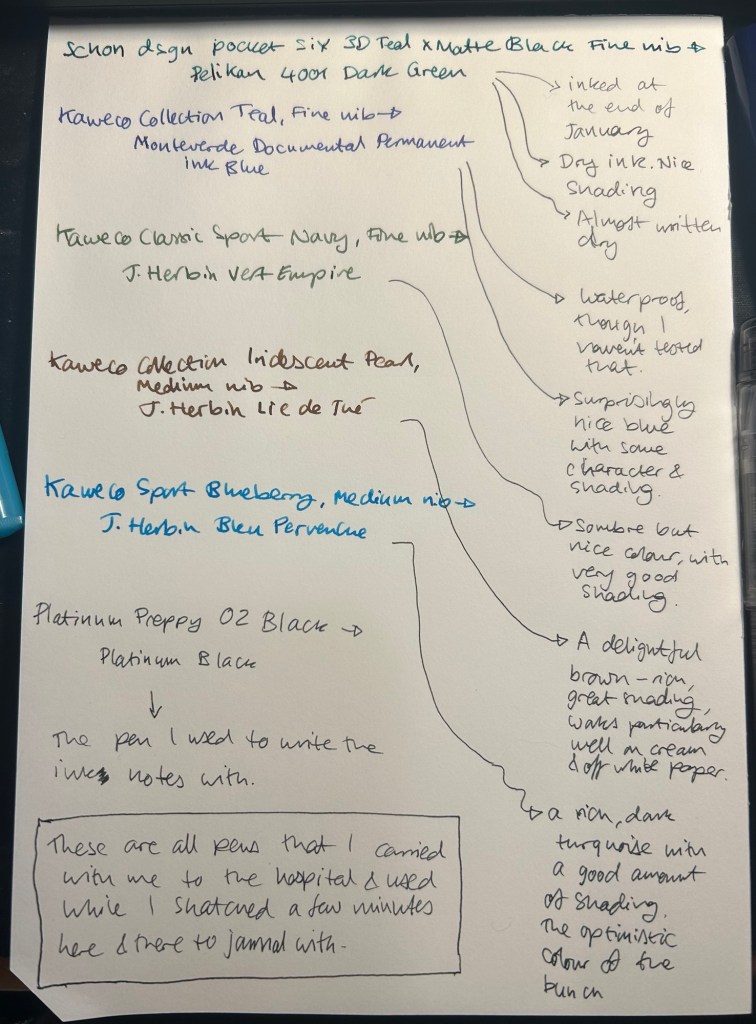
I started the month ready to spend the first half of it in hospital, with my dad. So the fountain pens I chose were all expendable pocketable pens that I was willing to have stolen (apart from the Schon Design Pocket 6 which was a leftover from January and never left my desk). So that meant I inked 4 Kaweco Sport fountain pens using various ink cartridges that I had on hand.

The portable lineup:

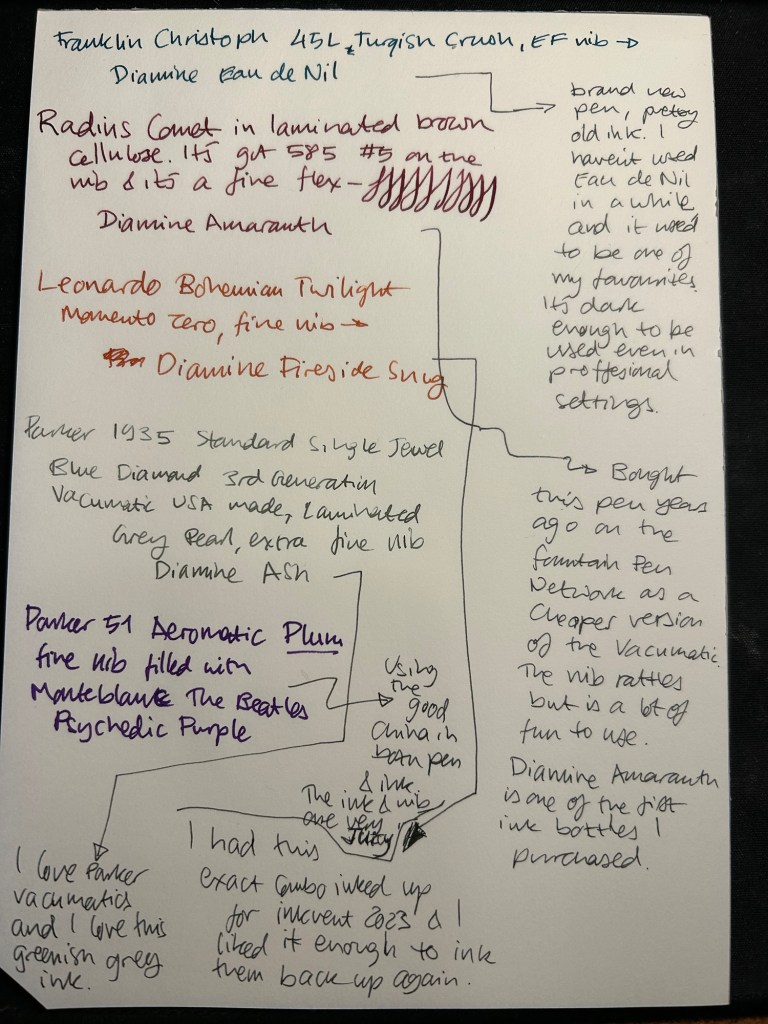
Once my dad got out of hospital and back home, I decided to celebrate by “shopping” from my collection. I inked up a Parker 51 Plum (use the good china!), a Parker Vacumatic, a Franklin Christoph 45L Turqish (spelled like that on their site) Crush that I had purchased but hadn’t inked before, and a vintage Radius Comet (because I heard that the brand was being revived).

The Franklin Christoph EF nib isn’t the best companion to the Eau de Nil as the ink tends to dry in the nib, causing hard start issues. The Radius is a flexible nib of the vintage kind, which means it’s really flexible and not just springy. It also rattles, which makes me not carry it around with me — it stays at home at my desk. The Leonardo is a beautiful pen with a beautiful ink that I refilled immediately — the only Inkvent 2023 ink I did that with. The two vintage Parkers are phenomenal, as usual. The extra fine nib on the vacumatic somehow really well with Diamine Ash, though I was worried at first that the combination would be too light to be readable. The Parker 51 Aeromatic is a treat to use. It’s the rare Plum colour, and it’s got a fantastic nib (as all 51’s have) which pairs very nicely with the Monteblanc The Beatles Psychedelic Purple.

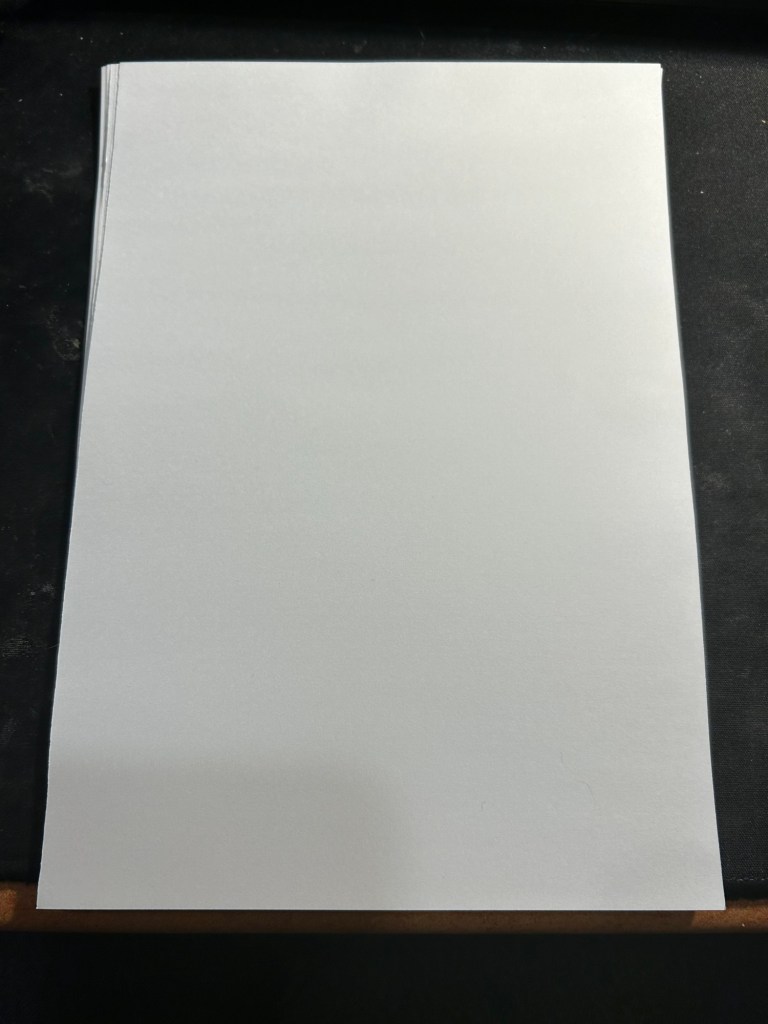
In terms of paper I’ve been using Kokuyo A4 KB paper which I cut to half size (so A5) to manage my daily to do list. The paper is relatively cheap and very fountain pen friendly. I’m also able to use both sides of the page despite there being some show through.

Kokuyo A4 KB paper cut in half to A5 size. This is why standards are great.

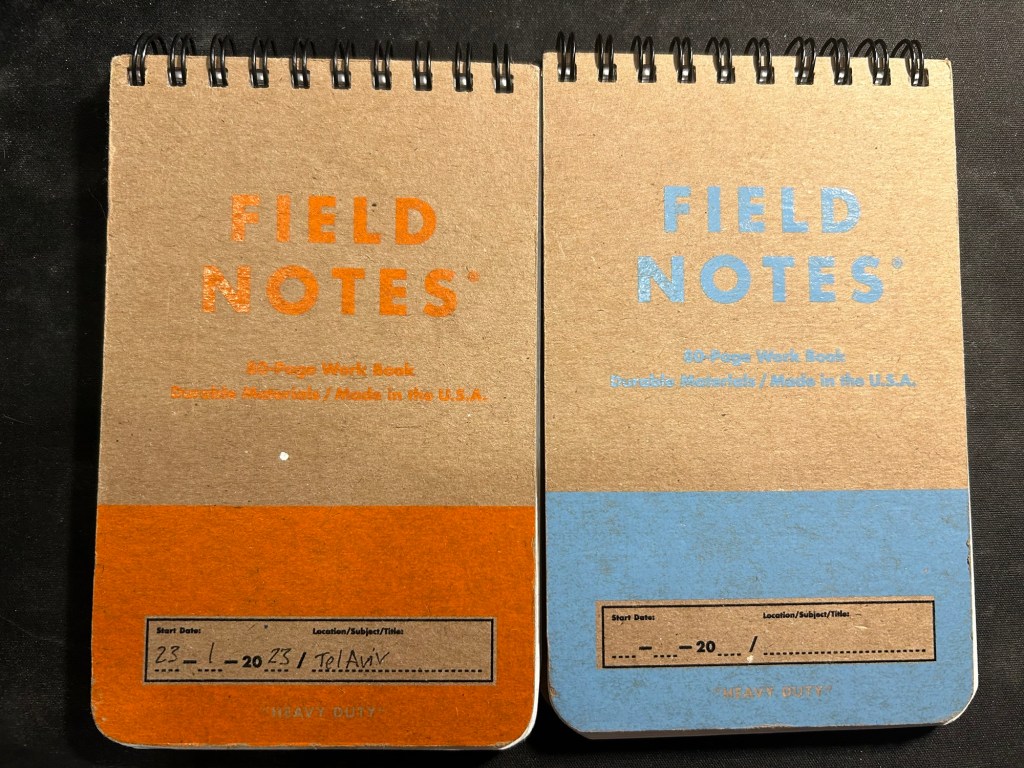
I’ve got a Field Notes Heavy duty on my desk at home and at work, and I just bought a new stock of them. These are where I jot down quick notes, phone call details, doodles during boring meetings. When they’re filled up they get tossed out as nothing in them is permanent — everything important in them moves to somewhere else as I work my way through them.

Field Notes Heavy Duty pocket spiral bound reporter notebooks

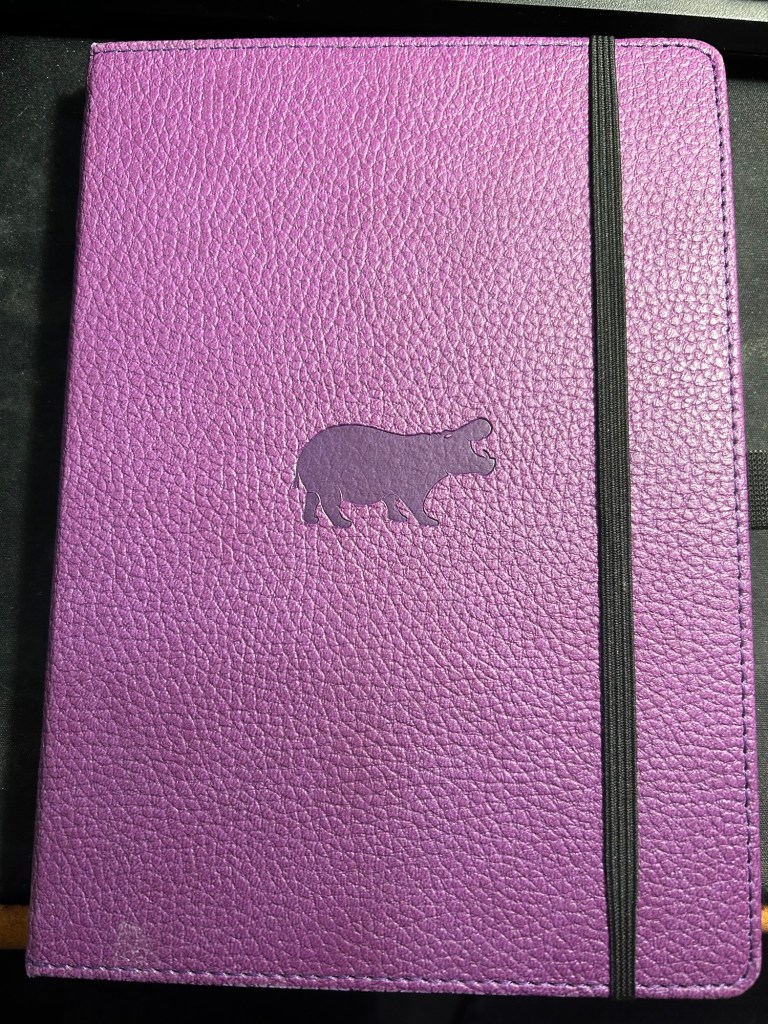
I have finally found a use for my Dingbats notebooks (beyond giving them away as gifts, as I have in the past): this lined purple hippo one is my blog notebook. I discovered that I have a much easier, much quicker time writing blog posts if I first draft them on paper, and this is where I do it in. I’ll likely write a dedicated post to this notebook soon.

Dingbats Puple Hippo A5 lined notebook

Apart from them I still use the notebooks I used last month.

Pencils

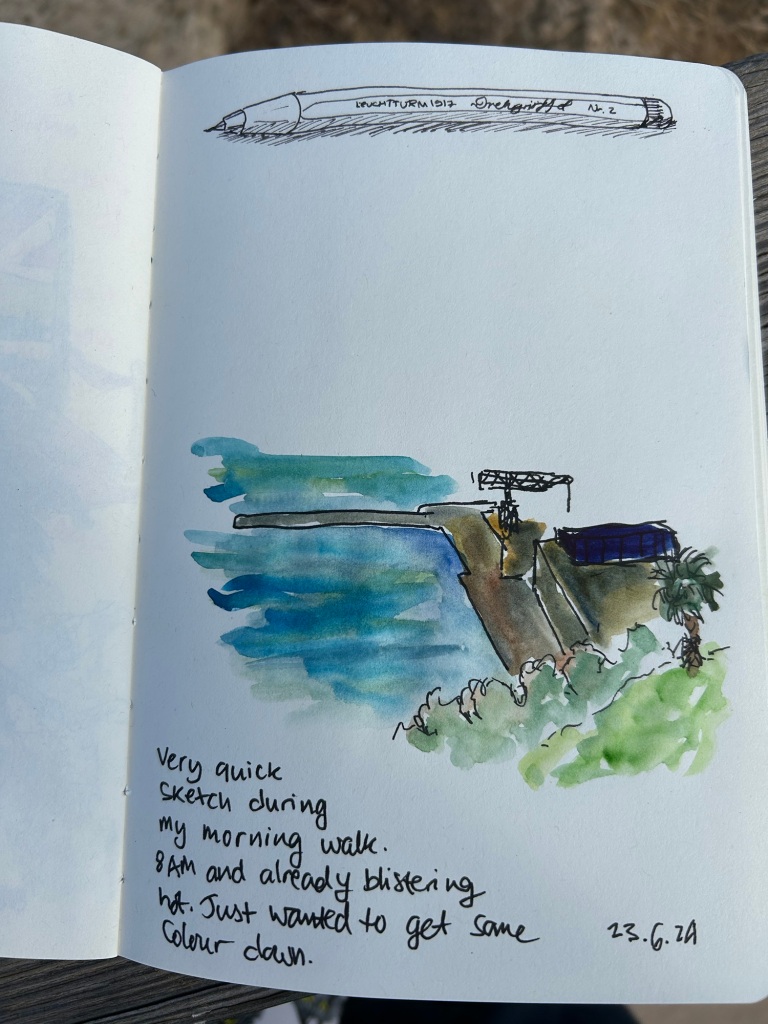
I’ve been using the Drehgriffel Nr. 2 as my daily driver. I use pencils extensively to plan, as my plans tend to change, and there’s something about this solid little mechanical pencil that makes me want to use it.

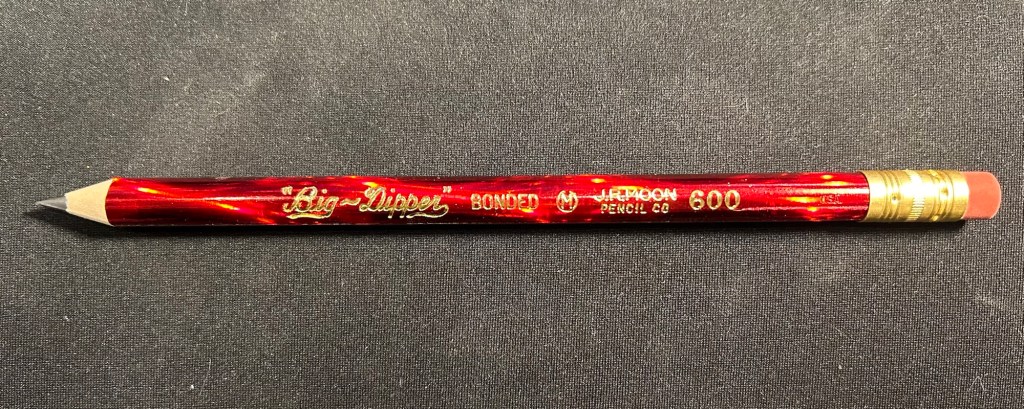
Apart from that I brought two pencils into the rotation, to try to use. One is from my last purchase from the late and great C.W. Pencils Enterprise, and it’s the “Big Dipper” J.R. Moon Pencil Co 600. It’s an oversized pencil, the kind of pencil that kids who are learning to write are expected to use. I’ve been having pretty significant neuropathy in my hands lately and I thought that this would be nice and easy to use, as after all it’s designed for kids just learning to develop their fine motor skills. So far it’s been a disappointment – the eraser and ferrule make it very top heavy, and I’ve been having a hard time manipulating it. I can’t imagine kids using this pencil and having an easy time with it. I like the over the top red foil with gold writing look though, so I haven’t given up on it yet.

Big Dipper J.R. Moon 600

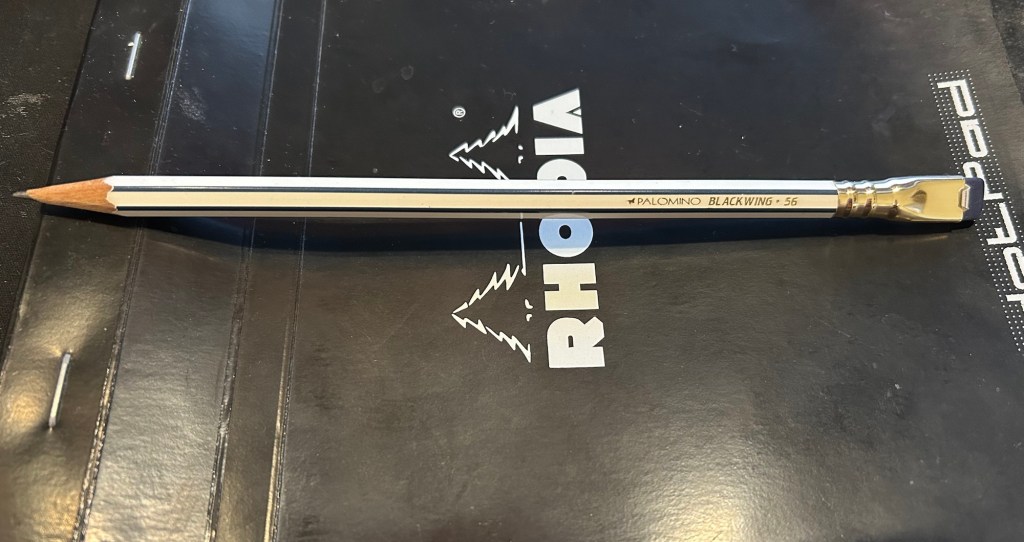
The second pencil is a Blackwing Volumes 56, the baseball themed one. The core is soft and dark, and I’ve been using it for quick and loose sketches. I’m trying to ease into one week 100 people by training myself to work faster than I normally would.

Blackwing Volumes 56

What did you use in February? Any planner changes? Pencil revelations? Pen preferences?

Leuchtturm1917 A5 dot grid comparison: standard, 120 gsm, Bullet Journal

A few months ago I started using the Leuchtturm1917 Bullet Journal – at first as it was intended, but very quickly it turned into a general weekly and quarterly planner for me. As I neared the halfway mark of the notebook I decided to purchase a replacement, but instead of buying another Bullet Journal I purchased a 120gsm dot grid Leuchtturm A5 notebook. The paper was the same in both notebooks, and as I didn’t use any of the Bullet Journal features and the 120gsm notebooks are slightly cheaper, I thought that it would be a good replacement.

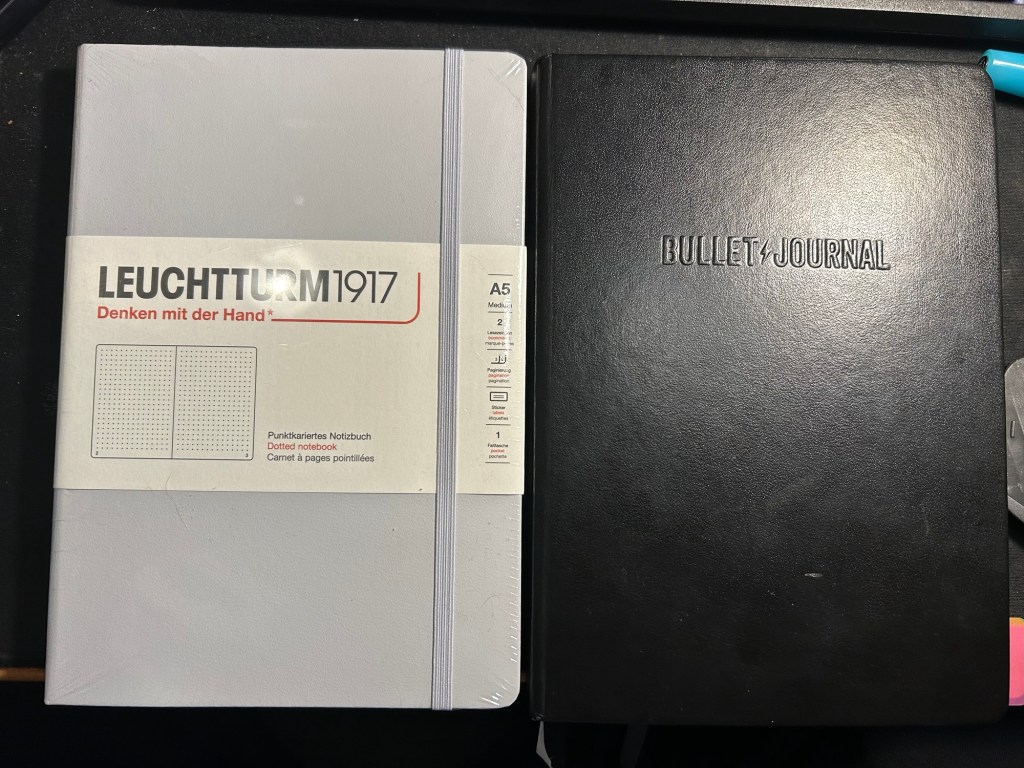
While I was still waiting for my 120gsm notebook to arrive, I happened to find a light grey standard (or 80gsm) dot grid A5 Leuchtturm notebook at a local store at a decent price. I purchased it and decided to compare the three notebooks.

The Bullet Journal is the most expensive of the three, but also comes with the most “stuff”. There’s a booklet that explains how to bullet journal, stickers for bullet journaling, a specially formatted front endpaper, a key for bullet journaling, three ribbon bookmarks instead of two, and several pages with dedicated bullet journal appropriate titles (intentions, index, future log). It has the fewest colour options (just three) and features Bullet Journal branding on the front cover and the spine.

The original- Bullet Journal

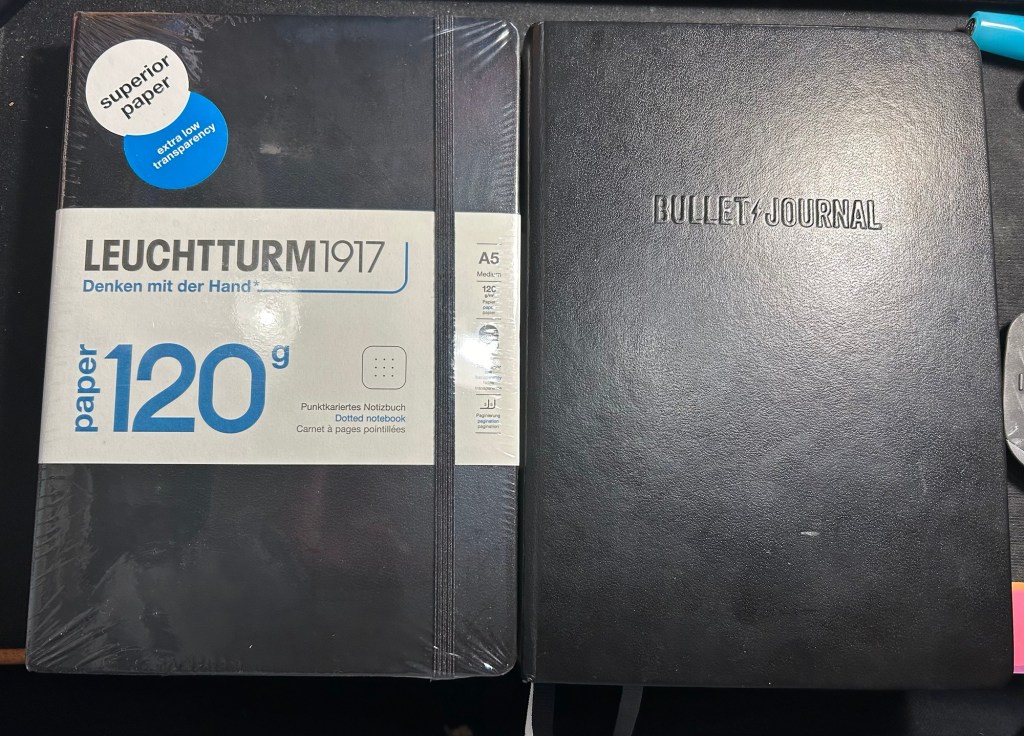
The Leuchtturm 120g notebook has a few more colour options, and is basically a stripped down Bullet Journal edition. In terms of thickness the two notebooks are the same (i.e. very thick notebooks, about twice the thickness of a Moleskine), but the 120g notebook has just two ribbon bookmarks (instead of three), no special endpapers, stickers (beyond the regular ones that come with each Leuchtturm notebook), titled pages, key or booklet. It’s cheaper than the Bullet Journal and has the same paper that the Bullet Journal has.

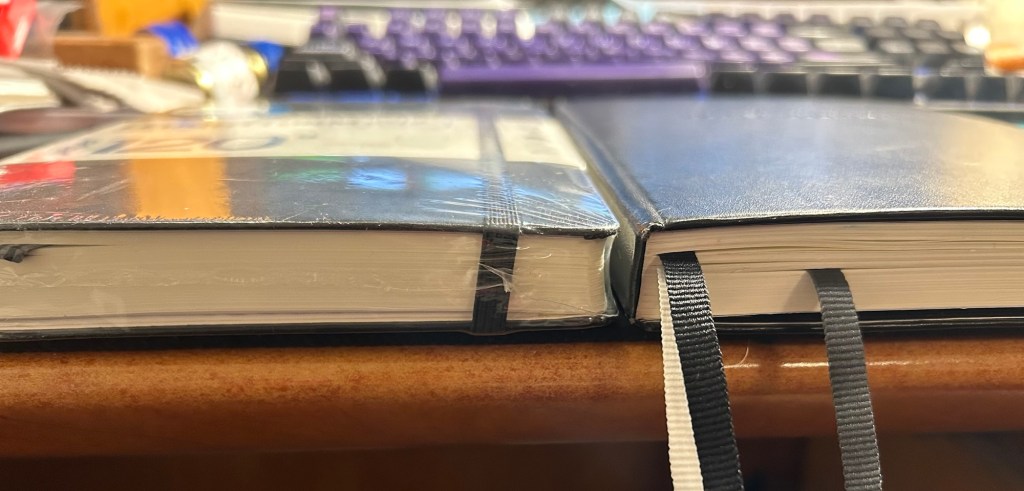
120gsm on the left, Bullet Journal on the right

Same thickness and form factor:

120gsm on the left, Bullet Journal on the right

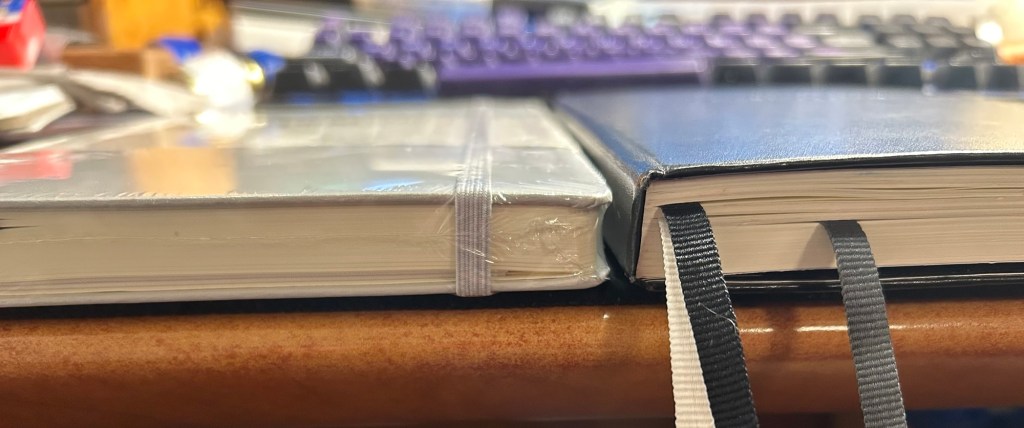
The regular Leuchttuem dot grid (which I’ll refer to as the standard from now on) is 20% thinner than the other two, features 80gsm paper and not 120gsm and like the 120g has two ribbon bookmarks, label stickers for the notebook, and a pocket on the back. It’s also a bit lighter than the two other notebooks.

Standard on the left, Bullet Journal on the right

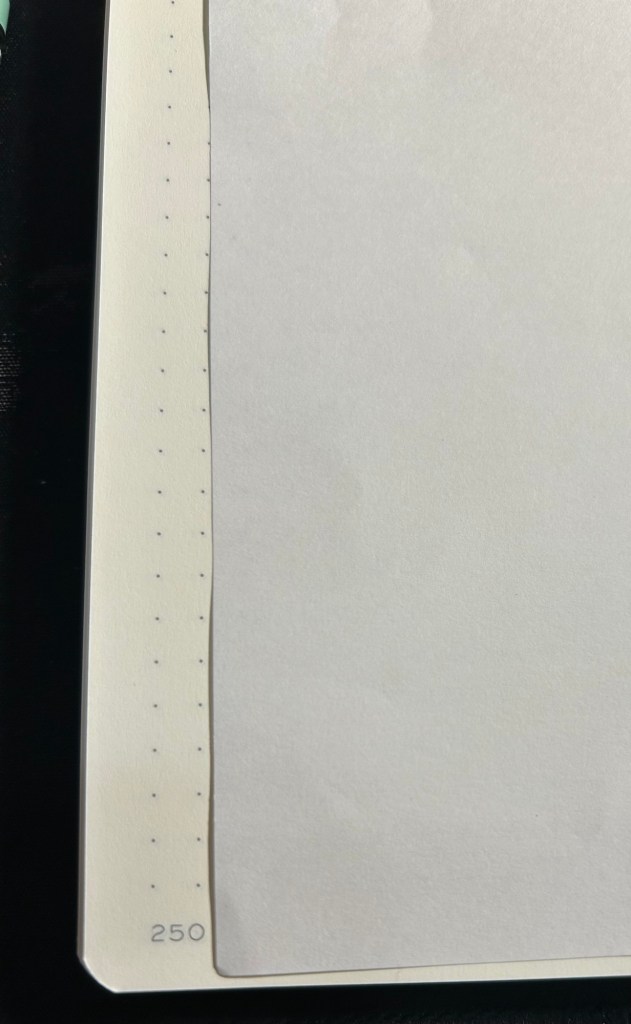
Where the standard notebook wins in a knockout is page count. The standard has 251 pages, the 120gsm has 203 pages and the Bullet Journal has 205 pages, but several of those pages feature dedicated Bullet Journal titles (Index, Future Log, etc).

Standard on the left, Bullet Journal on the right

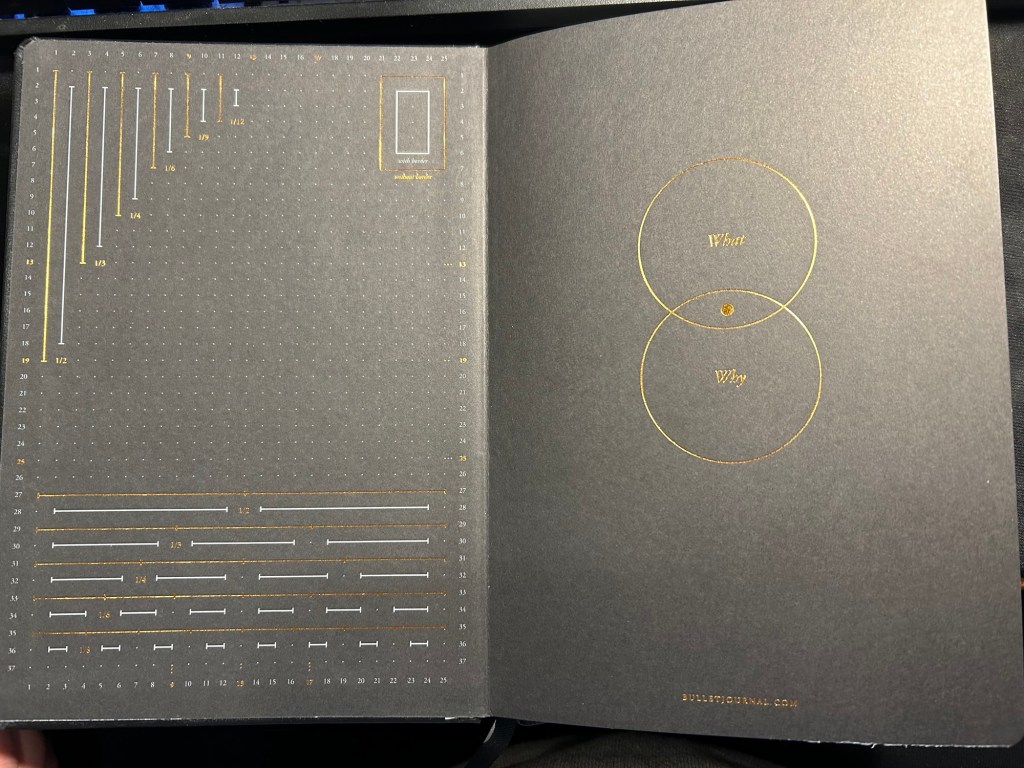
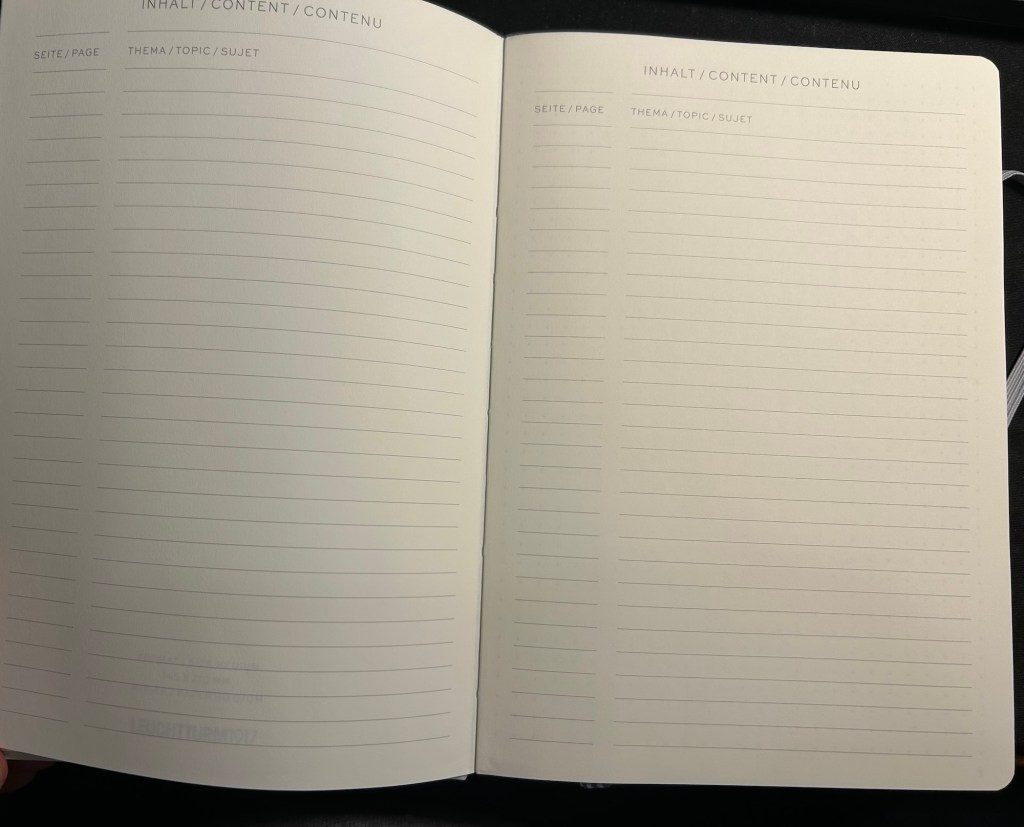
All three notebooks open flat, feature an off white paper, and the last 20 pages are perforated so you can tear them out. The standard and 120gsm contain two lined table of content pages, which the Bullet Journal does not. The Bullet Journal is also the only one to contain special divisions on the paper, which are notated on the front endpaper:

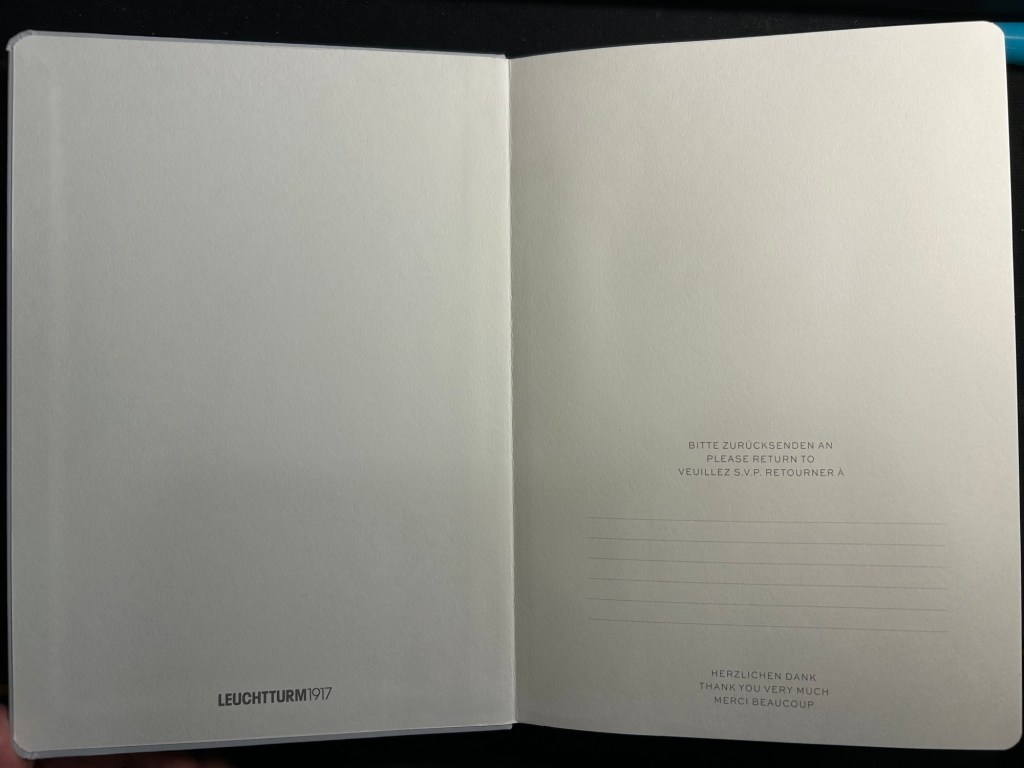
Bullet Journal front endpaper

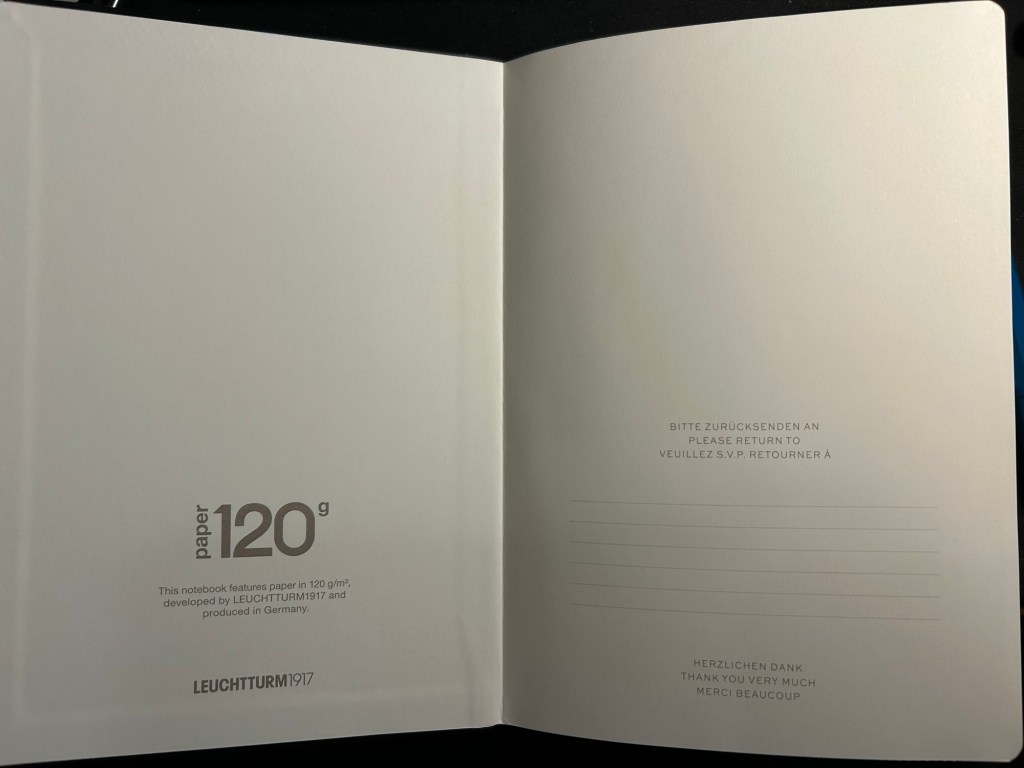
The front endpaper on the standard and the 120gsm look very similar, but the 120gsm has a bit of additional branding:

Standard front endpaper
120gsm front endpaper

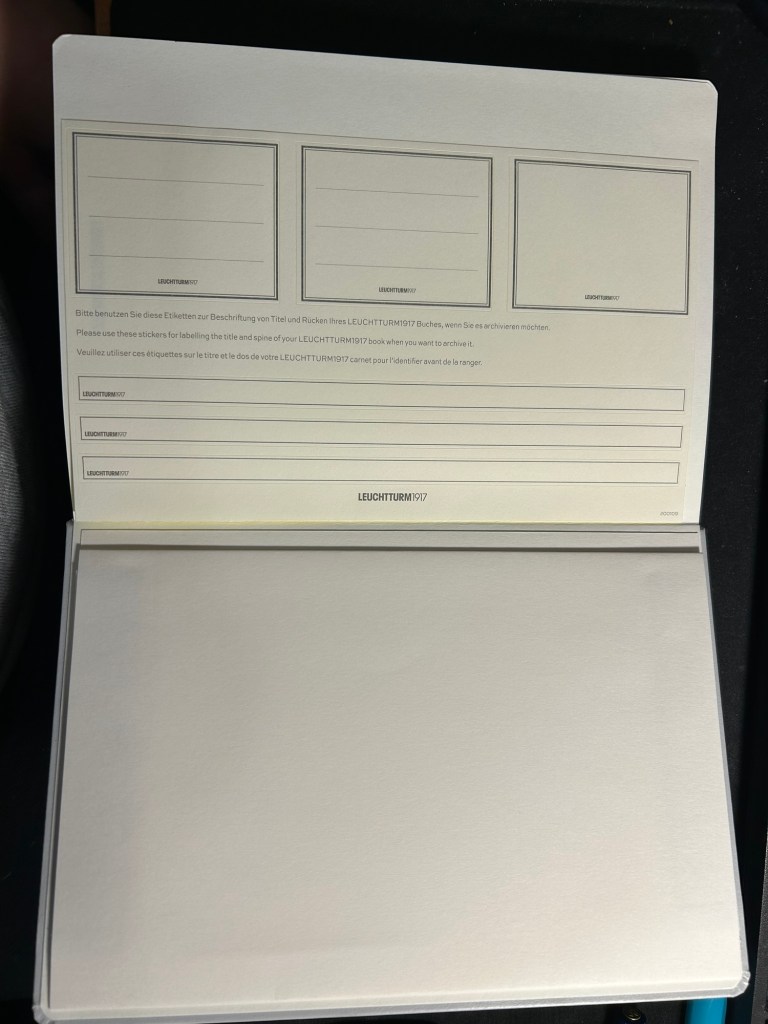
The stickers on the standard and 120gsm are the same, and are meant to be used on the cover and spine, to label the notebook:

Stickers in the Standard and 120gsm

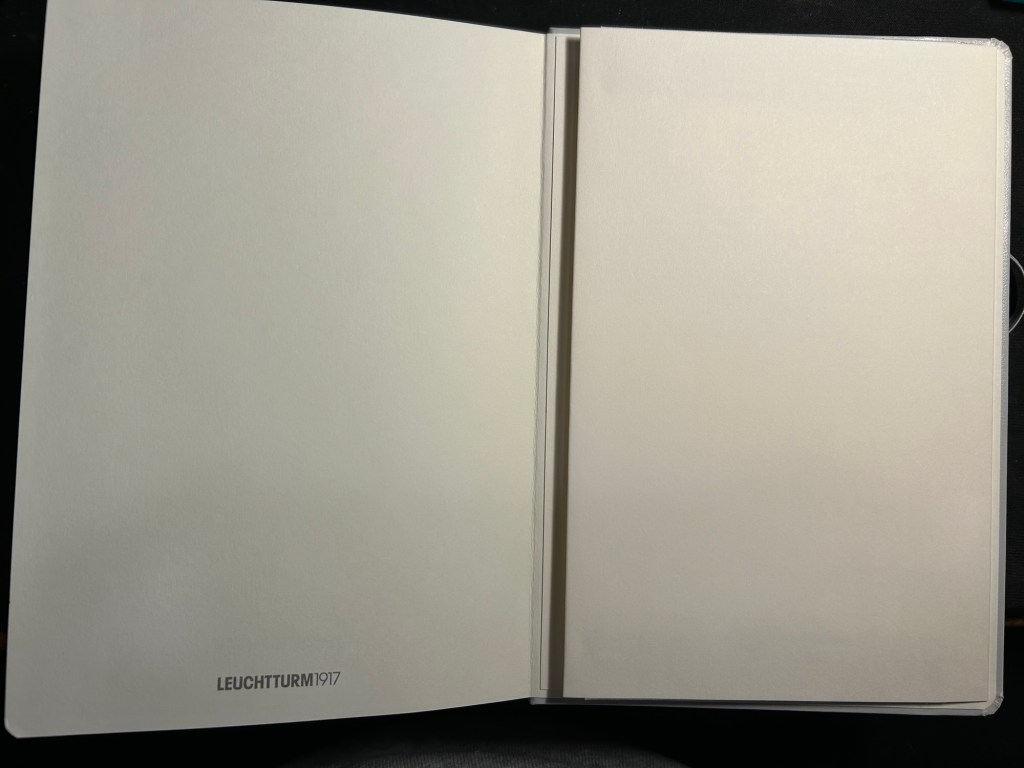
The pockets on all three notebooks look and function pretty much the same.

Back endpapers and pocket in the Standard and 120gsm

The table of contents pages on the standard and 120gsm is useful if you use your notebook for project management or meeting notes, for instance, and want to be able to quickly reference a certain page. The pages are already numbered, so it’s just a matter of building the reference pages in a way that makes sense to you. This doesn’t exist in the Bullet Journal because Leuchtturm is assuming that you’ll be using the official Bullet Journal way of referencing and finding pages.

What Leuchtturm confusingly calls Bookmarks – two index pages in the Standard and 120gsm

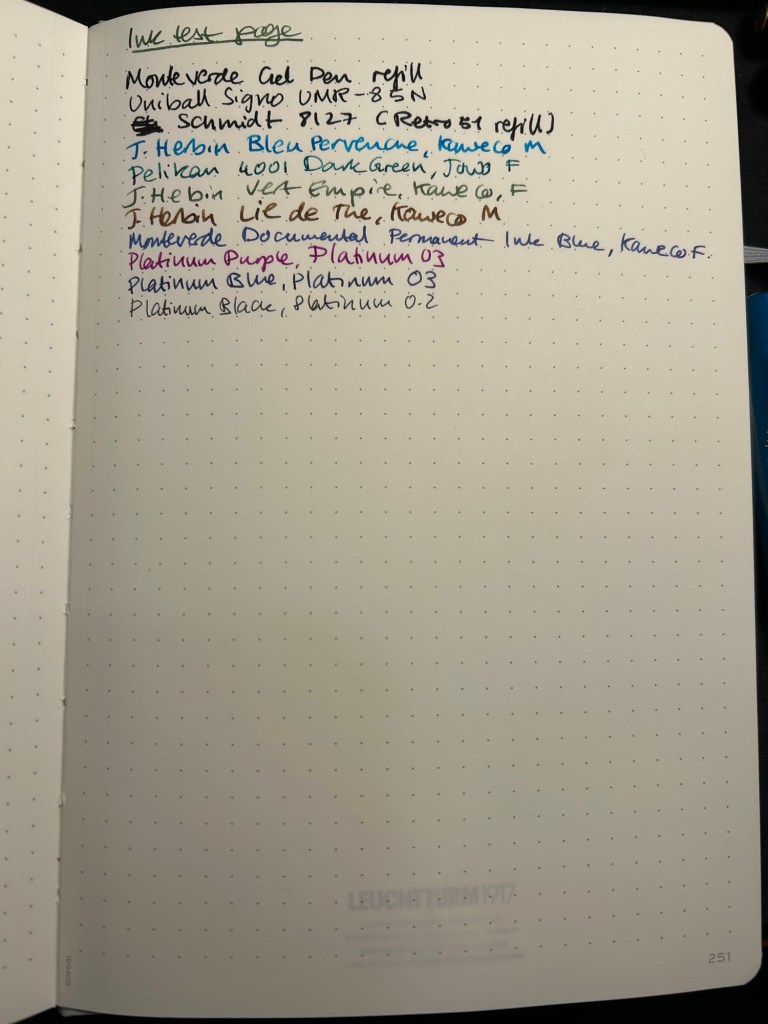
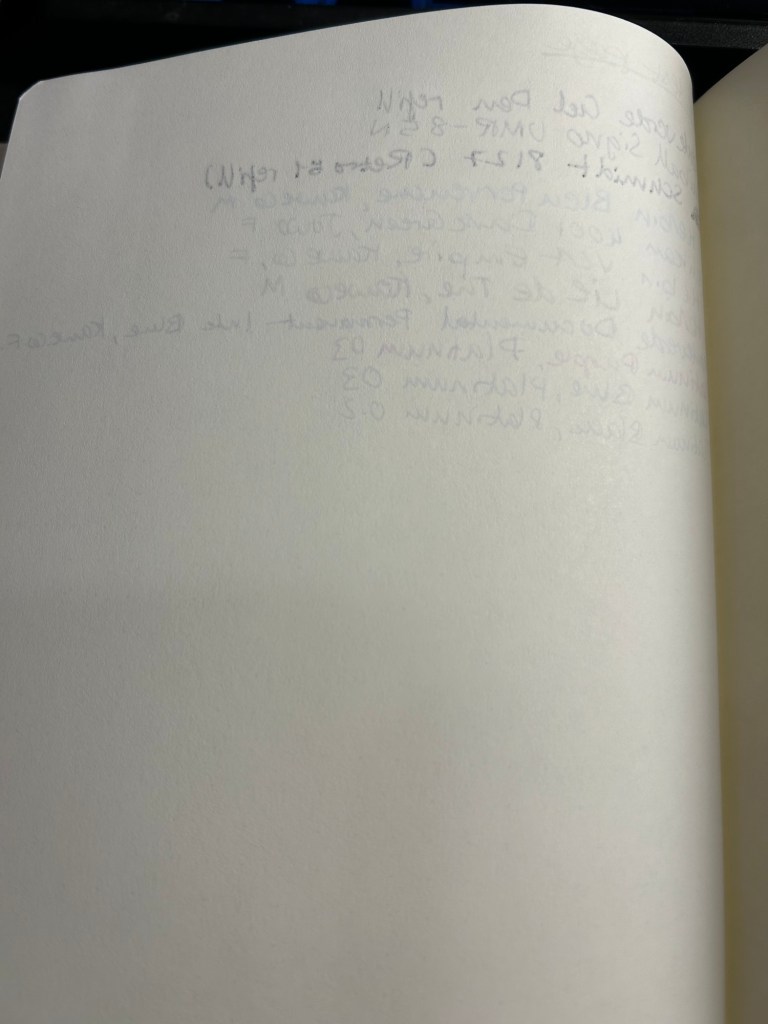
Now for the paper. The dot grid is the same on all three, but the paper in the standard is by far the inferior of the three. The page is practically transparent (you can see the Leuchtturm1917 logo on the back pocket on the bottom of the page) and you will have show through with all kinds of inks, pens and nib sizes, and bleed through with most pens and inks (including wider gel ink pens!):

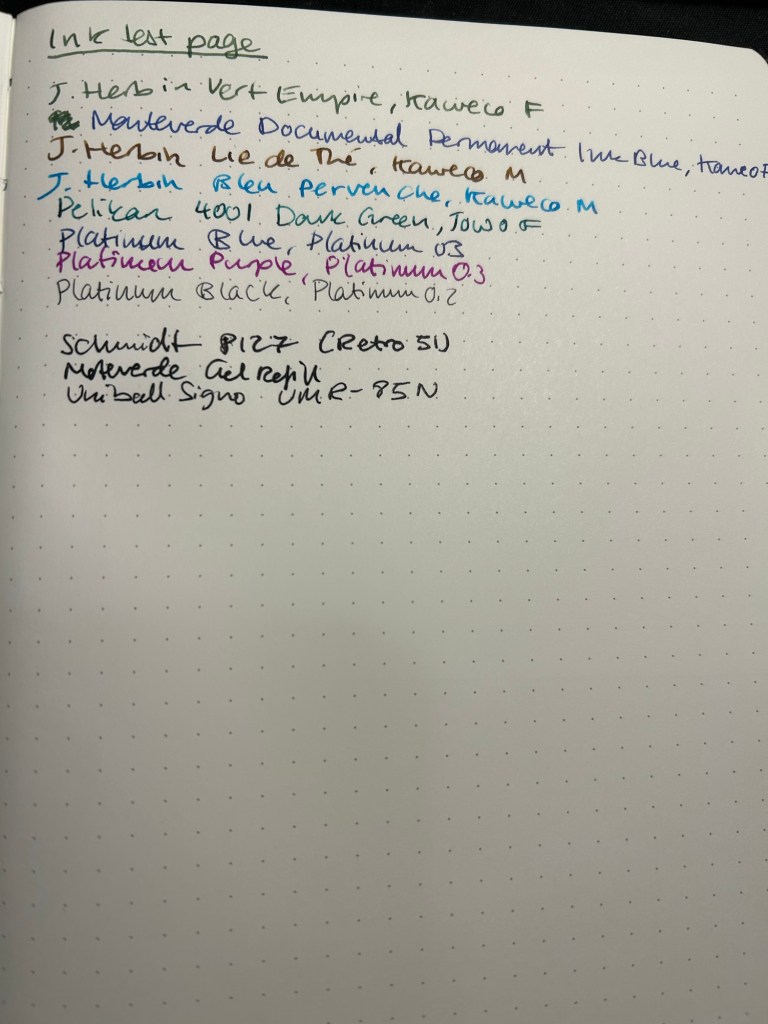
Ink test page for the Standard

This is a notebook that you either need to use with a very specific kind of pen, or be willing to write on only one side of the page (therefore giving up on the price and page number advantage of the notebook):

Show through and bleed through on the Standard. Even the gel inks faired poorly.

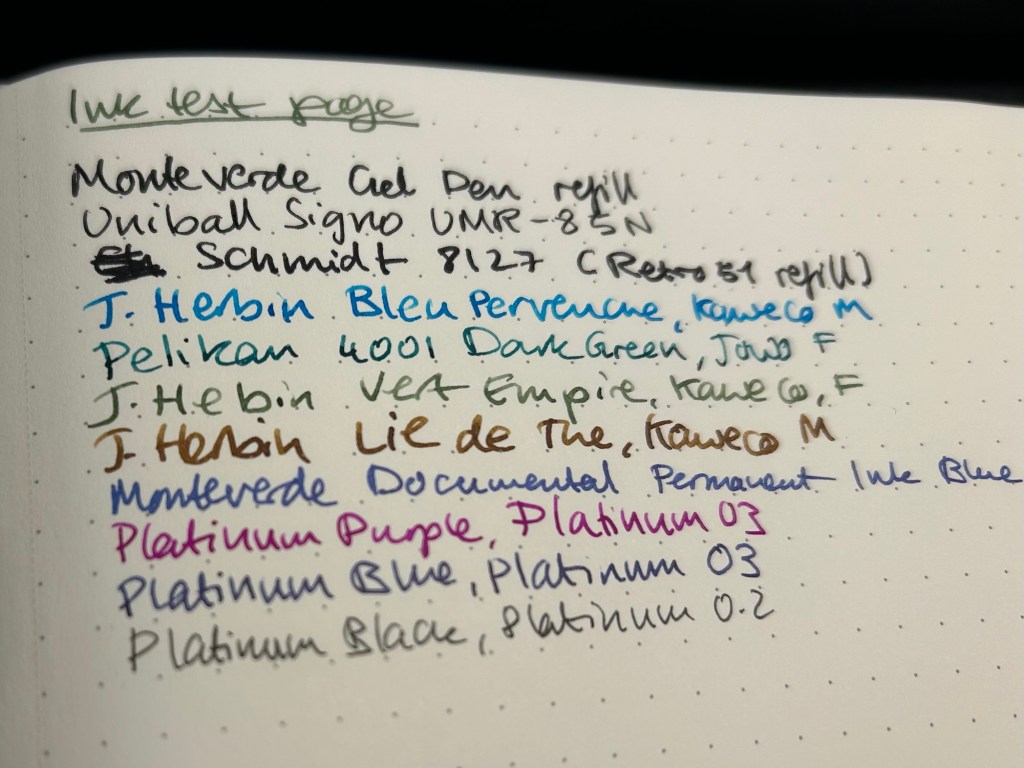
Here’s a close up of the way the ink behaved. This is fountain pen friendly paper in terms of it not spreading or feathering, but the bleed through and show through will limit you to fine and extra fine nibs and less saturated inks:

No feathering, some spread with the Retro 51 refill

The 120gsm paper on both the Bullet Journal and the 120gsm notebook fair much better:

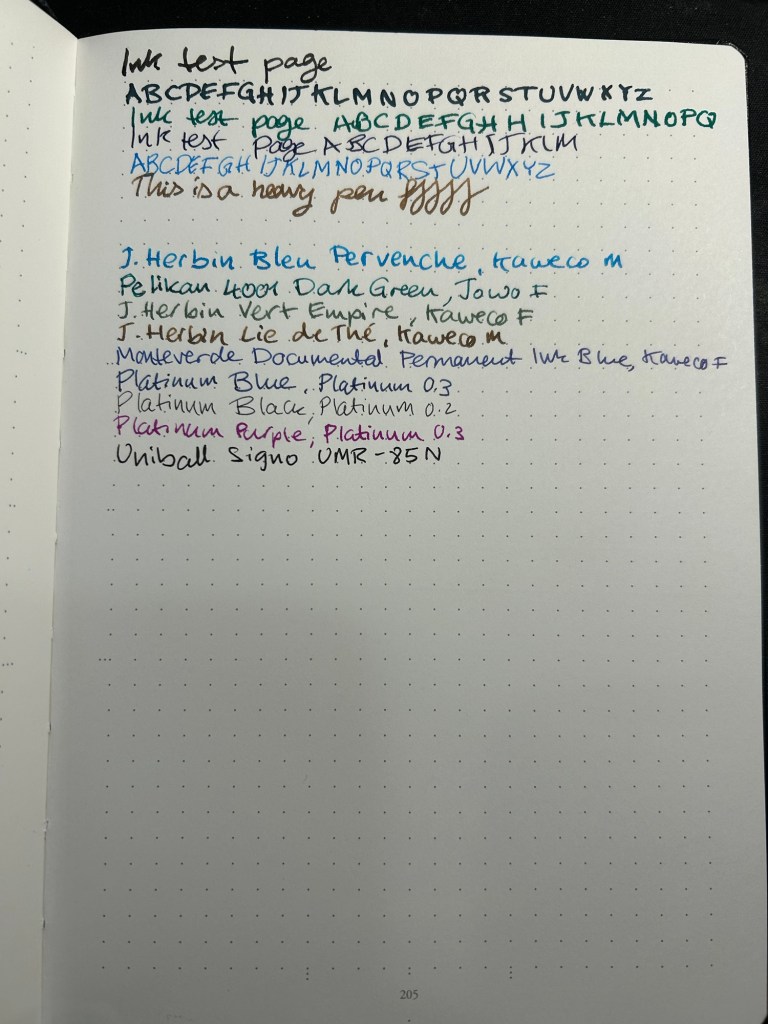
Ink test page on the 120gsm

You can definitely use both sides of the page with this notebook, and feel free to toss every kind of nib width and ink at it — I haven’t found one that it can’t handle.

Back of the 120gsm (Bullet Journal was the same)

I’ve been using the Bullet Journal for a while now and I have had no problems using even broad and flexible nibs on it, with wet inks. Inks take time to dry on it, but they don’t bleed through.

Ink test page with example of wet and wide nibs on the Bullet Journal

The paper in all three journals is off white. That may bother you. Here’s the page with a sample of a white page next to it:

Paper colour sample – Leuchtturm vs white paper

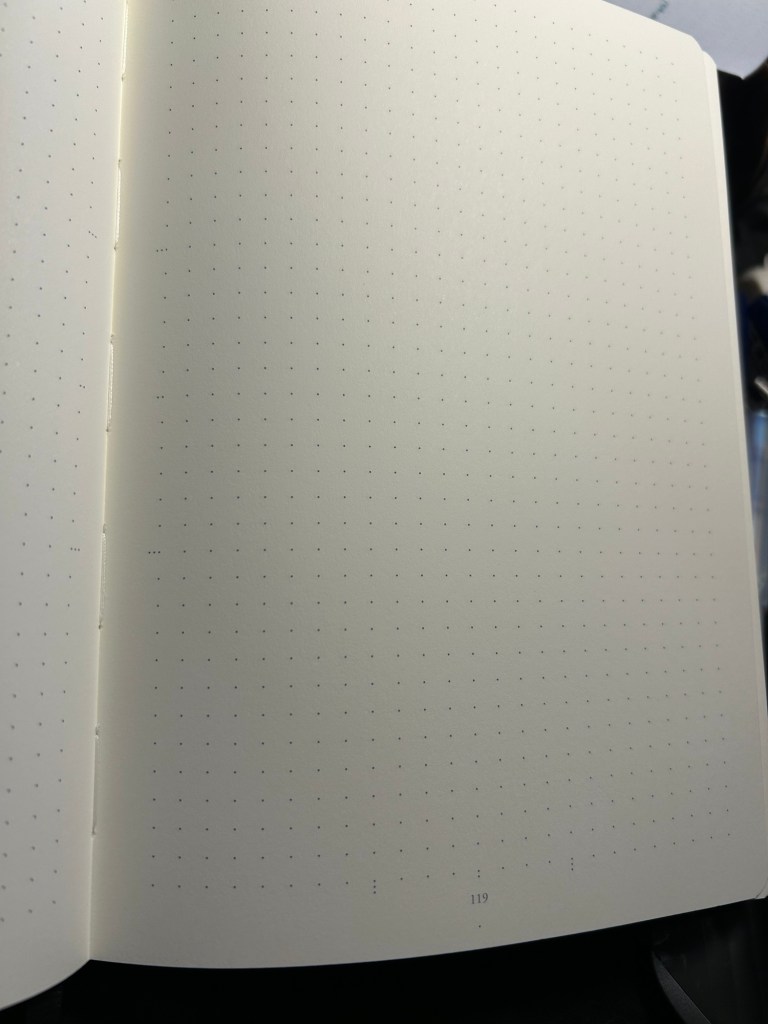
At the bottom and the left side of the page you can see the special Bullet Journal divisions, meant to help you create various BuJo formats of things. They’re very unobtrusive, so you can easily ignore them if you don’t need them:

Bullet Journal markings on the bottom and on the left margin

So, basically:

Standard — cheapest one, thinnest and lightest with the most pages. Works only if you use fine gel ink pens or fine and extra-fine nibs with unsaturated or light coloured inks. If you write with a heavy hand, or prefer to use ballpoints this paper will likely note work for you, as you’ll carve your way through several pages without really intending to. If you’re willing and able to work around its limitations, it’s worth getting. It’s also more widely available and comes with a much larger range of cover colours than the other two.

120gsm – when in doubt, get this notebook. It’s got the best paper for the least amount of money of the three. If two ribbon bookmarks aren’t enough for you, it’s likely that you’ll need more than three anyway — get post it tabs. If you don’t have to have the Bullet Journal addons and formatting, save a few bucks and get this notebook. You’ll also have a few more cover colour options.

Bullet Journal — get this if you want to use the Bullet Journal method or you want to try it. If you end up deciding not to use the method, you’re still left with a great notebook, and you can buy the 120gsm next time.

I hope this helps clarify things a bit. Personally I’m currently using the Bullet Journal as a regular notebook (my quarterly planning, weekly planner and long term lists are in it) after failing to find value in the Bullet Journal system, and the standard notebook for work projects. The 120gsm will replace the Bullet Journal once I’ve filled it.

How I Use My Notebooks: My Kindle Unread Book List

One of the things that I set up in my Leuchtturm1917 Bullet Journal is a list of the unread books on my Kindle. It’s supremely easy to buy books on a Kindle, as the whole system is set up a way to make book purchasing as fast and frictionless as possible.

This is a problem for me.

I love books, I adore reading, and I have pretty large group of friends that love reading too. This means that I’m inundated with great recommendations that run the gamut from light hearted fantasy and sci-fi to contemporary and classic literary fiction, with a whole host of fiction and non-fiction books in the middle (I don’t read horror and I don’t read romances and I rarely read poetry but that’s about the only limits I have in terms of my reading tastes). I get several such book recommendations a month, and with my initial impulse to rush out and buy them, and with the ease of purchasing books on a Kindle, things could get out of hand very quickly. This was one of the reasons why for years I was so resistant to buying a Kindle.

You see, it’s very easy to lose track of just how many unread books you have on your device. Even if you sort by unread books, you just don’t get a real feel for how many of them are actually waiting to be read. There’s no bookshelf groaning with the weight of unread books, and I was feeling the lack of that.

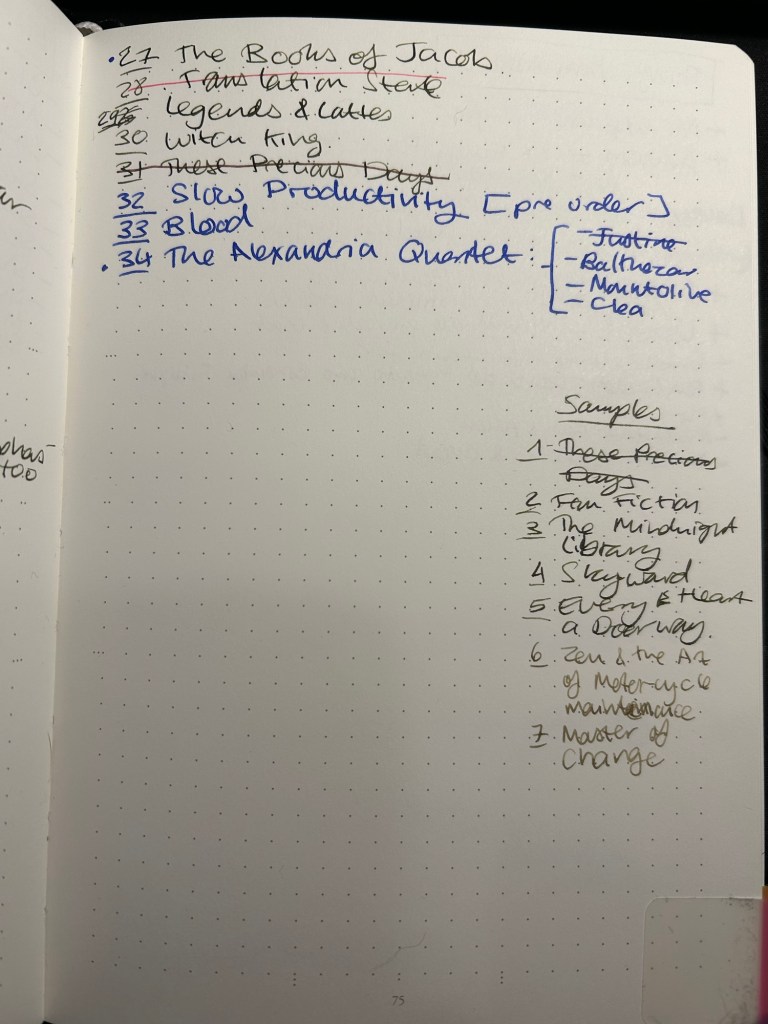
Enter my list of unread books on my Kindle:

It’s a simple numbered list of books that I haven’t read and are on my device. As I read a book, I cross it out. As I purchase more books I add them to the end of the list. As I’ve gotten into the habit of downloading samples, I’ve started to write them down too so they don’t get out of hand. It’s super simple, as bare-bones as it can be, and as practical as possible. The point is just to give my brain an idea of the scale of unread books on my device, and it works.

It works.

I’ve stopped compulsively buying books in the fear of “running out of something to read” or “forgetting what I was recommended”. Recommendations go into my GoodReads “Want to Read” list. And my brain can now see that there’s just no chance that I’ll run out of things to read any time soon. If I buy something I have to go over the list and convince myself that what I’m buying deserves precedence over the lovely books waiting patiently in line, some of them for years. I also photograph this list and keep it on my phone for reference, to prevent me from accidentally buying the same book in physical format (unless I purposefully intend to, which is rare).

What about the physical books stacked on shelves, some of them two books deep? I would love to have such a list for them as well, but that task is too daunting for me now. I remember where my books are visually, and moving them all just to catalogue them not only seems like an awful lot of backbreaking work, it will destroy my “memory catalogue of books”. So it seems that my physical books will remain uncatalogued for years to come.

Do you keep a list of all the books you own but haven’t read yet? Do you just keep a list of the books you intend to read next? Do you track your physical books in some way?

Leuchtturm1917 Drehgriffle Nr. 2 Mechanical Pencil Review

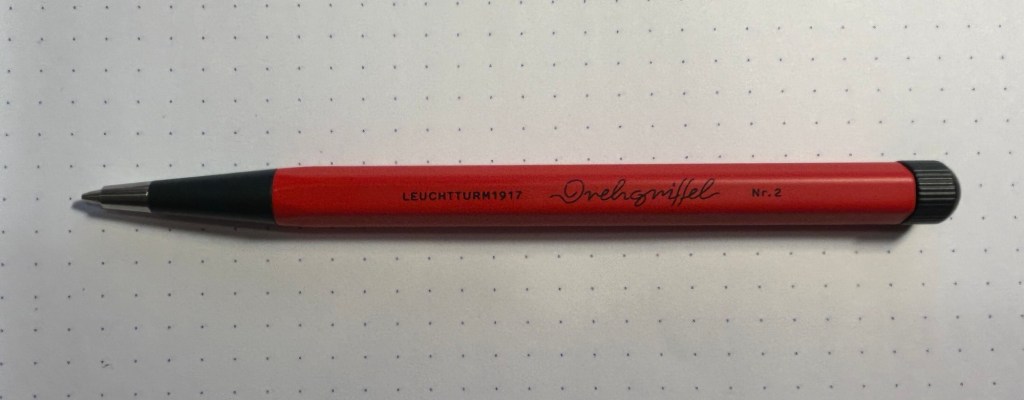
The Leuchtturm1917 Drehgriffel Nr.1 is a charming little pen that comes with either a gel refill or a ballpoint refill. The Drehgriffel Nr. 2 is its pencil counterpart: a short but hefty mechanical pencil with a twist mechanism that comes in a variety of colours. My pencil is a bright red and dark grey one, and it has quickly become my most used pencil by far.

Small but mighty, the Drehgriffel Nr. 2

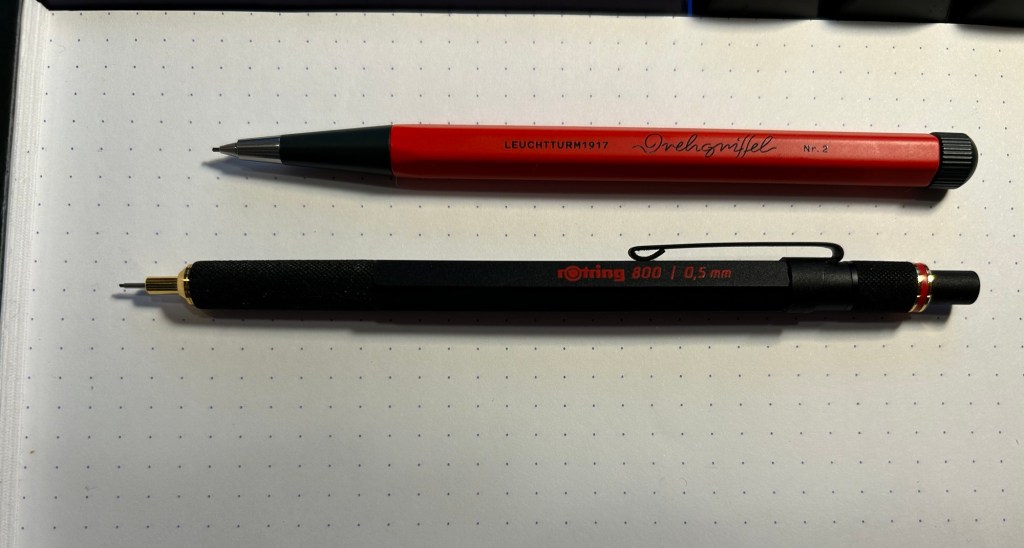
The pencil is shorter than other mechanical pencils, but as it’s an aluminium bodied pencil with a steel tip it has some weight and heft to it. It’s lighter than the Rotring 800, and the weight is balanced towards the tip so it’s very comfortable to use.

Drehgriffel Nr. 2 on top, Rotring 800 on the bottom

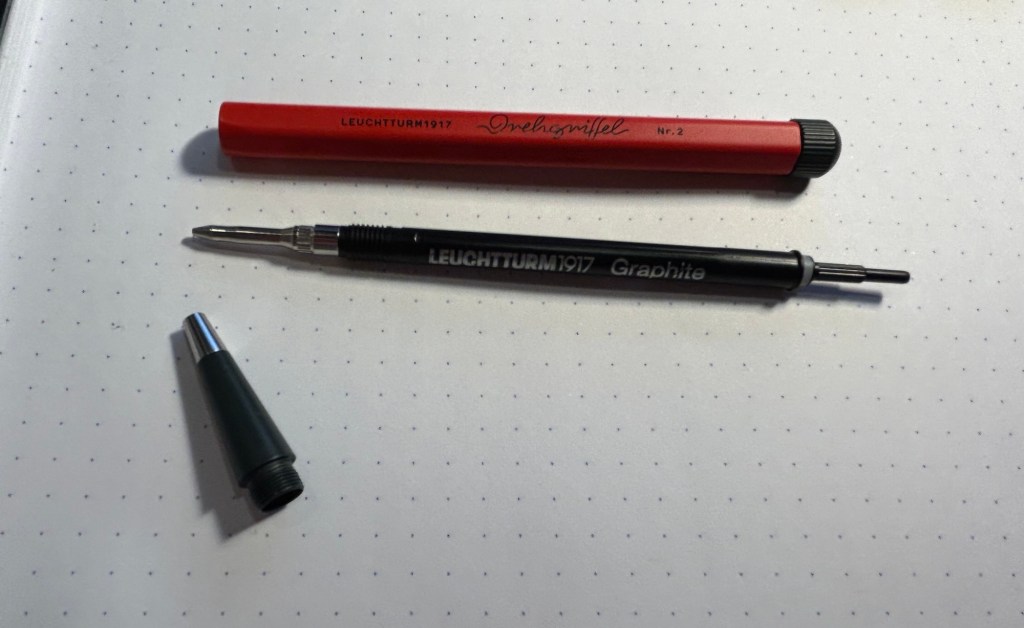
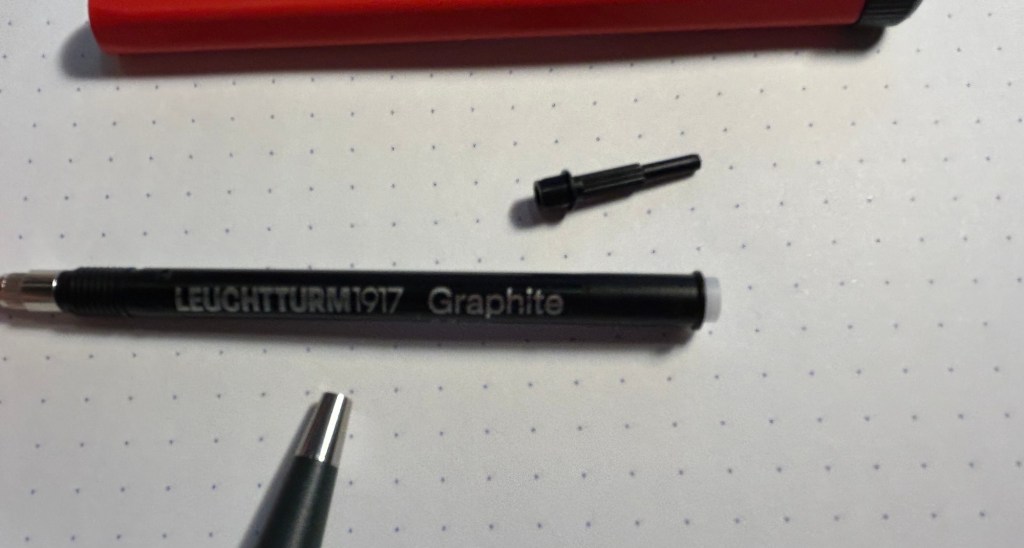
The pencil mechanism is proprietary to Leuchtturm, and it’s a pretty unique affair. You give the nob on the top a quarter twist and then you hear a satisfying click and the lead advances. The pencil mechanism looks like a gel ink or ballpoint refill, but the little pole on the top pulls out and you can add more pencil leads to the pencil that way. You get to the mechanism through unscrewing the front cone tip of the pencil.

The Drehgriffel Nr. 2 and its mechanism

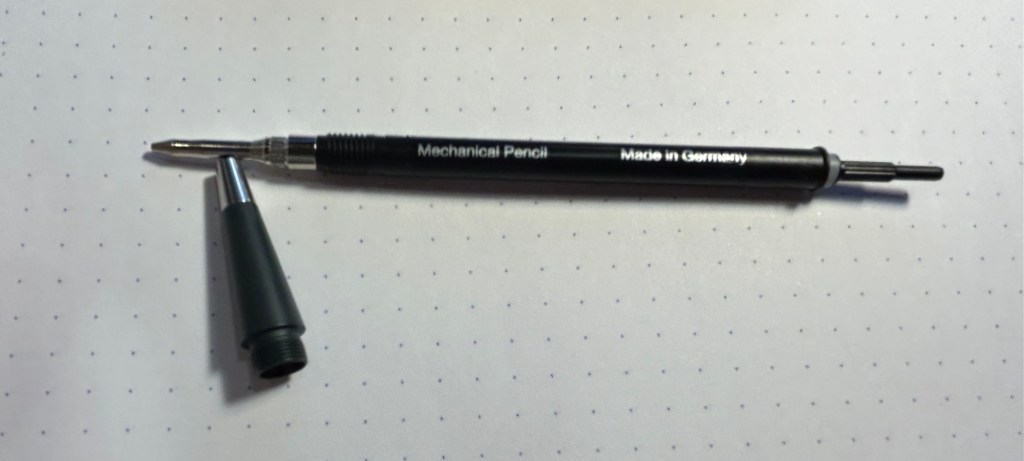
Here’s a closeup of the mechanism (my camera had issues focusing on the lettering):

Here you can see where the leads go in:

The Drehgriffel Nr. 2 is a 0.7 mechanical pencil and it comes with HB leads inside. It’s a great pencil with a classic, sleek design, and a very solid and unique mechanism. The size is plus as it makes it ideal for everyday carry, and it doesn’t have the silly little eraser that certain mechanical pencils have and is always terrible. The only minus to this design is that to add more leads to it you basically have to take the pencil apart. That’s no big chore, but the end bit (the little pole thing) is very small and would be easy to misplace. I’d suggest doing the refilling in batches of a few leads at a time, and being careful to not lose sight of the mechanism end bit.

Otherwise this is an excellent mechanical pencil, a solid and handsome little workhorse that’s a joy to use and would make for a great gift even for people who are not great pencil lovers.

Ghosts of Planner’s Past: Bullet Journalling

I’ve been putting off writing this post because of all the planning systems I discussed, this Bullet Journalling (BuJo) is such a big topic and the system that I’ve used the most and the longest, apart from GTD. This will be the last post in this series as I’m planning on starting another series of posts on a different “how I use my notebooks” kind of topic. The previous posts are here: Chronodex, Weekly Planners, Daily Planners, Filofax, GTD and Friends.

So, Bullet Journalling was started by Ryder Carroll as a very utilitarian, relatively simple, glorified to do list combined with a calendar and some forward planning. At first glance it looked like another GTD system, and it’s clear that they share a common ancestry. This is the first video that Ryder Carroll published on the topic. He’s using a Moleskine squared large notebook here (he’ll switch to a Leuchtturm once he hears about the brand from the Pen Addict podcast, and he’ll land a collaboration deal with them later on), and there are no Instagram worthy spreads, metaphysical musings on how BuJo can transform you into a more enlightened human being, or attempts to upsell anything. It’s like the early days of Moleskinerie and 43folders posts – a guy finds a way to manage his to do list that works for him, and may work for others and so he shares it. Ryder Carroll knows how to explain complex things succinctly and clearly, and the video is beautifully made. It gained a lot of traction at the time, although it’s clear that Carroll prefers that you don’t watch that version of the BuJo explanation.

This is version of bullet journalling is what I started using, and what I still sort of use to this day. Why sort of use? Well, because the basis of the system is a daily to do list with a monthly calendar (and a monthly review), an index and a set of “collections” which are basically project to do lists. I still use the daily to do list and “collection” lists, so I sort of bullet journal. But I also sort of don’t – because none of this is new or unique. To do lists with checkboxes written out on notebooks, with project lists alongside them? There’s a monster list of those. You can’t get a book deal and a stationery collaboration based on that, right?

The official Leuchtturm1917 Bullet Journal

Wrong. About a year passes from the original video, and Carroll signs a deal with Leuchtturm1917 and suddenly there’s an official Bullet Journal and a new video. Stuff gets added to the system. A future log. A whole set of new symbols instead of checkboxes. There’s an added aura of importance and self improvement sprinkled on top. This system will help you be a better person, not just a more productive one.

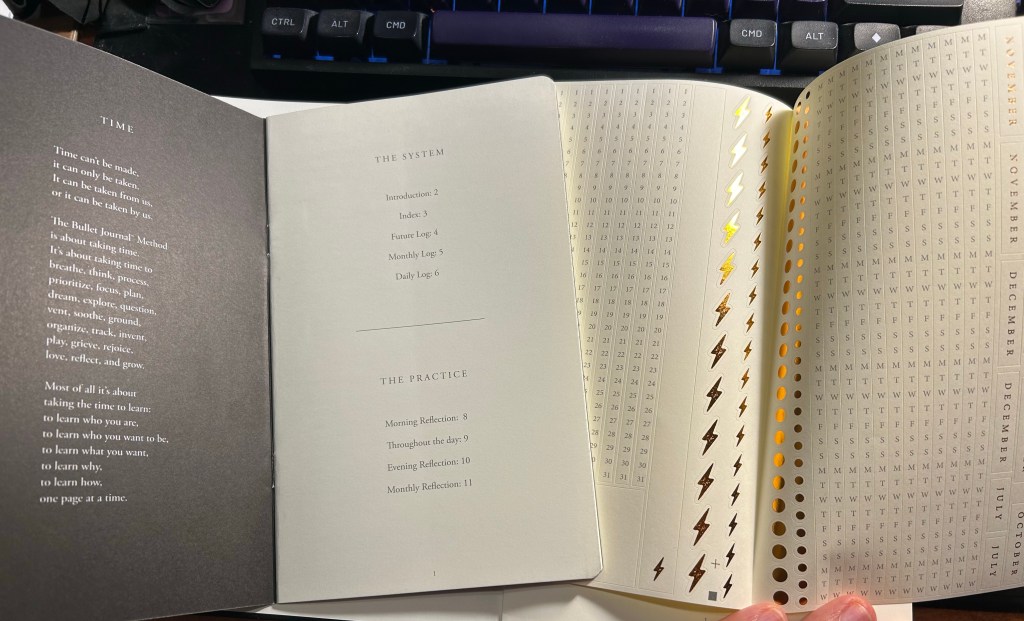
The included pamphlet – with a poem about BuJo no less – and sticker sheet

This is where the Bullet Journal system starts taking a problematic turn for me (and others, gathering by the comments to the videos). It starts becoming an Instagram thing. People spend hours making gorgeous, Instagram worthy monthly spreads. They spend money on templates, markers, stickers, and notebook bling for this. There’s an army of BuJo influencers. It’s no longer a “getting things done” system, it’s a “make pretty planner pages” system. Carroll inflates the system’s importance and “holistic” approach more and more. Out of curiosity I bought the second edition of the official Leuchtturm1917 Bullet Journal. My PTSD makes planning a real struggle now, and I was at the point where I was willing to try anything. Well, for quite a bit of money you get an overly thick notebook full of Leuchtturm paper, which is tolerably useful with fountain pens. Don’t expect Tomoe River levels of fountain pen friendliness, as there is spreading, and it doesn’t show off the full properties of all your cool inks. Then again, it’s not really meant for that. There’s also an added 12 (!) page manual about the system and a large sheet of planner stickers (and three ribbon bookmarks). There’s also stuff printed on the end papers that shows you how you can divide the dot grid page using the supplied markings. If you create tables often, I guess it’s useful. What I mostly feel using it is that it’s a lot.

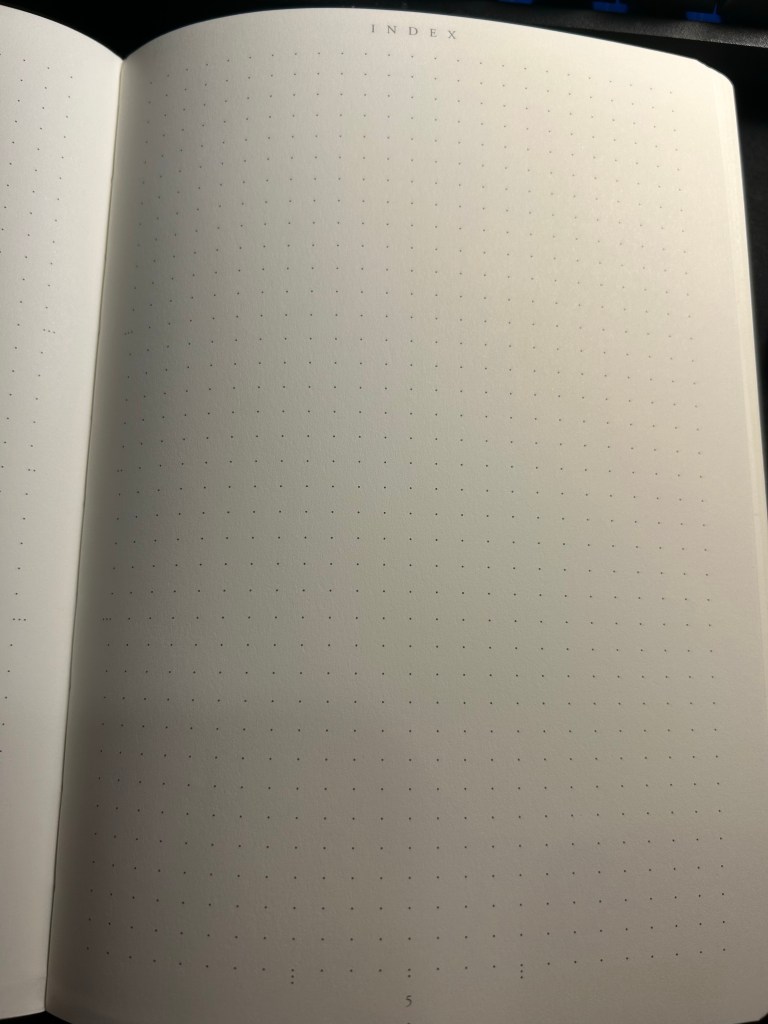
Index page

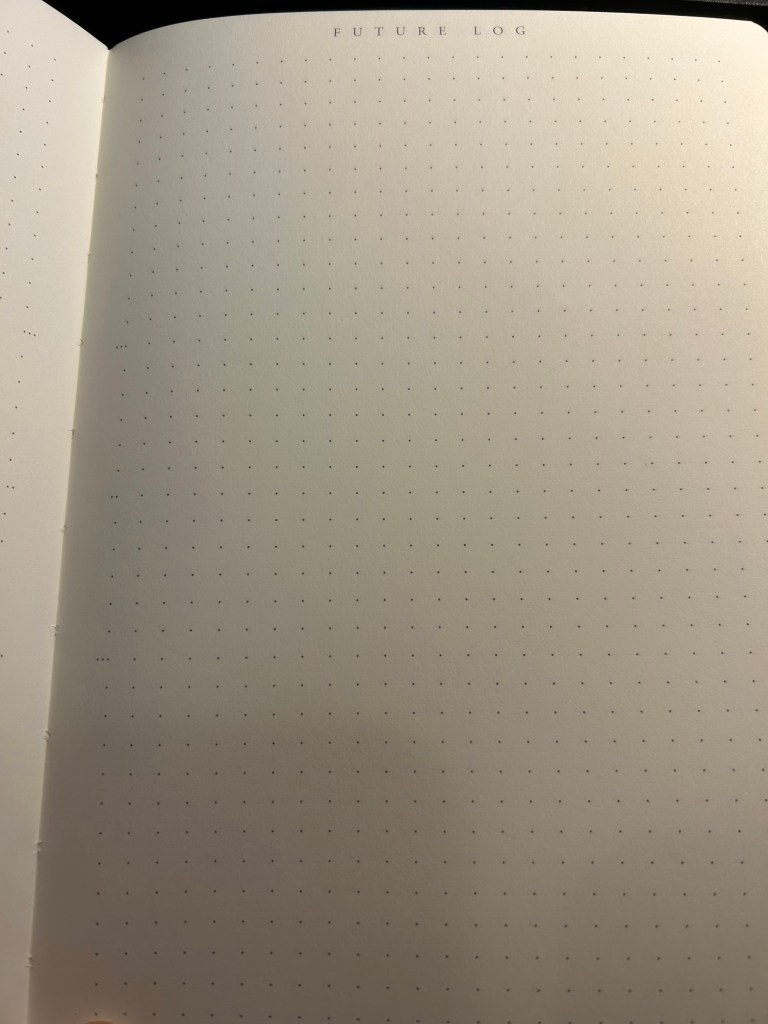
Have you ever tried to write an essay using Microsoft Word? Have you ever been able to do that without futzing with the formatting, the alignment, the spacing, etc? Word is a program created with printing in mind, and it shows. Writing applications like Scrivener supply you with full screen blank canvases that contain zero formatting prompts because that’s how you get the actual writing done. What the Leuchtturm1917 Bullet Journal does is give you all the tools you need to distract yourself from actually planning your stuff as quickly and efficiently as possible so you can move on to get them done. It’s full of calls to design pages, and I had a hard time at first training my brain to ignore the noise that the notebook came with. Ignore the wide margins, the little division markings, the pages with titles, the stickers and the pamphlet.

Future log

But back to the Bullet Journal system itself: stripped of its self-importance and its need to preen for Likes and Favs, is it still useful as a planning system?

Let’s take a look at it part by part:

  • Index – I didn’t keep one. I think I might have tried this during the first month, but I gave up quickly on this. It’s too much hassle for very little gain. How many times a month do you actually need to find something in your notebook, and when do you not just flip through it? There were many GTD systems with indexes and indexing systems, and I never found the indexes useful.
  • Monthly log – I keep a version of this separately on a small “Rebel Plans” pad from the Well Appointed Desk. It contains a monthly calendar that’s shaped like a calendar (and not a list of days), with important days in the month circled in a different colour, with basic monthly goals and big monthly milestones/events marked on it. I keep it before my eyes constantly as I work, and so having it tucked away in a notebook doesn’t work for me. I also find listing on paper the events of the day for the entire month a waste of time. That’s what digital calendars are for, and they’re much better than paper ones for it.
  • Future log – a new invention made for the official bullet journal notebook. I tried using it and found it to be useless for me. If you want true long term goal tracking, I suggest you try the theme system journal or something of the kind.
  • Daily log – this is the heart of the system, and it works because it’s a to do list. See also my post about GTD. I fluctuate between using the dash-plus annotation system and simple checkboxes, but you can use whatever works for you, of course. The important part is, of course, defining your tasks properly – actionable, doable in a short amount of time, and something that you can and should be doing.
  • Reflections – these are just a rebranding of GTD reviews. These work well if you do them, but it’s been my experience that it’s very easy to stop doing them because who wants to review what you didn’t get to complete as planned?

So there’s good stuff in Bullet Journal if you are able to strip it down from its anxiety inducing beauty contest trends. The question is, will you be able to ignore all the Bullet Journal page design noise and make use of this as a pragmatic planning system, or will you get carried away and start decorating pages and comparing monthly spreads with people who do this for a living, as you buy yet another template and another BuJo perfect pen? I’ll leave you to answer that one for yourself.

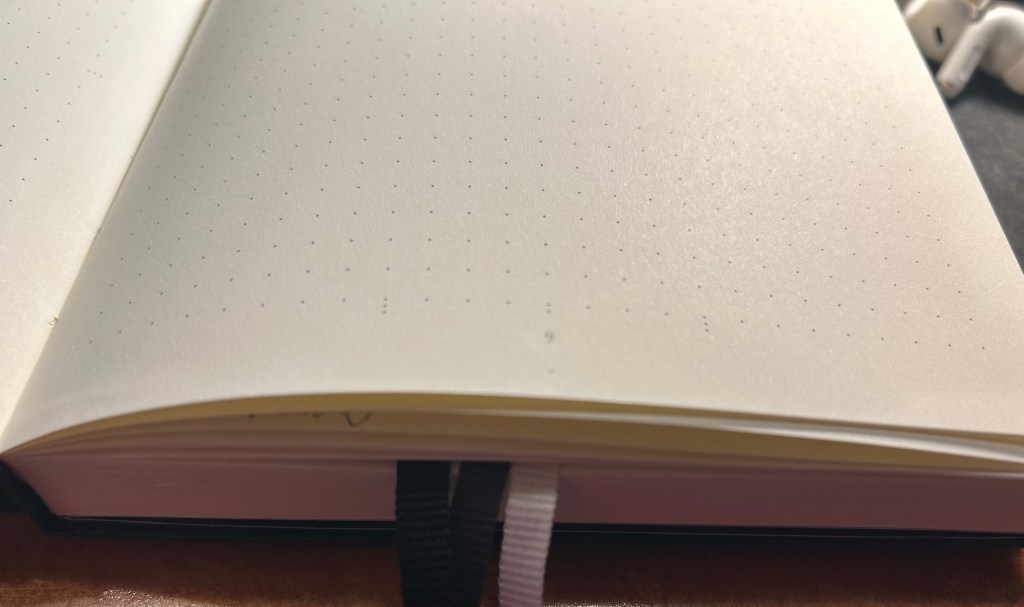
Three ribbon bookmarks and divider markings closeup. You can also see the white margin all around the dot grid page.