Lizard Brain

I didn’t feel like writing yesterday. I was out and about all day, and it was extremely hot and humid, so when I came home the last thing I wanted to do was sit down and write. I procrastinated, I started telling myself that it was OK to skip a day, since I wasn’t feeling that great, and that I could make up for that day tomorrow.

I know that voice very well now. It’s the same little lizard brain voice that tells me that I shouldn’t go running today because it is too hot/too cold/too wet/too humid/I’m tired/I’m feeling so-so. It’s hard to resist that voice, since it’s easier to watch TV or waste time on the internet than it is to write or run.

When it comes to running, I get out the door by just lacing my shoes, and reminding myself that I’ve yet to regret going out on a run.

I’ve never regretted going out on a run.

So yesterday I plunked my sorry ass by the computer and started typing. When the words came out slowly and painfully, I took out a pen and paper and did a quick draft of the scene that I’m working on. And then I typed it.

When the scene came out as mediocre (since I was writing for the sake of writing, not for the sake of writing well), I went back and rewrote it. “Sorry little lizard brain. If you are going to act up, this is only going to take longer,” I told myself.

I finished my session target (a little over 500 words) yesterday, and while it took my twice as long as usual, I sure as hell don’t regret doing it.

First Chapter

So I just finished writing my first chapter, and it went quicker than I expected. I think that after 7 years of academic writing, I finally figured out how to get myself to write quicker. Of course, this would happen when it’s already too late to help me with any of my degrees, but what can you do? Writing isn’t easy, and there really is no magic formula. There is only trial and a lot of error.

I used to handwrite in long hand draft after draft, and only when I was semi-satisfied type it up and polish it. That was painfully slow, so I cut it down to just writing my “shitty first draft” in long hand with (fountain)pen and paper.

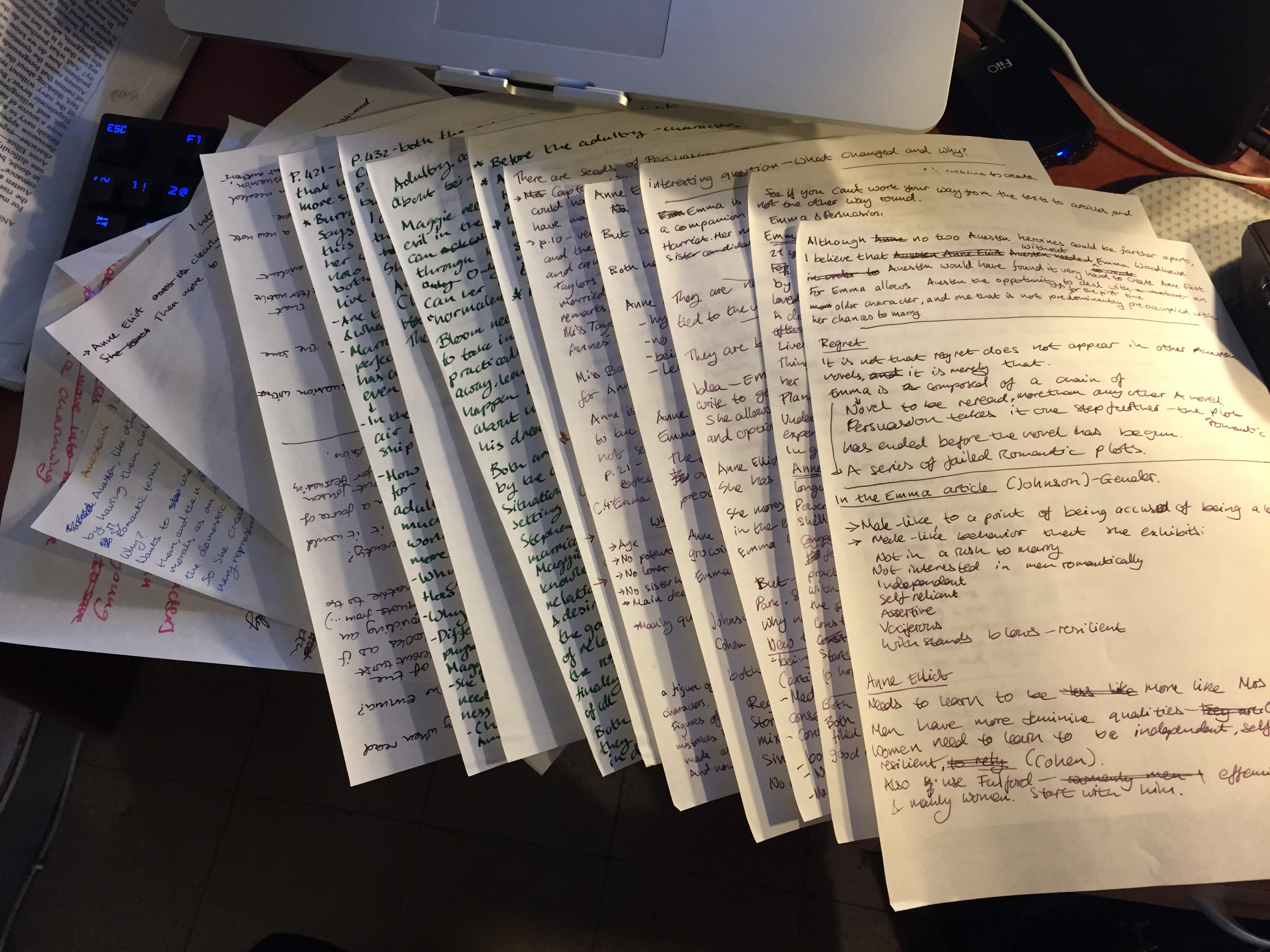
Behold the reams of paper required to produce just that rough draft:

IMG_3347

This was not working.

My draft was over-polished for a rough first draft, and so it took too long to complete.

Once I completed it I didn’t feel like typing it up in Scrivener.

Once I typed it up, I often discovered that I had managed to go off on a tangent, or dig myself into a useless hole, so I had to rewrite half the paper again.

Again — this was not working.

I tried writing directly in Scrivener, but I think better when I use pen and paper. So cutting out the analogue part of my writing process just made me produce really mediocre papers which I had to work twice as hard on during the loathed editing and polishing phase.

The solution for me is just to do a handwritten quick draft of the overall piece , and then start writing in Scrivener. If I get stuck, or want to try out a few options, I just quick draft each one, and then continue typing along. So my writing method still combines analogue and digital, but the balance between them has changed. I spend less time planning, and planning, and planning, and more time just doing the writing and seeing what works.

After all, I can always go back and change it later.

Why I use Scrivener

I started using Scrivener during the late stages of my MA. If I would have known of it sooner, then believe me I would have used it throughout my BA and MA.

What is Scrivener?
It’s a writing application. A thumping good writing application.

But I have Word for that.
I thought Word was a writing application too, until I downloaded Scrivener’s free trial and gave it a spin. Word is great for word processing (i.e. formatting things, playing with fonts and tables and tables of content), it is a very poor writing app.
Why? Because it tempts you to play with the font and the paragraph formatting, and fiddle with footnotes and endnotes, etc. Scrivener is keyed towards the writing process itself.

To see what I mean, download Scrivener from here, and open a blank project (there are other great project formats there, but for now a blank project is all you need), create a new text file under “Draft”, and just start writing. If you are a distraction prone writer (who isn’t?), press on the full composition mode button on top (I dare you to have trouble finding it), and enjoy an all encompassing writing experience.
Notice the lack of font-and-margin-and-style buttons on top? That’s because Scrivener wants you to finish all of your writing (and your veggies), and play with formatting only during the compile phase, which happens after the text is finished.
You can do all your writing in a app that respects your writing process, and then chuck the whole thing easily to Word for formatting, or do the formatting during the compile phase and create Word documents or ebooks directly from Scrivener itself.

Try using a writing app for once – I’ll bet you’ll like it.

Word Notebook

Earlier this year I won this little notebook by sheer chance from (wonderful)  Pen Addict blog giveaway.

P1030046

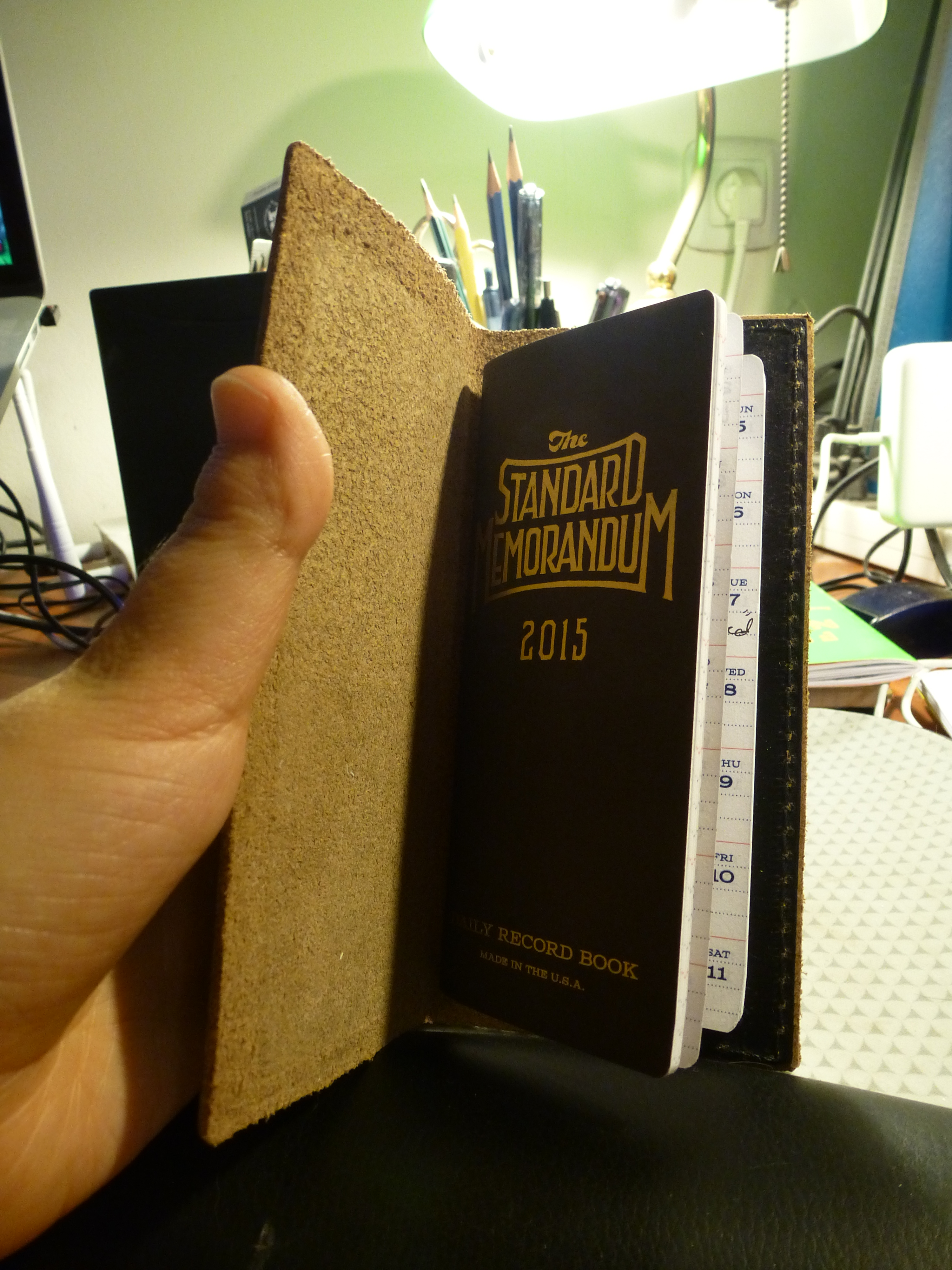
The notebook is a Word Standard Memorandum notebook and the cover is a Word Standard Memorandum cover in black.  It’s tiny, and much longer than it is wide — so it’s not in any standard format. Inside it looks like this:

P1030047

So you’ll notice that there isn’t very much writing room there. At first I wasn’t so sure what to do with it. It was too small to be useful as a planner, calendar or an exercise log (not that I didn’t try). But I liked the notebook too much to just let it languish on my desk.

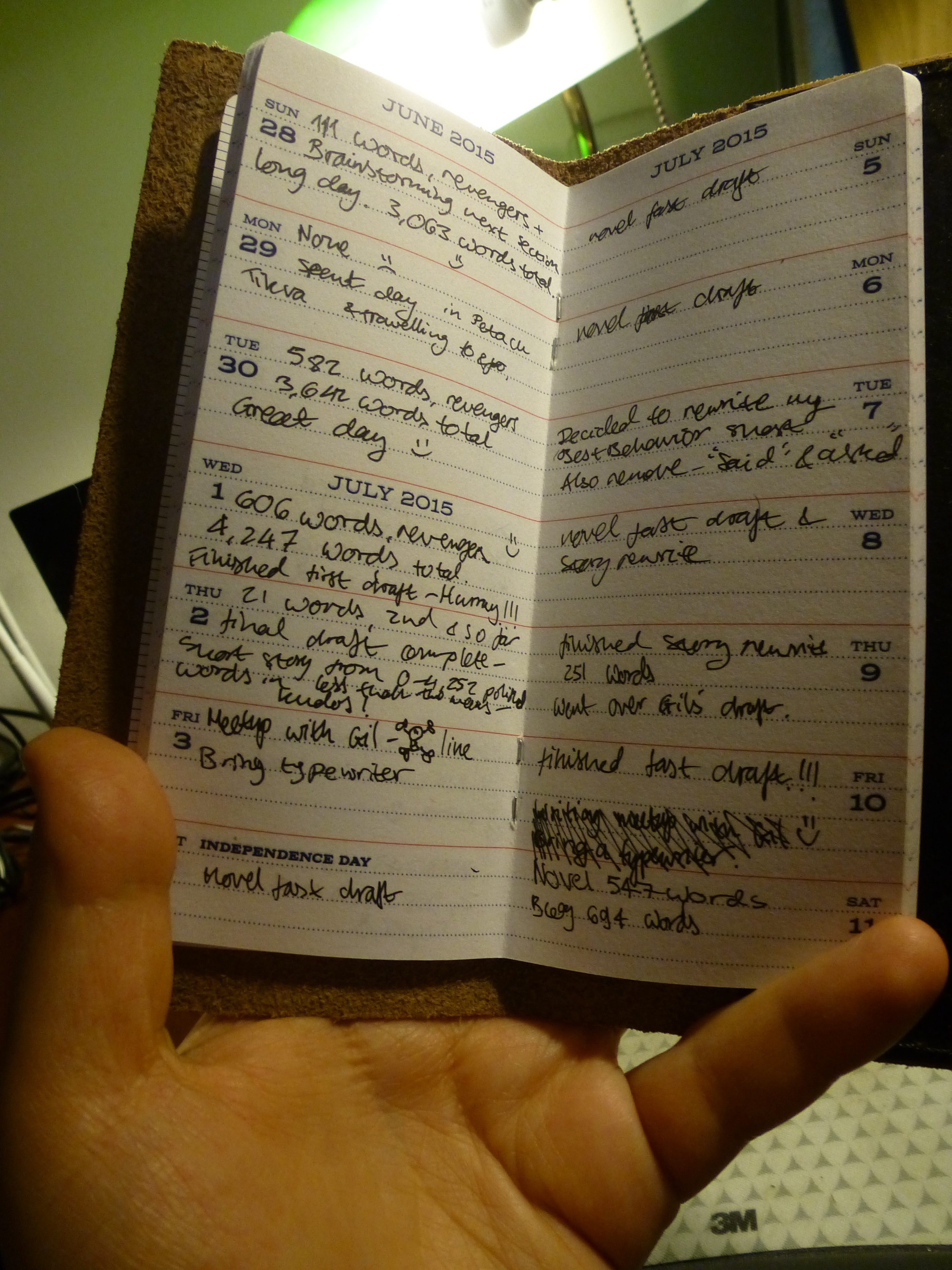
So on a whim I started using it as a word count log. At the end of each day  I write down how many words I’ve written, for which piece, and whether I am happy with my progress or not. On quick drafting days, I just note that I did some brainstorming and produced a quick draft. Since the notebook is so tiny, I use little smiley faces to note whether I made good progress that day or not.

Here is a sample page, filled in:

P1030048

This new little habit has been a great boost for my confidence as a writer, and has boosted up my daily word count considerably. It introduced not only a way of viewing my progress, but also a gamification of kind into my writing.

If you are writing anything, whether it’s a seminar paper or a novel, I highly recommend that you keep a word journal to keep tabs of your progress during those long writing hours.

Deadlines

I am very good at procrastinating. It cost me my MA thesis, which I wasn’t able to complete because it looked like such a Herculean task that I managed to scare myself into complete paralysis.

When I started working on my first piece of fiction (a short story), I very quickly found myself going back to my bad habits:

  •  Expanding the work to such proportions that it becomes impossible to complete in a reasonable amount of time. I managed to turn that short story into a not very good novella.
  •  Fiddling with my workflow to the extent that it is no longer helpful to me, but rather becomes a liability. I tried using a typewriter for the story at first, and while I discovered a very useful tool for very specific problems, forcing myself to use it for the entire first draft of said novella, did me no favours.
  • Setting totally achievable deadlines, and then letting them go “swoosh” by me.

I procrastinate when  the work that I’m setting out to do seems too unclear, too large, or too tasking. It’s a way of avoiding problems that most of the time I created myself.

While I still procrastinate, I’ve found that over the last few months I’ve been doing it less and less. Most of the problems of scale that I caused myself were solved by using the Foolscap Method and Quick Drafting. The rest of my problems I have solved by creating external deadlines that I can’t easily blow off.

Every two weeks I meet with a fellow writer that I appreciate, and we swap writing samples that we want critique on. Knowing that those two weeks will fly by whether I’ve written something or not, and not wanting to show up empty handed, have really pushed me to stop playing and start writing. My output has been better and more consistent since we’ve started these get togethers, and it had been a sheer blessing for my work.

If you are a procrastinator, try setting yourself an external deadline. Find a fellow writer, a friend or a family member whose opinion you appreciate and who you can trust with your work. Set a deadline with them (I recommend every two weeks, because it is often enough to not let you to fall off the wagon and get really far behind, yet not to often to become a burden).

More likely than not, it will be a deadline you’ll keep.

The Foolscap Method

Steven Pressfield’s Foolscap Method is way to map out the bare bones of your plot, get you thinking about the narrative itself, and help you consider what your story is about in one page of foolscap paper.

If you haven’t yet given the Foolscap Method a try, I highly recommend it, even if you are already in the midst of writing something. It takes only a few minutes to do, and it saved me hours of wondering what comes next, or having to rewrite my story in the first person because it works better this way.

If you only take one thing out of the Foolscap Method, let it be Pressfield’s “step four: theme”, also known as what is the story about. It really helps focus my writing to nail this down as early as possible.

Even though Pressfield recommends breaking the story rather arbitrarily into three acts, and I do so, I find this the weakest point of the Foolscap Method. It would likely be more productive to just list the major scenes that you need to go through from the “Inciting Incident” to the story’s climax. For obvious reasons this is also when I prefer to note the inciting incident and the climax, rather than at the very end, as Pressfield does.

Finally, here’s the post on Pressfield’s blog where he discusses the Foolscap method, what it is and why he uses it.

Using quick drafts

A quick draft is something that I only very recently started doing. It replaces the need to write outline after outline, which are never detailed enough, or my previous time consuming habit of writing the entire first draft by hand. The idea is to just write out the entire piece, in a kind of shorthand that just roughly outlines all the scenes, and gives broad details of key points in the narrative and the dialog. It’s a kind of long summary of the plot, for your eyes only. The point is to go over all the scenes and make sure that there aren’t any plot holes or things that you need to embed earlier in the narrative to help explain a later scene. A quick draft also helps me get a better idea of the shape of the narrative (the way it moves from beginning to end), break it down to chapters and scenes, and get a better idea of who the characters are within the narrative. As an added bonus, it makes doing the Foolscap Method much easier later on.