Ghosts of Planner’s Past: Bullet Journalling

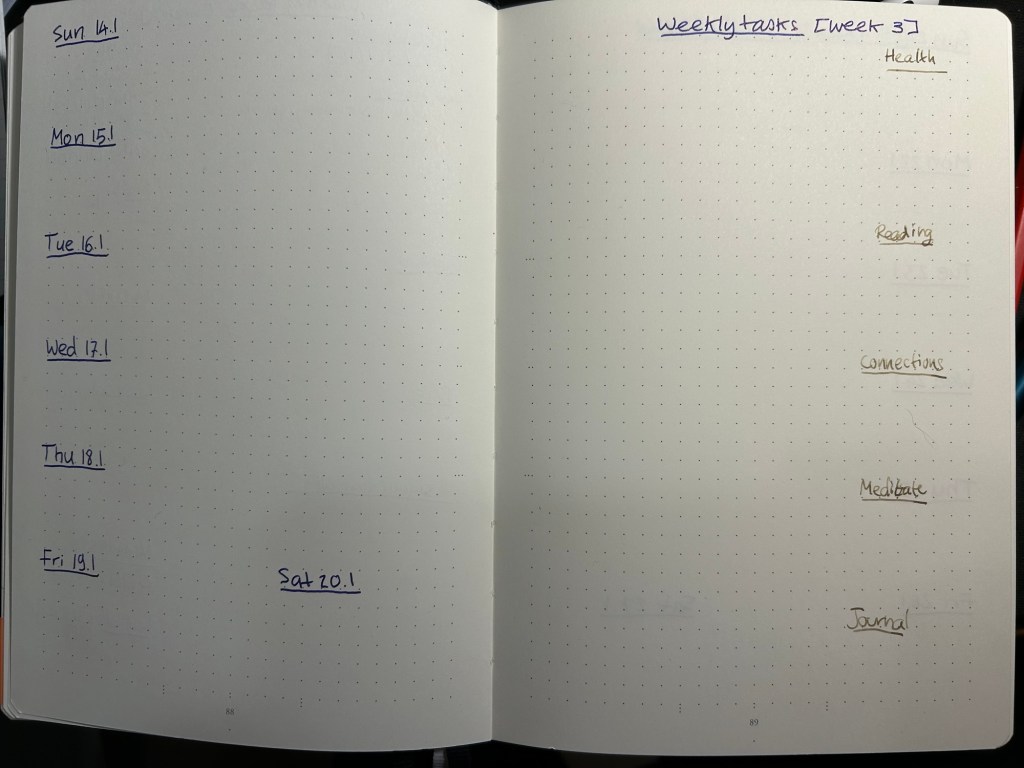
I’ve been putting off writing this post because of all the planning systems I discussed, this Bullet Journalling (BuJo) is such a big topic and the system that I’ve used the most and the longest, apart from GTD. This will be the last post in this series as I’m planning on starting another series of posts on a different “how I use my notebooks” kind of topic. The previous posts are here: Chronodex, Weekly Planners, Daily Planners, Filofax, GTD and Friends.

So, Bullet Journalling was started by Ryder Carroll as a very utilitarian, relatively simple, glorified to do list combined with a calendar and some forward planning. At first glance it looked like another GTD system, and it’s clear that they share a common ancestry. This is the first video that Ryder Carroll published on the topic. He’s using a Moleskine squared large notebook here (he’ll switch to a Leuchtturm once he hears about the brand from the Pen Addict podcast, and he’ll land a collaboration deal with them later on), and there are no Instagram worthy spreads, metaphysical musings on how BuJo can transform you into a more enlightened human being, or attempts to upsell anything. It’s like the early days of Moleskinerie and 43folders posts – a guy finds a way to manage his to do list that works for him, and may work for others and so he shares it. Ryder Carroll knows how to explain complex things succinctly and clearly, and the video is beautifully made. It gained a lot of traction at the time, although it’s clear that Carroll prefers that you don’t watch that version of the BuJo explanation.

This is version of bullet journalling is what I started using, and what I still sort of use to this day. Why sort of use? Well, because the basis of the system is a daily to do list with a monthly calendar (and a monthly review), an index and a set of “collections” which are basically project to do lists. I still use the daily to do list and “collection” lists, so I sort of bullet journal. But I also sort of don’t – because none of this is new or unique. To do lists with checkboxes written out on notebooks, with project lists alongside them? There’s a monster list of those. You can’t get a book deal and a stationery collaboration based on that, right?

The official Leuchtturm1917 Bullet Journal

Wrong. About a year passes from the original video, and Carroll signs a deal with Leuchtturm1917 and suddenly there’s an official Bullet Journal and a new video. Stuff gets added to the system. A future log. A whole set of new symbols instead of checkboxes. There’s an added aura of importance and self improvement sprinkled on top. This system will help you be a better person, not just a more productive one.

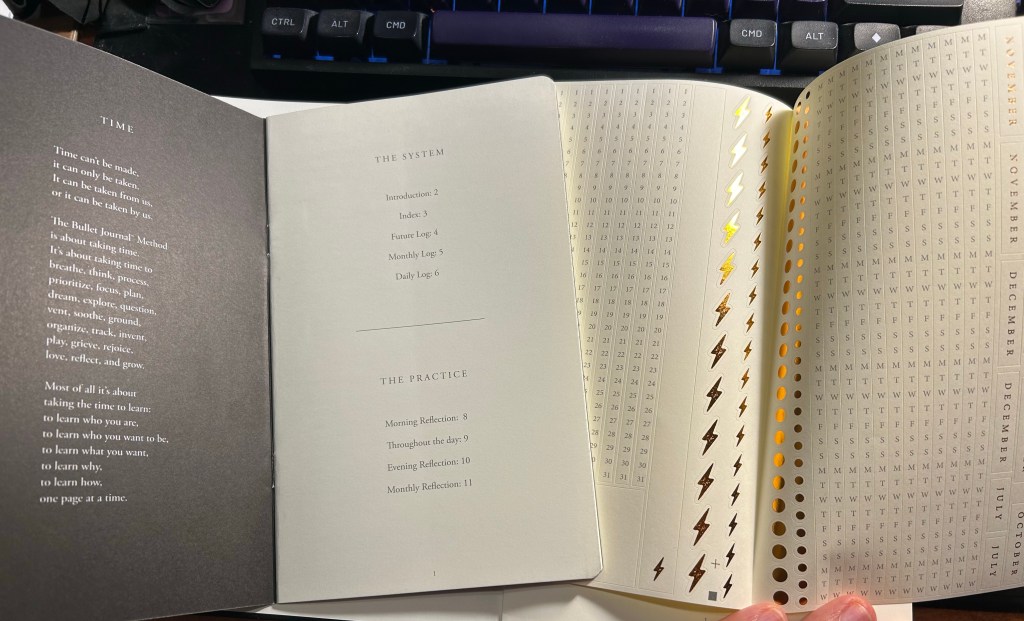
The included pamphlet – with a poem about BuJo no less – and sticker sheet

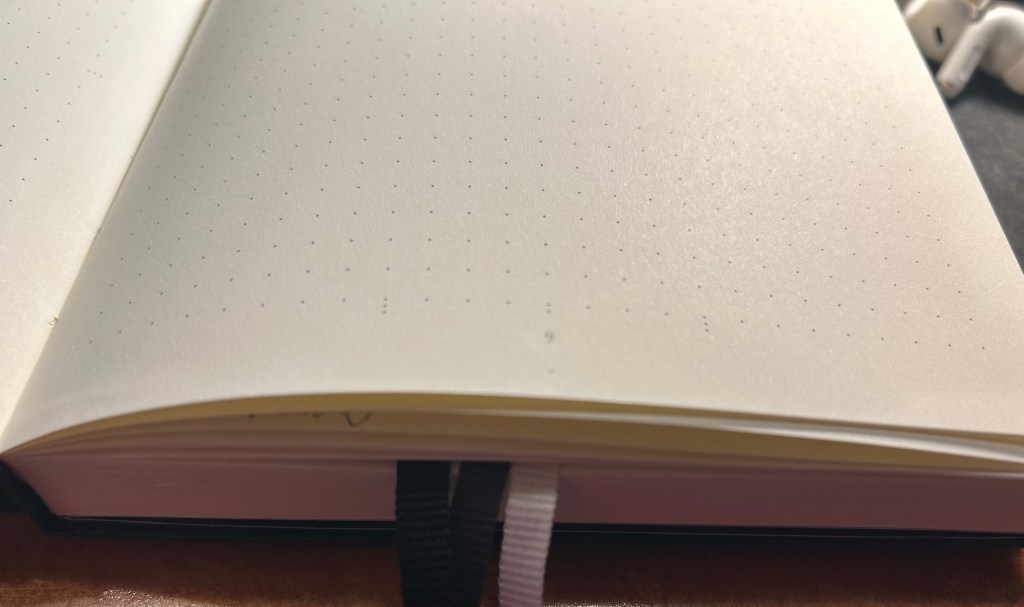
This is where the Bullet Journal system starts taking a problematic turn for me (and others, gathering by the comments to the videos). It starts becoming an Instagram thing. People spend hours making gorgeous, Instagram worthy monthly spreads. They spend money on templates, markers, stickers, and notebook bling for this. There’s an army of BuJo influencers. It’s no longer a “getting things done” system, it’s a “make pretty planner pages” system. Carroll inflates the system’s importance and “holistic” approach more and more. Out of curiosity I bought the second edition of the official Leuchtturm1917 Bullet Journal. My PTSD makes planning a real struggle now, and I was at the point where I was willing to try anything. Well, for quite a bit of money you get an overly thick notebook full of Leuchtturm paper, which is tolerably useful with fountain pens. Don’t expect Tomoe River levels of fountain pen friendliness, as there is spreading, and it doesn’t show off the full properties of all your cool inks. Then again, it’s not really meant for that. There’s also an added 12 (!) page manual about the system and a large sheet of planner stickers (and three ribbon bookmarks). There’s also stuff printed on the end papers that shows you how you can divide the dot grid page using the supplied markings. If you create tables often, I guess it’s useful. What I mostly feel using it is that it’s a lot.

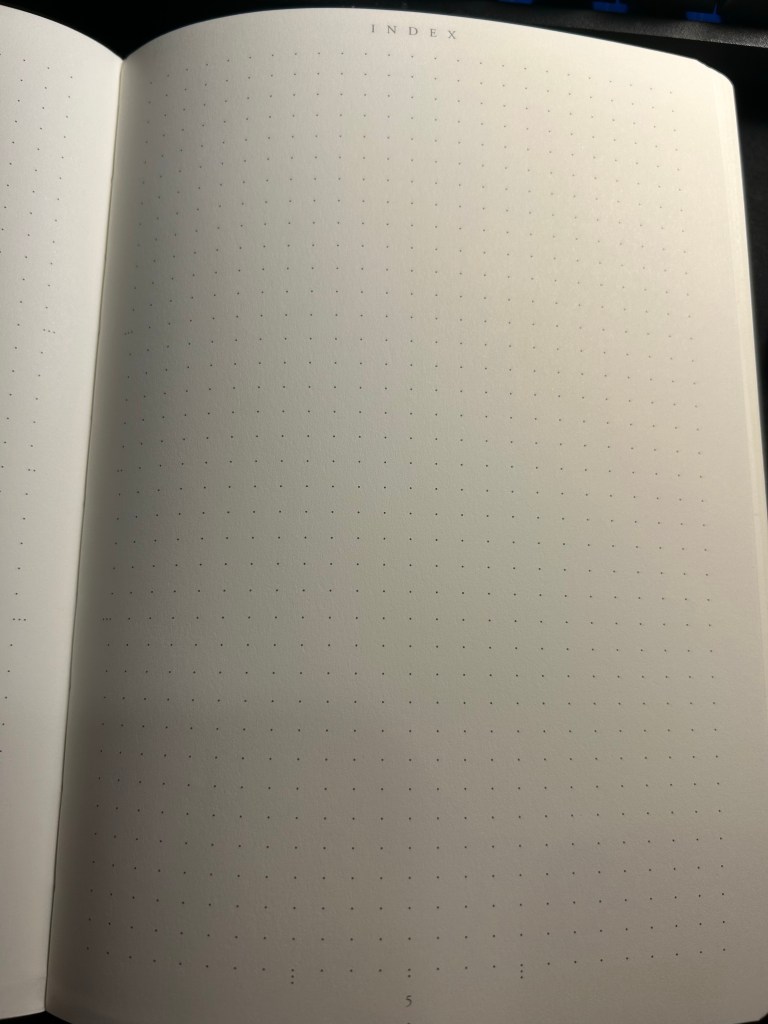
Index page

Have you ever tried to write an essay using Microsoft Word? Have you ever been able to do that without futzing with the formatting, the alignment, the spacing, etc? Word is a program created with printing in mind, and it shows. Writing applications like Scrivener supply you with full screen blank canvases that contain zero formatting prompts because that’s how you get the actual writing done. What the Leuchtturm1917 Bullet Journal does is give you all the tools you need to distract yourself from actually planning your stuff as quickly and efficiently as possible so you can move on to get them done. It’s full of calls to design pages, and I had a hard time at first training my brain to ignore the noise that the notebook came with. Ignore the wide margins, the little division markings, the pages with titles, the stickers and the pamphlet.

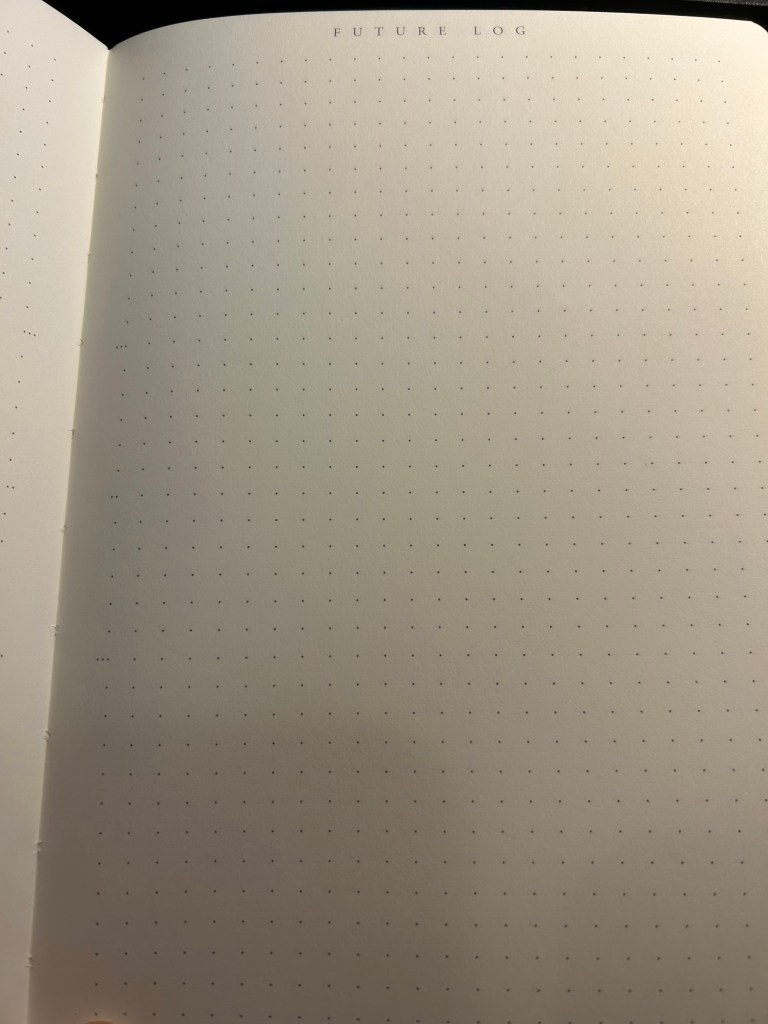
Future log

But back to the Bullet Journal system itself: stripped of its self-importance and its need to preen for Likes and Favs, is it still useful as a planning system?

Let’s take a look at it part by part:

  • Index – I didn’t keep one. I think I might have tried this during the first month, but I gave up quickly on this. It’s too much hassle for very little gain. How many times a month do you actually need to find something in your notebook, and when do you not just flip through it? There were many GTD systems with indexes and indexing systems, and I never found the indexes useful.
  • Monthly log – I keep a version of this separately on a small “Rebel Plans” pad from the Well Appointed Desk. It contains a monthly calendar that’s shaped like a calendar (and not a list of days), with important days in the month circled in a different colour, with basic monthly goals and big monthly milestones/events marked on it. I keep it before my eyes constantly as I work, and so having it tucked away in a notebook doesn’t work for me. I also find listing on paper the events of the day for the entire month a waste of time. That’s what digital calendars are for, and they’re much better than paper ones for it.
  • Future log – a new invention made for the official bullet journal notebook. I tried using it and found it to be useless for me. If you want true long term goal tracking, I suggest you try the theme system journal or something of the kind.
  • Daily log – this is the heart of the system, and it works because it’s a to do list. See also my post about GTD. I fluctuate between using the dash-plus annotation system and simple checkboxes, but you can use whatever works for you, of course. The important part is, of course, defining your tasks properly – actionable, doable in a short amount of time, and something that you can and should be doing.
  • Reflections – these are just a rebranding of GTD reviews. These work well if you do them, but it’s been my experience that it’s very easy to stop doing them because who wants to review what you didn’t get to complete as planned?

So there’s good stuff in Bullet Journal if you are able to strip it down from its anxiety inducing beauty contest trends. The question is, will you be able to ignore all the Bullet Journal page design noise and make use of this as a pragmatic planning system, or will you get carried away and start decorating pages and comparing monthly spreads with people who do this for a living, as you buy yet another template and another BuJo perfect pen? I’ll leave you to answer that one for yourself.

Three ribbon bookmarks and divider markings closeup. You can also see the white margin all around the dot grid page.

Ghosts of Planners Past: GTD and Friends

This is probably going to be the hardest post to write in this series, and so I’ve been postponing it.

I got into Getting Things Done around 2005, when it was really starting to gain momentum with tech workers online. I first heard about it via PvP Online’s creator, Scott Kurtz. Yes, I found a productivity and planning system via one of the first webcomic creators. The internet is funny that way.

Notes from 2011 on doing GTD better

If you have no idea what GTD is, then I suggest starting here. It’s a 15 minute guide to David Allen’s all-encompassing planning and productivity system. If it resonates with you, then the GTD book is pretty good for a book in the productivity genre. Books in this genre tend to be repetitive, padded with anecdotes, and oftentimes poorly written. The GTD book is readable, and while it contains the inevitable productivity guru anecdotes, there aren’t very many of them.

There are a few things to note about GTD that set it apart from other productivity systems, and make knowing about it worthwhile:

  • While it was developed for a paper office based world and appears on the face of it to be very rigid, it is in fact extremely customizable and flexible, and it converts very well to digital planning and to do list systems. Many of the most popular to list applications have their roots in GTD, for good reason.
  • While it was developed for an office setting and busy executives, it easily works well for students, designers and other creatives, developers, teachers, and just about anybody that doesn’t lead a leisure filled life. If you have “stuff to do”, if you feel overwhelmed, then GTD in some form or another could very likely help you.
  • This system spawned dozens and dozens of other systems. You can see the roots of GTD in BuJo (Bullet Journalling), there’s a monster list of GTD implementations, and 43folders (Merlin Mann’s old productivity site) is full of info on various GTD tweaks and variants. This, by the way, is my favourite one.
  • The basics of GTD are worth implementing no matter which system you use, because they just work, and because they will likely fit whichever system you use. They are:
    • Make a list of all the things you have on your mind that you need to do. They need to be actions that you can perform in the real world, and you need to be able to clearly envision what “done” means.
    • Curate that list – make sure that things on it are actually ACTIONS that you can take IN THE IMMEDIATE FUTURE. Break big tasks into little ones, things that you are able to do it small chunks of time. Make sure there aren’t any hidden dependencies or prerequisites to these tasks. Make sure you know what DONE looks like. Make sure that they are REAL and actually need to be done, and need to be done by YOU. If things on that list take less than 2 minutes to do, just do them. T
    • Go over that list and do the things. If you’re stuck, make sure the thing was properly defined and isn’t a hidden project (i.e. isn’t actually one task but rather 20), something that you can delegate or not do, or something that you can’t start working on now. If you’re balking at doing it open a timer (the famous pomodoro technique enters here).
    • Once a week prune the list. Be ruthless.
    • Don’t schedule anything on your calendar unless it absolutely has to be on your calendar – a doctor’s appointment, a child’s graduation, an exam date, etc.
  • You can get carried away by GTD and become more interested in the organizational part of it (“Productivity Pr0n”) than in actually getting the work done.

The last bullet is what earned GTD a place in this blog post series.

I love GTD. I’ve been using it in various form for almost two decades. I have the book and have read it twice, and I have a good grasp of the major players in the GTD cinematic universe. I know the system well enough to be comfortable to get rid of its mannerisms and streamline it to my own needs. I can see its influences in Jira, in BuJo, in Omnifocus and other to do apps. And it’s very powerful dark side is that it really invites you to tweak and tinker with it. You are tempted to make your system a little bit sleeker, better, more efficient, better suited for your needs, to the point where you suddenly find yourself spending more time and care on the system than the tasks that it is supposed to help you manage. So while GTD taught me how to define and manage my tasks, it also taught me to be constantly aware of how much time I’m spending on my task management systems.

So if you are worried about being carried away by GTD’s siren call to tweak, tweak, tweak, here are some basic ideas from the system that I think are worth taking with you or thinking about no matter what:

  • Our minds aren’t good at keeping track of things. Write them down.
  • Not everything is a real task. It if it isn’t an action that you need take in the world, then it needs to be trashed/delegated/better defined.
  • Tasks that languish in your planner/to do system are either ill defined (see bullet above) or require deliberate action to get out of the way (see pomodoro technique, dashes and timers).
  • Don’t clutter your calendar. It just adds needless stress to your life.
  • The best definition of a task is a physical action, that can be accomplished at a sitting, supports valuable progress towards a recognized and desirable goal, and something that YOU are the most appropriate person to perform.

Ghosts of Planners Past: Filofax

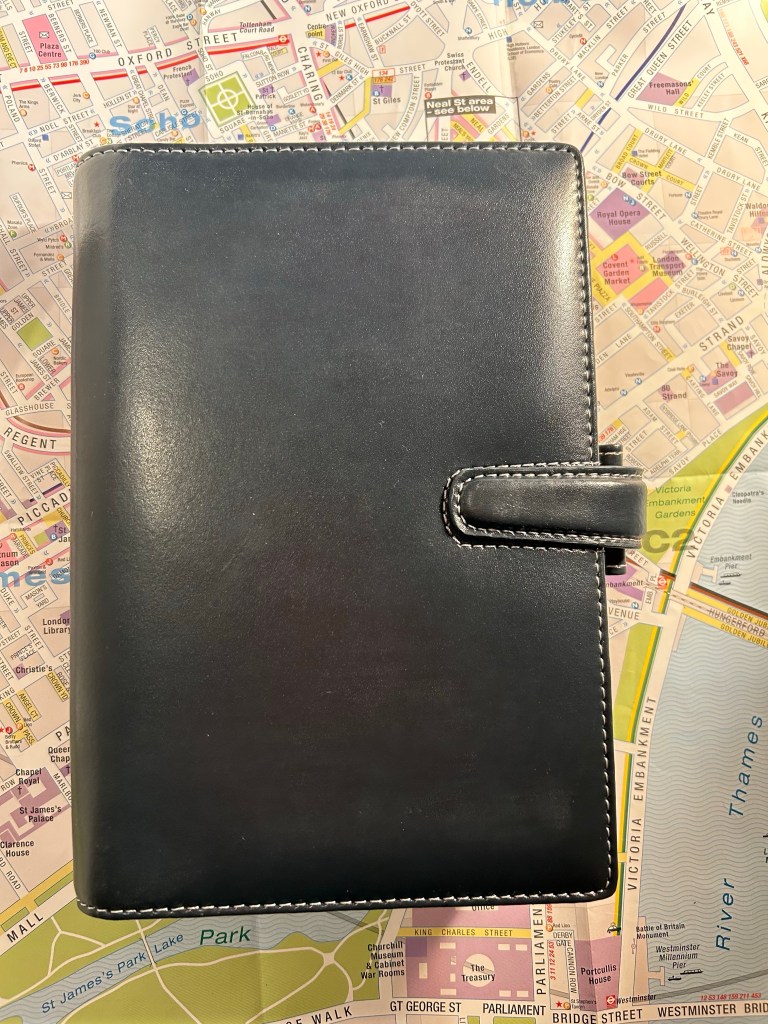
In the early 2010s Filofax was all the rage (much like Plotter is now), and I was swept with the trend. I started by purchasing the Personal Urban, then quickly expanded to Pocket, Personal and A5 Filofaxes of various kinds (Urban, Malden, Classic, Cuban, Graphic, Bond, Finchley and more).

A5 Malden, one of my more well used Filofaxes

What drew me (and others) to them is the infinite customizability and the fact that these were gorgeous, well-made objects made by a brand with a history and good track record. Online communities that shared photos of spreads and setups started to grow around the brand, and unlike Moleskine and Moleskinerie, the company left them to their own devices. Some of them exist to this day (like the delightful Philofaxy). The parallels with today’s boju and Plotter communities are pretty clear.

I invested in this Filofax, creating hand made labels for the tabs, setting it up just right.

The promise of bujo (bullet journalling) and the Plotter are also the promise of the Filofax: build a planner/notebook hybrid system that matches your exact needs like a glove. Filofaxes are a joy to hold in your hand: they are beautiful, tactile objects that feel good and are exquisitely well made.

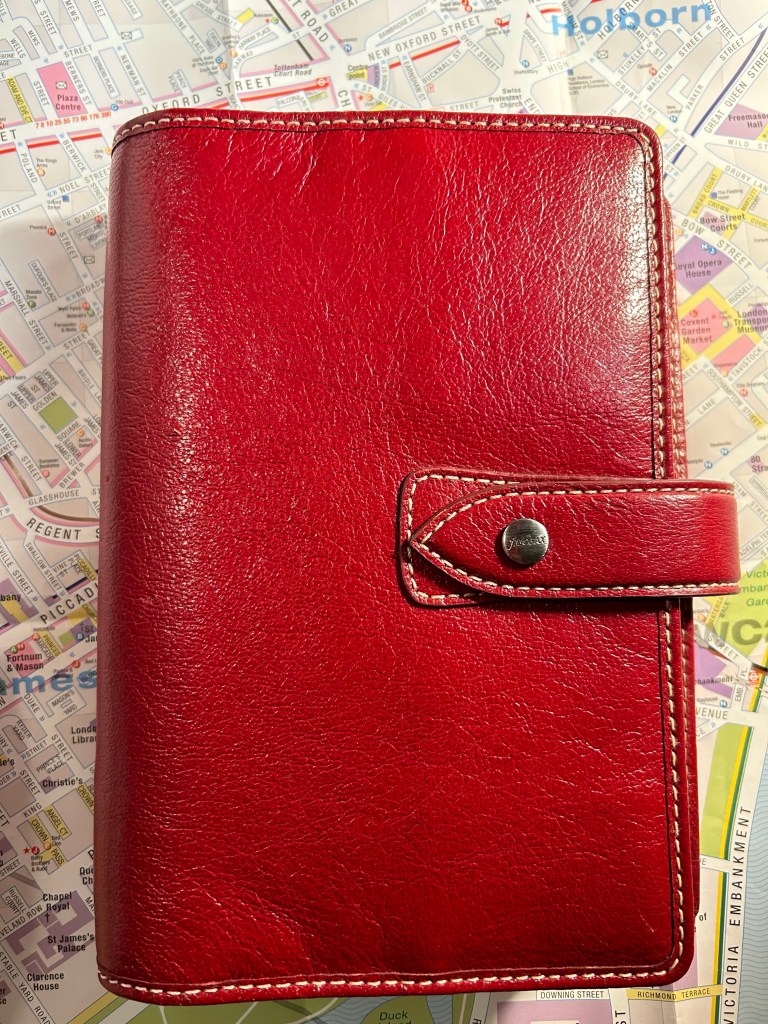
Look how pretty this red Personal Malden is. You can almost feel the buttery leather through the screen.

They weren’t cheap, but if you waited patiently or were willing to buy second hand you could get some really great deals, and they lasted forever. The refills, much like Plotter ones, were the real expense. Yes, you could buy a specialized hole punch for them and create your own refills, but most people just bought them from Filofax themselves or from Filofax compatible sellers. Which refills you bought depended mostly on the purpose of the Filofax in question, and I had ones that had no planner inserts at all, only lined or blank refills and tabs.

Personal Cuban, which has a rich leather cover that I was so afraid to muss it never left the house.

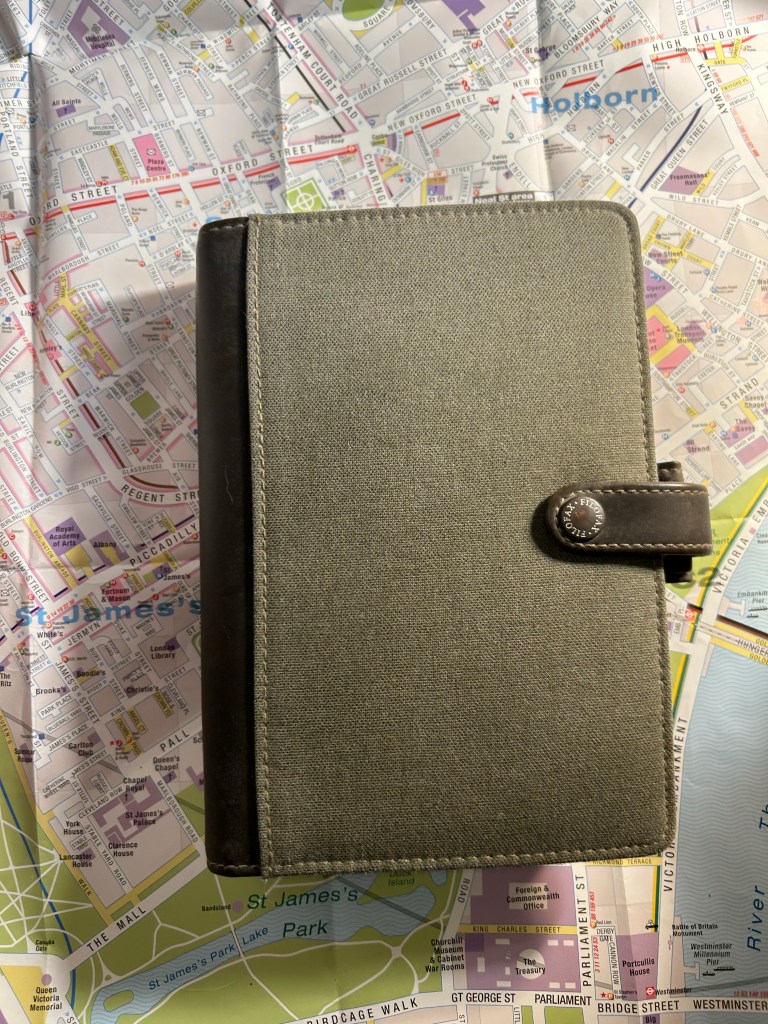
The olive Personal Urban Filofax below was my first Filofax and my workhorse. I used it heavily from 2011-2013, and it was a heady nostalgia ride to dust it off and open it up again. It is very well made – fabric, pleather and ring mechanism are in perfect condition even after intense use and then years of storage. It is also a relic of a person that I lost when I went through cancer treatments, and I confess that reading over some pages made me want to cry. The things I worried about…

Personal Urban Filofax, my first and most used one.

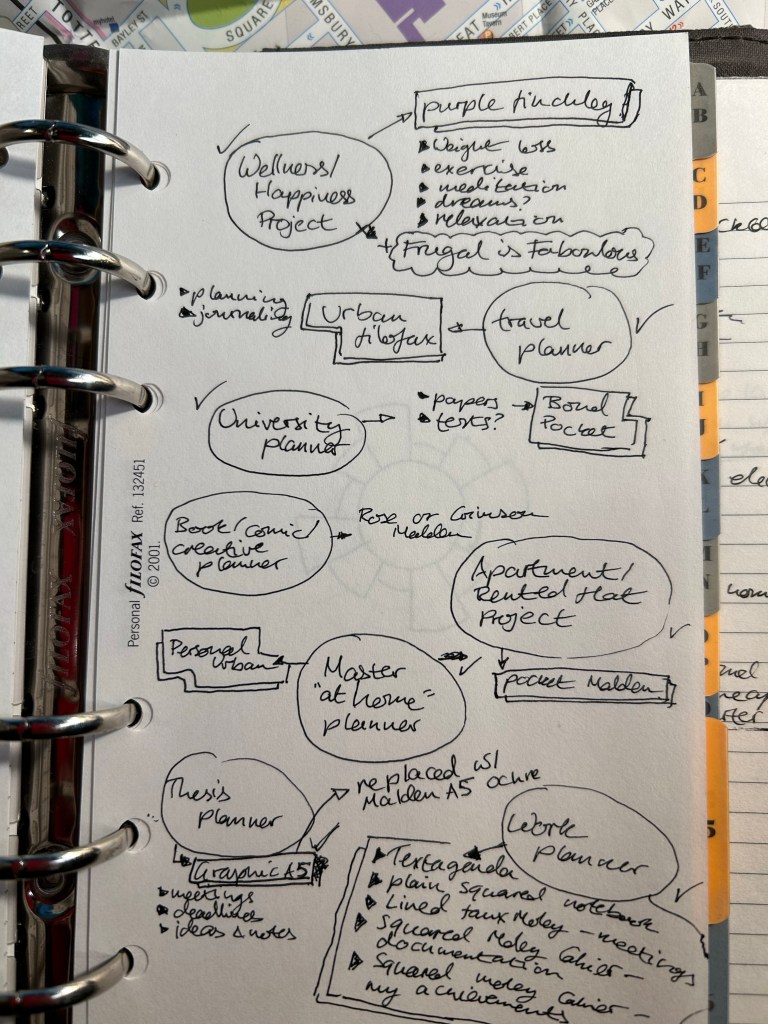
Do you want to see how much I was into Filofaxes? I even had a page in my Filofax where I planned my Filofax usage:

So much cringe, but I choose to be kind to my old, naive self.

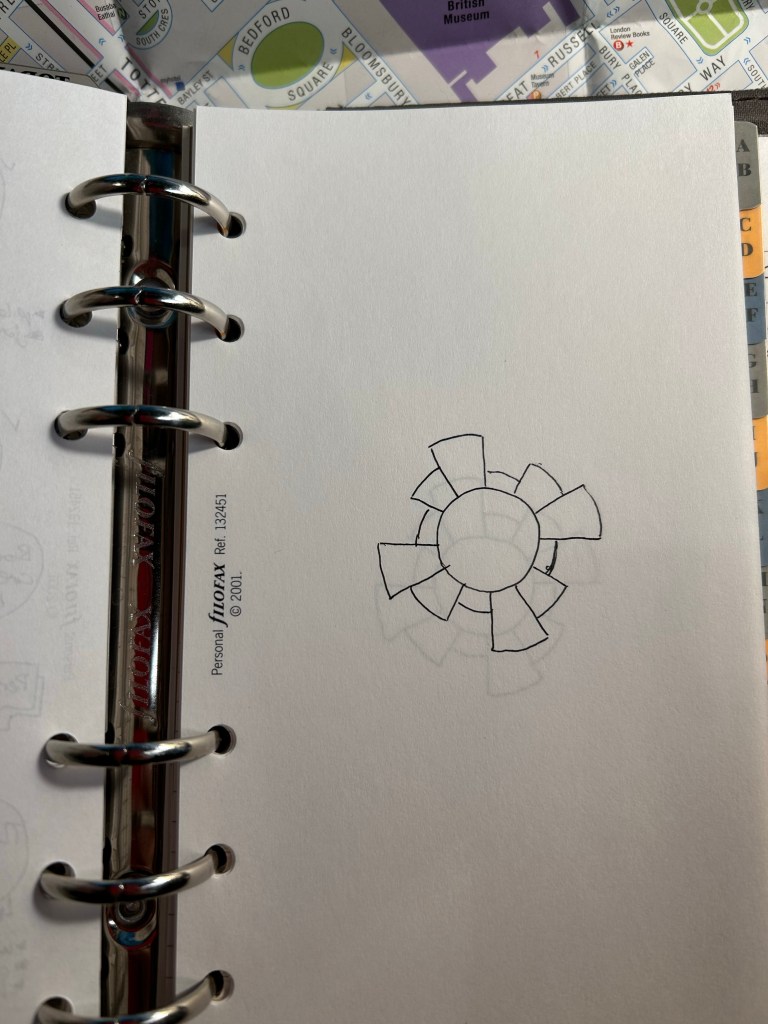
Some of the Filofax inserts were fountain pen friendly, but I didn’t use fountain pens with my Filofaxes at all. I used Pilot Hi-Tech-C Coleto multipens with them, and I spent a good amount of money on their refills (which would either get air bubbles and stop writing, break, or just simply run out much too quickly). I even combined my love for Filofax with my love for the Chronodex system for a while:

Pages in my Filofax that I planned to use for Chronodex entries.

So why did I stop using my Filofaxes completely? The system was well made, full of promise, and could double as a notebook and triple as a wallet, so what went wrong?

It was a combination of things that made me put all my Filofaxes into boxes for storage:

  • The stores in London closed down (first the Neal street one, then the one off Regent street), and it became harder to find Filofax refills in stationery shops in London (they never were available locally).
  • The refills weren’t cheap, and with the price of shipping added and the price of using the pens that worked best with them, it just became prohibitively expensive to use the system, particularly if you had more than one Filofax running.
  • The rings get in the way of writing. It’s a thing with all these systems, and whoever tells you that the rings don’t get in the way isn’t being candid. And no, you won’t be taking the refills out to write on them and then filing them back in, it’s just too inconvenient.
  • Filofaxes are bulky and heavy, particularly when full (and they collapse when they aren’t filled). It’s a hassle to carry them around, even if you are using them as a wallet (they a aren’t great at being wallets).
  • As with other planning systems – finding refills that have the week start on Sunday (because that’s when it starts here) was nearly impossible.

Hints of posts to come.

So why get into ring based systems like Filofax and Plotter? If you want one physical planner system that will function in more than one way at the same time, will allow you to customize it fully to your needs, and can be carried over from one year to the next, then these systems may be worth a try for you. I used my Filofaxes heavily during a very busy time in my life because I was able to set them up for all my needs, and particularly GTD (I’ll post about that system later on in this series).If you can work around the rings and can afford the system and the refills, the Filofax is a very well made object that may be able to help you fulfill your goals. It helped me apartment hunt, work on my degree, kickstart my running, and be a better manager at a busy and difficult time at work. I will forever have a soft spot for my Filofaxes, which is why I’ve never attempted to sell them.

Do I regret my Filofax obsession? No. Do I regret that I stopped using my Filofax planners? Also no. They were exactly what I needed at the time until they weren’t, and I believe that in the end a planning system needs to work for you, and not you for it. Something to remember whenever you are considering making a change in this area.

Ghosts of Planners Past: Chronodex

As I’ve been struggling with planning ever since I received a cancer diagnosis in mid 2021, I’ve been reflecting on the many planner systems that I’ve used over the years. Most of these systems didn’t stand the test of time for me, but I think that there’s still something to learn from their failure. So while I’m working out how planning looks like for the new, post-cancer treatment me, I thought that I would write down my reflections on each system that I have used.

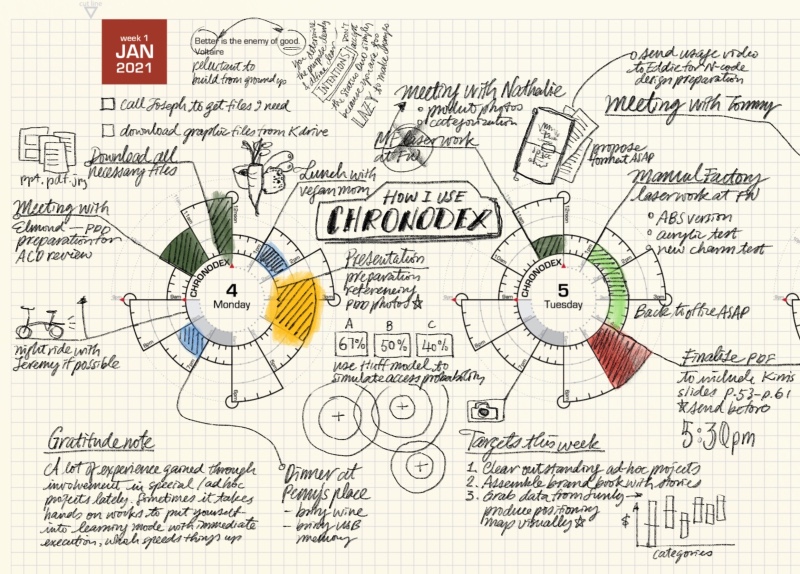
Image by Patrick Ng from Scription

I love planning, I’ve always loved planning, and together with many analogue systems I have tried quite a few to do apps over the years. Analogue planning systems, while sometimes cumbersome, always worked better for me, which is why that’s what I’ll focus on in this short series of posts.

I first discovered Chronodex, Patrick Ng’s gorgeously visual planning system, when he first published it in late 2011. It immediately appealed to me because it was so visual, and I’m a visual thinker, and it was so very different from anything else that was going around in the planning world at the time. This was well before the days of various bullet journal tracking pages, in the heady days of GTD and the Fountain Pen Network. The Rhodia Webnotebook was new and exciting stuff, and the Traveler’s Notebook was all the rage.

Patrick’s Chronodex was meant to be printed at home, 6 months of planning pages at a time, and then folded and cut to size to fit a Traveler’s Notebook. I tried to do that at first, and failed miserably. Home printers are terrible, and the result was unusable and just a waste of a lot of paper and inkjet ink.

Since I still really wanted to give the system a try, I went to the office supply store next to my job and bought a circle template ruler. Using that, a Rhodia Webbie and a Pilot Hi Tec C Coleto I created hand drawn Chronodex pages for a few months. I was a team lead at the time, I was overwhelmed with work and meetings, and I thought that visual time blocking as offered by the Chronodex would be the solution.

I really insisted on getting the Chronodex system to work for me, because I was so aesthetically enamoured with it. I pushed it until it broke and then I kept dragging it on for weeks before I finally realised that it was time to move on. The Chronodex wasn’t for me.

The system works on time-blocking, as drawn on a circular 12 or 24 hour template that is supposed to mimic a watch face. If you are a visual thinker you will immediately see the appeal. If you like pretty planner pages, you will also love the Chronodex’s elegant beauty. But planning for me has first and foremost got to work on a practical level, and the system faired poorly there.

If you have relatively few things to do throughout the day, or if your day is already time blocked (i.e. you are a student or a teacher) then the Chronodex could work well for you.

If, on the other hand, you have a lot going on, or you tend to have to jump around between tasks, or if your days aren’t so easily well defined in time blocks, then the Chronodex is likely not for you. It becomes too cluttered to be readable if you try to splice your day into small time blocks, and if your day is fluid and not well defined in advance, you aren’t going to be able to to time block it until you start to actually do the thing. The Chronodex isn’t a Pomodoro substitute, it’s the equivalent of having an old-school day planner with the hours marked on it, and chunking out your work and meetings in advance in your planner. It’s a great system for students, and for people who have a high degree of control and certainty about their day.

What I did take from Chronodex is the option to stop and visually time block my day when things are getting out of hand in terms of my expectations versus what I can actually do in the time at hand.

If you are at all curious about the system, I encourage you to visit Patrick’s beautiful site and maybe print out a page or two to try it out. Another option is to draw out the Chronodex circles yourselves, just to see if there’s anything in the system for you (don’t do it long term, though, as it takes ages). A third option is to go Etsy and search for Chronodex. There are dozens of stamps for sale with the Chronodex template on them.