I wrote about my newest notebook, my “Work in Progress” notebook here. It’s basically a notebook that I use for self improvement, dedicated for various exercises in focused meditation, working through gnarly personal issues, and for more intense personal journaling.
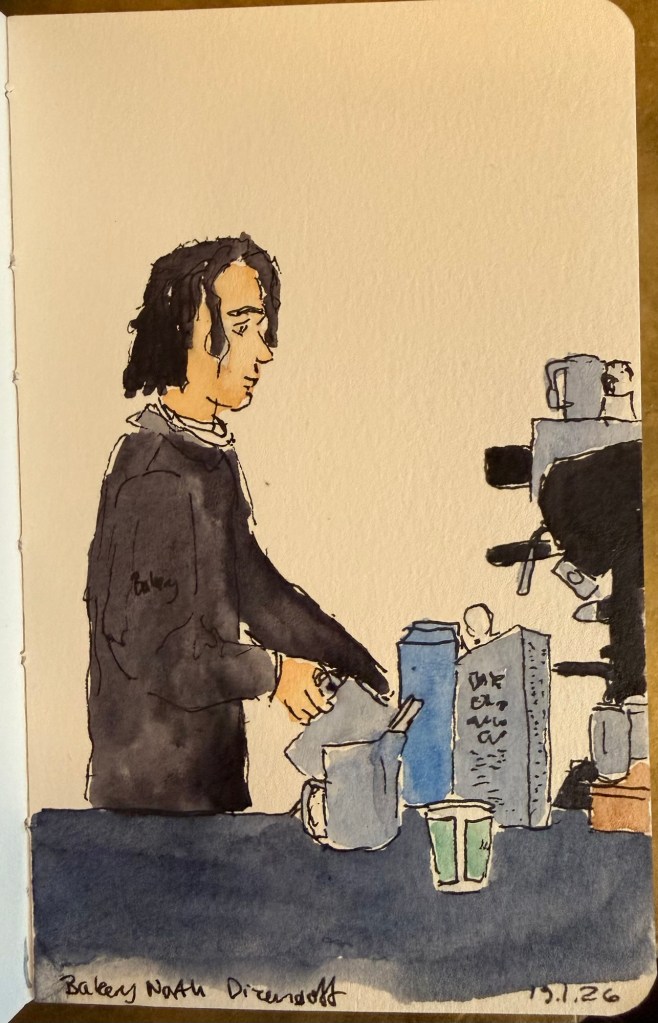
Barista sketch because people need pictures in posts or they get bored.
One of the things that I do as an ongoing exercise in this notebook is keep a list of people that I personally know (so no celebrities or influencers) and what I learned from them. The idea came to me as I was reading Marcus Aurelius’s Meditations.
The book starts with a list of people that Marcus is indebted to – from his immediate family, then onwards to friends, teachers and advisers. This inspired me to create a similar list of my own, also starting from my immediate family and expanding onwards from that.
Some people are kind, inspiring, provide a good example and so they were easy to add to the list. Others were more challenging, but I forced myself to confront my relationship to them, and to find the valuable lessons that I learned from them. The point isn’t to be vicious, cynical, or facetious, but rather to take a second look at people and relationships that you have labelled in a certain way. So the terrible boss taught me what I value in myself and in my managers, certain mean people taught me how to recognise hypocrites, and bad teachers taught me to appreciate good ones and to learn on my own.
I highly recommend doing this exercise and returning to it. It will make you appreciate and feel grateful for the people in your life, and you may even be moved to thank a few of them, even though that’s not the point of this. The point is to realise that:
No man is an island,
Entire of itself;
Every man is a piece of the continent,
A part of the main.
If a clod be washed away by the sea,
Europe is the less,
As well as if a promontory were:
As well as if a manor of thy friend’s
Or of thine own were.
Any man’s death diminishes me,
Because I am involved in mankind.
And therefore never send to know for whom the bell tolls;
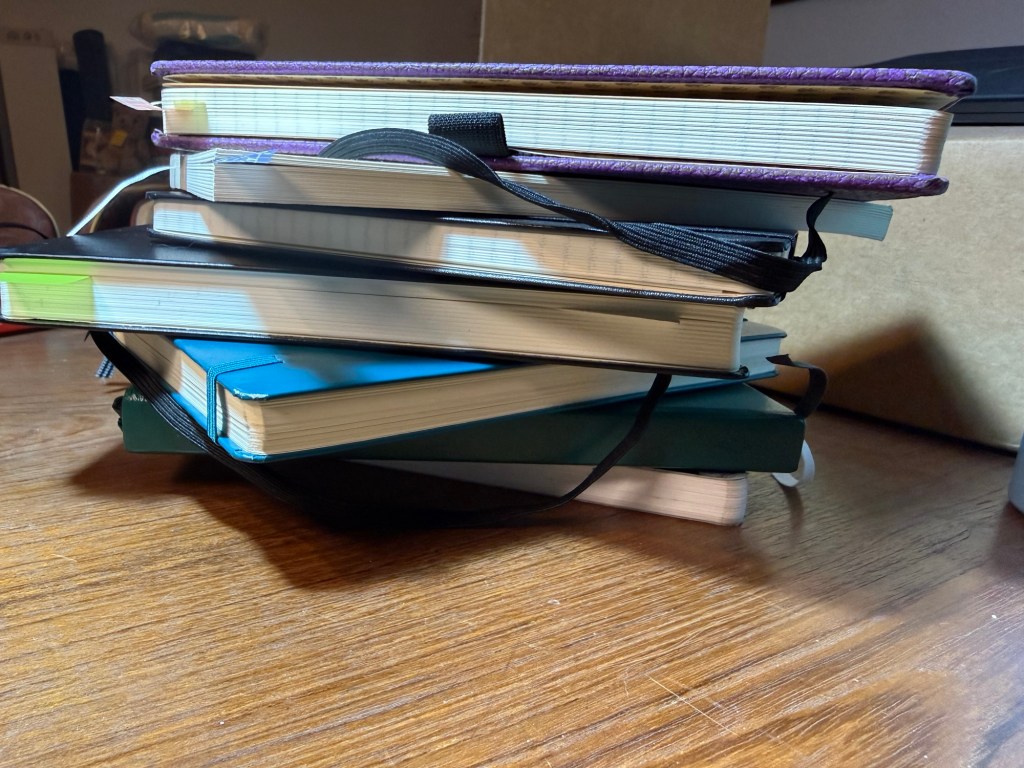
From top to bottom: single project notebook (blog drafts), single project notebook (study notes), single project notebook (D&D planning), work-in-progress notebook, work planner, personal planner, journal
Hi there, do you have a big stack of beautiful, brand new notebooks just waiting to be used? Do you have goals and plans for the new year? Do you want to improve your life in many different areas? Great! This post is for you.
Go grab a handful of those notebooks. We’re going to take the dust off them and get them to work for you. Remember: a beautiful notebook looks even better once it’s full. Notebooks are meant to be used as tools, not stared at like art objects.
Here are a few kinds of notebooks you should keep in 2026:
Journal – this is an absolute must for everybody. I know it’s hard to be consistent – believe me I struggle with it daily – but journaling is a habit that is guaranteed to pay back dividends. I start mine daily with a list of things that I’m grateful for, and end with a mini review of the day (did I fulfil my five ACT values?). In between is a running log of the day, and sometimes a section where I work things out on the page. Don’t post your opinions and thoughts on social media – write them in your journal instead. A journal will give you peace of mind, perspective, joy and a safe place to vent. Don’t take it out on people, put it on the page. I currently use a Stalogy 365 B6 for my journal, though for years I have used limited edition lined Large Moleskine hardcovers, and I may yet return to them.
Work In Progress notebook – this is the newest addition to my notebook rotation and I wish I had started a notebook like this sooner. What is a Work In Progress notebook? It’s where I spend time working on things in my life that I want to reflect on and change. You can do this in your journal, but as I’m dedicating time and effort this year to make some significant behavioural changes I wanted the place to work through these things. This is also a place where I reflect and take notes about the non-fiction, history, philosophy and self-help books that I’m reading, and it’s a place where I take time to consider my values and purpose in life. Heady stuff that we’ve been encouraged to abandon in this cynical and commercial age – much to our detriment. You can change and evolve, it’s worth investing time in trying to become a better version of yourself, and consistent daily work and reflection in this area is worth doing. I highly recommend keeping a notebook dedicated to this endeavour.
Planners – I believe that the best planner is the one that you customise for your needs. This is why I recommend not buying a pre-formatted planner, and instead making a planner yourself. I keep a work planner and a personal (home) planner and I recommend that you do the same – keep work at work and home at home whenever possible. Take into account that you’ll have to experiment to see what works for you, and that there will be a level of compromise that you’ll have to grow comfortable with. There is no “perfect” planner – there is a planner that works for you. Planners don’t replace reminders or calendar appointments – they’re there to give you a broader view of your week, month and year, and let you make some long term plans.
Single Project notebooks – “Single Project” notebooks are exactly that – a notebook dedicated to a single project or area in your life. It can be a hobby (I have one dedicated to my D&D plans, and I used to have one dedicated to my running), an actual project that you’re working on (I’m studying for a certification so I have a dedicated notebook for my study notes), or an idea that you want to develop. I try to select a notebook that fits the project that it’s dedicated to in terms of size, format, cover and number of pages. My running notebook was a Field Notes, my study notebook is a Midori MD notebook. If it’s something that you’re working on for a while and that’s important to you, I recommend dedicating a notebook for it.
Daily To Do List – I don’t use a notebook for this at the moment, but I used to use a large squared Moleskine for this. I currently use Kokuyo KB A4 loose leaf paper that I cut in half to A5 size. These lists are disposable to me, so I have no problem crumpling the daily list away and tossing it into recycling. You can use a notebook, index cards, loose leaf paper – but I recommend keeping a hardcopy, analog version of your daily to-do list. Why? Because to-do apps give you excuses to pick up your phone, because writing things down makes you stop and consider what you’re committing to, and because you’ve got all those pretty notebooks and pens and it would be a shame not to use them.
Scratch pad – keep one at hand to doodle on, for quick capture and to test out pens and inks.
Hopefully this will help you get more enjoyment and use out of that big pile of notebooks in your closet. Let me know if this helps or if you have more ideas on how to use your notebooks.
A few months ago I published an overview of my new weekly review format. I had been successfully using it for a few months at the time, and I have since continued to use it until about a month ago. Since then I’ve tweaked it a bit to streamline things and speed up the review process. If you found my previous review format a bit confusing or elaborate, you might want to try my new one.
The new review format consists of four questions that I answer at the end of every week before I build next week’s plan. I write down my answers in my regular journal (currently the Stalogy 365 B6) using last week’s plan as a reference. Here are the new questions:
What Worked – no change from last time, except that I allow myself to elaborate more and I don’t emphasize the order of the things that I did and that I want to keep doing. I discovered that it doesn’t really matter if something worked because I changed things, remained consistent or stopped doing something, the only thing that really matters is that it worked. Being more loose here allows me to spend more time reflecting positively on the week instead of worrying about writing things in a certain order. An example from the past week – exercise. I got a 10k in, my first speed run since my last race, two gym sessions, two swimming sessions, two rucking sessions and a bunch of walking and NTC pre and post workout stretches. Prioritizing these sessions in my weekly plan, doing them first thing in the morning and setting out workout clothes and gym/pool bags the night before really aided my success.
What Didn’t Work – this changed slightly to not only include things that didn’t work due to planning, priorities, “life” or infrastructure but also things that cause me anxiety or distress that need some rethinking. An example from the past week – I went back to watching YouTube videos as a “self soothing” source of comfort. We live in stressful times and I’m going through a stressful period at work, so it’s clear that I need something to provide this “warm blanket” function. The issue is that I oftentimes use reading as a source of comfort, and I’m currently reading a book that is purposefully designed to induce anxiety in the reader. Note that at this point I’m not focusing on what to do about the things that didn’t work. My point is just to acknowledge them and if relevant name the feelings they induce.
What’s Next – this is the biggest difference from the previous review format. Here I write down what I plan to try and keep or change or observe in the coming week. This feeds directly into my weekly plan, and will help me get the most out of last week’s experiences. So in the case of the examples above, I’m going to keep to an identical general exercise plan in the coming week, and I’m going to add a “comfort book” to my current reading rotation. If anything more long term needs to happen due to these reviews I will just add it to my quarterly plan. The point is not just to blindly follow a plan, but to try things, observe, reflect and change them if needed.
You’ll note that I removed the “people of the week” section. I just found it redundant, as these three questions generally cover it.
As usual, I’d love to hear more about your weekly review formats, and if you found this helpful.
I used to be a heavy Twitter use. I discovered the service pretty early on through webcomic artists like Scott Kurtz, and I found the challenge of crafting short tweets to be a fun writing exercise. Yes, I was among those disappointed when they raised the character limit – half the fun of the service was trying to be as clear and concise as possible.
When Twitter stopped supporting third-party clients like Tweetbot, and started becoming an unpleasant place to hang out, I left. It hasn’t gotten better in the interim years and as I have largely cut social media out of my life so I have no plans of ever going back. However, while I don’t miss Twitter (not as it is, not even as it used to be) I do miss the challenge of crafting short and punchy snippets of text: the haiku like nature of tweets. I also have a large pile of unused Field Notes pocket notebooks, and a not insignificant stock of really cool gel ink pens, rollerballs and ballpoints that are all seeing very little use.
Could I put these together to achieve an analog version of what I enjoyed most about Twitter?
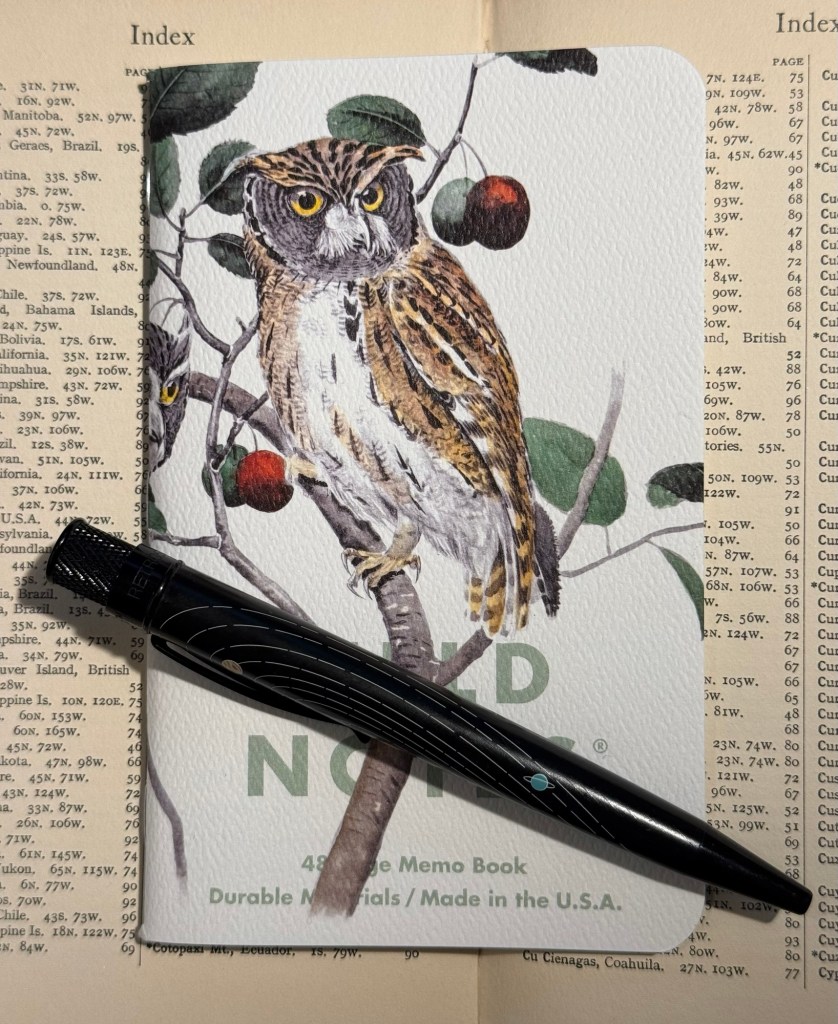
The Birds and Trees of North America, Fall 2024 seasonal edition of Field Notes.
Yes, I could and I did and it has been glorious.
I selected a Field Notes notebook out of the the Fall 2024 “Birds and Trees of North America” edition because it’s a beautiful edition, it has lined paper (which I rarely have use for in pocket notebooks), and it seemed appropriate. I randomly selected a Retro 51 Tornado – The System limited edition one which has Uniball Jetstream SXR-600-05 hybrid ballpoint refill in it instead of the original Schmidt refill which I don’t like. Then I started writing down “tweets” in it throughout the day.
Rocky Mountain and Mexican Screech Owls Field Notes notebook (illustrated by Rex Brasher) and Retro 51 Tornado The System limited edition pen
I’m not dating them, I’m not counting characters, I’m just limiting myself to a few rows for each entry, and I’m writing them as if I would be publishing them. The writing style is therefore different than what I would write in my journal, and so far it’s also focused exclusively on things that I don’t write about in my journal (mainly reactions to things I did or saw or read). I have no intention of ever publishing anything in this notebook, but I do enjoy the challenge of writing it as if it would be something that I would post somewhere.
So I get to practice my writing skill in a new way, I get to use some of my wonderful Field Notes stash, and I get to use some of my great standard pens. All this without filling the pockets of various billionaires with my work, and without encountering the bots and the foaming hordes of professional haters and rabble rousers online.
I highly recommend this practice, whether you do it with a fancy Field Notes or just any pocket notebook you have on hand. Using a notebook of this size will remind you to keep your entries short, and it’s something that you can easily carry with you and use in waiting rooms, boring meetings, or when you need a little break between tasks throughout the day.
It’s the beginning of 2025, so it’s time to go over my full planner setup for both work and home. None of this setup is truly new, as I’ve used much of it during part or all of 2024, but there are a few tweaks and minor adjustments that I’ll highlight. As I use a 13 week year (or a quarter) in my planner, I started Q1 of 2025 on the 29th of December and not the 1st of January.
The heart of the system is my weekly planner. I started a new one in 2025, and after some deliberation I decided to splurge on a Leuchtturm1917 Bullet Journal and not just the 120gsm edition because I like the endpapers and it was only a few dollars more.
The setup of this planner is divided into two parts:
Lists
I crossed out all the bullet journal related headers and created list pages of my own from page 3 to (potentially) page 75. Currently they include: Unread Books on My Kindle, Mindful Consuming (a list of things that I actually want to watch, not algorithmically recommended), Conversations not Connections (A list of people that I want to invest time in, not just like their Facebook posts. This makes sure that I don’t fall out of touch with people, but actively initiate phone calls, meetups or skype/zoom calls for those that are abroad), List of Courses that I’ve Enrolled To (I started this list during Covid, and it tracks which online courses I’ve enrolled to and need to complete), Things from Abroad (a running list of packages that I’m expecting. Yes, I know there are apps for this, but writing it down helps me be more aware and careful with what I’m buying and how much), Blog Post Ideas (self explanatory), Books to Review (self explanatory), Medium Post Planning (as part of my focus on work, I decided to make my work more visible by writing more Medium posts this year). I will be adding to these lists over the next year, and copying them over to the next notebook once I finish with this one.
Quarterly and Weekly Planning
Starting at page 76, this section will include four quarterly plans and four 13 week double spreads. Each quarterly plan can take up to four pages (Q1’s plan takes 2.5 out of the 4 currently, but that’s OK. The extra is in case something major happens and I need to work out a pivot or significant change into my plans), and is divided into various subsections. I’ll write a separate post about my Q1 plan and how I worked on it, but you can read about the process here.
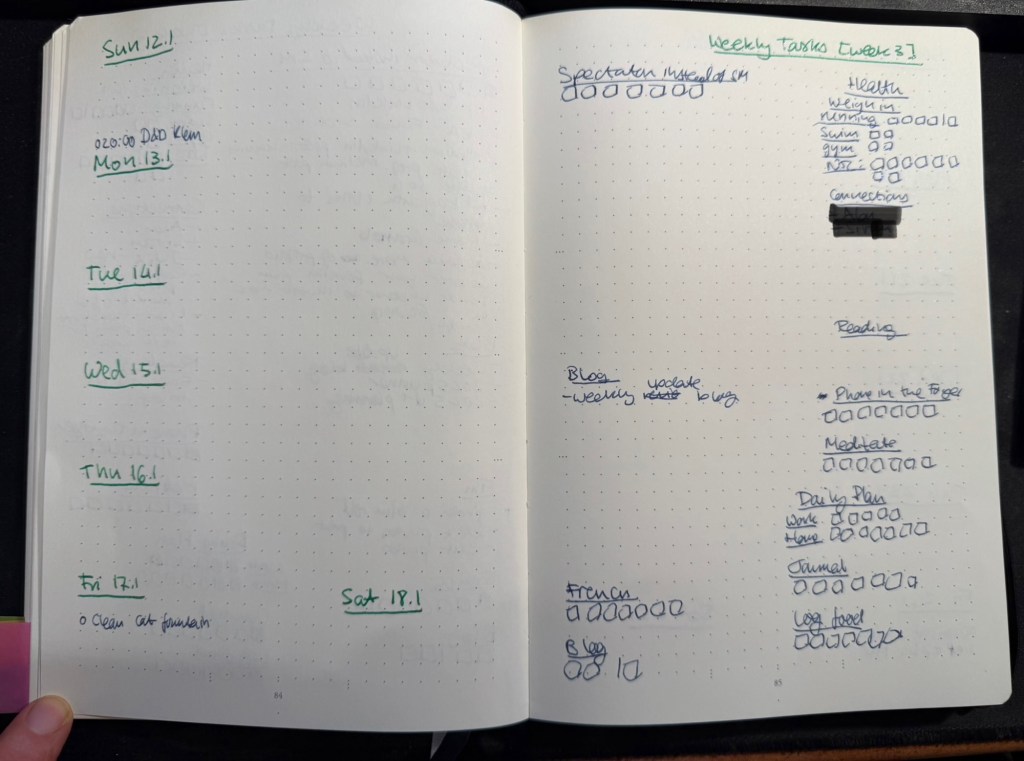
Then come 13 weekly spreads, each one taking two pages. The left side of the page has the weekly calendar, with events on it plus my exercise plan for the week. It’s also where I note things that I want to remember that need to happen on a certain day that week. Every week on Friday or Saturday evening I plan the next week, and for this side of the weekly plan I mark significant weather events, plan my running, swimming and gym schedule, transfer important events and meetings from my calendar (these are all things that I need to prepare for actively), and set reminders (like clean the cats’ water fountain on Friday, or replace filters on things, etc).
The left side of the page is taken mostly by various trackers, and by my weekly goals (they go in the empty spot in the middle) which I select from my quarterly goals each week. Any goals that can be managed by trackers are managed by trackers – either trackers in my planner, or trackers in the Streaks app. The reason I don’t track everything in an app, is to make sure that I have to reference this planner at least once, likely twice a day, every day. That helps keep the weekly goals, which are tied to the quarterly goals, top-of-mind.
I use two different colours of ink for these pages – when I plan the quarter I create 13 weekly spreads with just the dates and the “Weekly Tasks” title with the week number. Then I work everything else in on a week by week basis with whatever fountain pen I am using at the time. That helps keep things clearer for me without me having to spend a lot of time “prettifying” my planner.
Weekly page in my home planner
Daily Plan
Every day I take a sheet of A5 Kokuyo KB paper and write the day and the date on top. Then I write a running list of tasks that I want to complete that day. This includes chores, daily routines, and tasks that I’ve pulled from my weekly planner. I cross them off as I go along, and at the end of the day either I flip the page and create another daily planner for the next day on the other side of the page, or I crumple the page up (if it’s used on both sides) and throw it into the recycling bin. I don’t keep these pages, since anything important in them is already in my journal.
I recently started tracking if I prepare a daily plan for every day at work and at home, and the reason is that I’ve discovered time and again that if I don’t have a plan, I am liable to just get back from work and veg out with a book or silly YouTube videos.
Monthly Plan
The monthly planner is tiny, and its only goal is to give me a better feel for how my month looks, and what major events lay ahead. It also tracks some things – books (which I track on a monthly basis), running (I track this twice because I also want to get a feel for my monthly load), swimming (the same – tracked on both weekly and monthly basis to get a better feel for my training load), gym (which doesn’t appear in the photo below because I haven’t finished creating the page), blog (how many blog posts I’ve written this month), and there’s usually an Apple challenge tracker.
Monthly planner
What About Projects/Backlog Items?
Most of my long term projects are tracked as part of the quarterly plan. For instance, I’m working on getting a certain professional certification this quarter, so I have that certification listed under my professional goals. The breakdown of this headline to individual tasks is something I do in the project specific notebook that I’m using for my study notes, tips that I’ve collected about the exam, etc. I then can just reference the headline task (the certification name in this case) in my weekly and daily plans, and reference what exactly I’m supposed to be working on next in my project notebook. It saves having to copy a lot of things over and over.
As for general “backlog” items (shopping lists, packing lists, travel plans, things I want to get to sometime in the future but aren’t part of my quarterly plan, recurring tasks tied to various medical checkups, etc) – these are all managed in the Things app. It’s easier to manage recurring and long term tasks like these in an app, and when it comes time to actually do them I reference them (or sometimes copy them) into my weekly and daily plans. I have very few tasks in Things, and sweep of the tasks there once or twice a week is enough to ensure that I haven’t forgotten anything.
Work Planner Setup
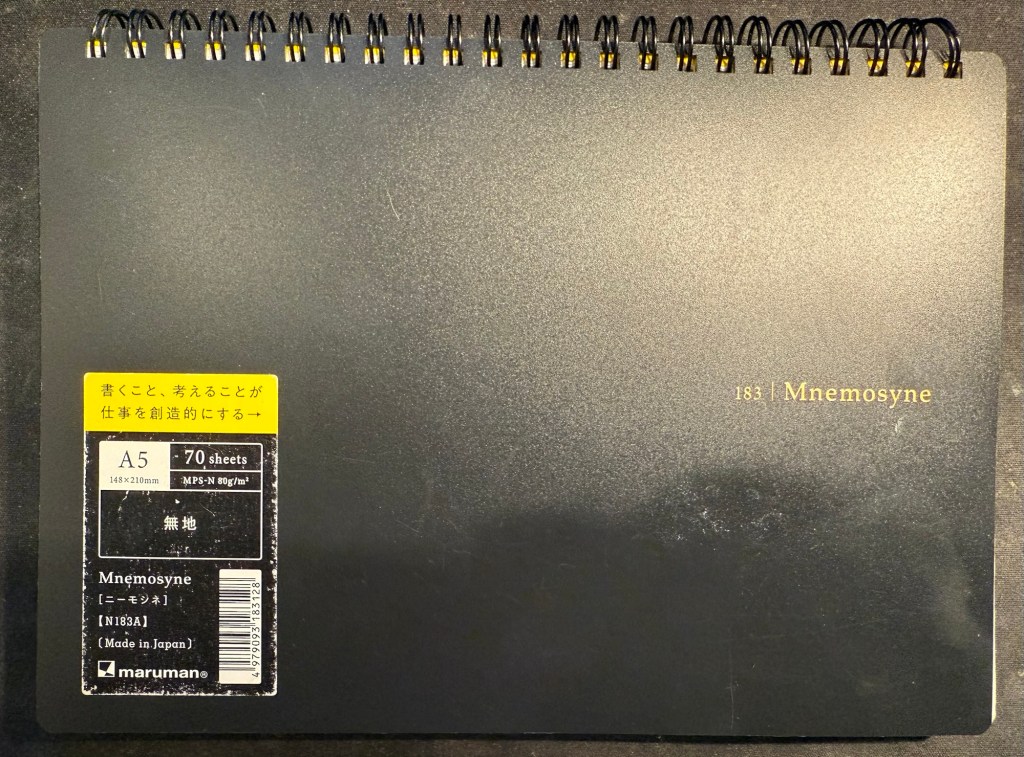
This consists of a Leuchtturm1917 dotted A5 hardcover notebook that I bought at the local art museum, and Maruman Mnemosyne A5 with blank paper (though I also use the squared paper Mnemosyne indiscriminately, if that happens to be what’s available). As I work 3 days a week from an office and 2 days a week from home I needed a setup that’s as simple and as light to carry as possible, and after some trial and error this is what I’ve been using for over a year.
My work planner and a piece of blotting paper – a must with this paper
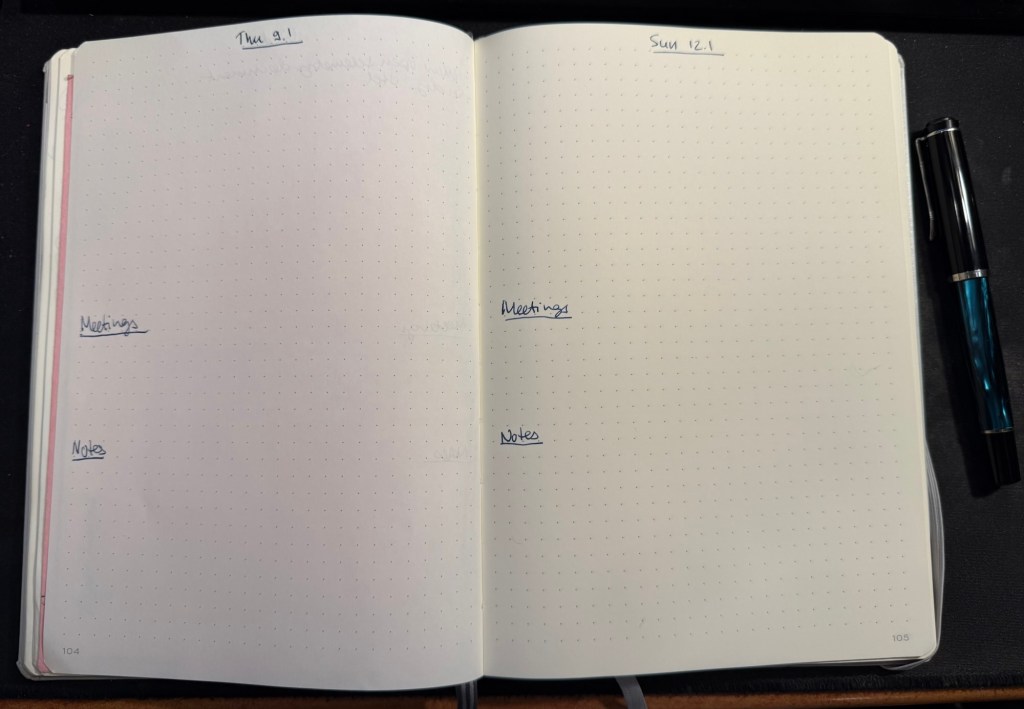
The work planner, my Leuchtturm, is a daily planner, with each day divided into three parts. The top of the page has the day and the date, and the upper third part of every page is for the tasks I plan on working on that day. I deliberately make sure that less than half of the A5 page is left for tasks, because otherwise I’ll just jam in much more than I can do in a day and then feel bad at the end of the day for no good reason.
The last thing I do before signing out at work is to fill in the next day’s page. That includes pulling out the next tasks I plan on working on from Jira (we use Jira to plan tasks and projects at work), and leaving about half of the task area open for things that will pop up during the day. The nature of my job is that I’m constantly working on about 50% unplanned things, so I have to leave myself enough room to take that into account.
Next come the meetings, which I track under a separate heading. I set them apart so that they don’t disappear into my ever changing task list. This is also useful for me to reference when I’m planning my day, both in terms of how many tasks I think I can get to, and in terms of preparing for certain meetings.
The Notes section is where I write down things that I need to take into account or remember that day. If a team member is taking a day off I note it here to remind myself not to message them. If I am on “on call” duty I note it here so that I can significantly reduce the number of tasks I’m working on that day. I also look ahead a bit, and if I see a project deadline looming, I’ll note it in the notes section, so that I remember to prioritize my tasks accordingly.
Daily spread in my work planner
The Mnemosyne serves as my “dashboard” and catch all. If I’m working on a project, this is where I’ll plan out the project before inputting whatever relevant tasks there are into Jira. I reference and work with this page while I’m working on the project, and that’s why I view this notebook as the “dashboard” for my current work.
The Mnemosyne is also where I keep a running list of things I want to get to. All of these things will have to be formalized into Jira tasks before I can work on them, but it’s useful for me to have them down on paper first because I think better on paper.
Maruman Mnemosyne “Dashboard”
I don’t use scrap paper at work as I want to be able to reference these things in the future, and as a rule I don’t journal about my work tasks.
That’s my full planner setup for 2025, and as all of it has been in use throughout 2024 with great success I doubt that it will see much change.
Just as I wrote a post about Moleskine no longer making store exclusive limited edition notebooks, my brother went to Paris (during the Olympics) and found not one but two store exclusive limited edition notebooks. Moleskine have officially cooperated with the Paris 2024 Olympic games and they have outdone themselves.
The first notebook is a large lined hardcover notebook that could be purchased standalone, or as part of a set that included three Olympics themed charms (in the colour of the medals) and a pen. The box was sold out, as were the charms (and yet it was still on display in the store window, because reasons). The notebook was still available and it is glorious, a perfect example of Moleskine’s design prowess.
This is the notebook still in the wrapper:
Wrapped notebook from the front
The front facing part of the wrapper has a discreet Paris 2024 logo sticker on the right side. The back part of the wrapper is anything but discreet. There are games logos, games sponsors, multiple designations of the officialness of the notebook, as well as pictures of the notebook cover and the lined interior with its bookmarks (more on them later). It’s busy back here:
Wrapped notebook from the back.
Removing the wrapper reveals the notebook itself. The Olympic logo is given its pride of place, and the rest of the cover is given over to a celebration of the Paris 2024 font. The only colours here come from the foiled gold of the flame and the Olympic rings. It’s a classic and sleek design:
Front cover unwrapped.
I expected the back cover to just be more of the Paris 2024 font in black on white. Instead there’s a set of letters that are gold foiled, and I really like the effect. It’s chic, classy and very well thought out. The Moleskine logo is there, but it doesn’t call attention to itself, and the black rubber band almost disappears from view:
Back cover unwrapped
Inside the front endpapers have the usual in case of loss section, the Paris 2024 logo prominently displayed, the Moleskine logo, small and discreet, and a letter in French:
The front enpapers
Here’s the letter, from Tony Estanguet, the head of the organizing comittee for Paris 2024 and an Olympic champion. Note that it, unlike the “In Case of Loss” part uses the Paris 2024 font. It’s written in French and is a celebration of the Paris 2024 games and their uniqueness (first opening ceremony not in the stadium, first games with gender parity, first games with Breaking, 100 years since the previous Paris games, first event open to participation by the general public – Marathon for All). It ends with a celebration of the notebook in your hand, which is a nice touch.
Close up on the letter.
The back endpapers have logos of the various Olympic events. As usual, these are well placed and the back pocket and the endpaper prints match perfectly. It’s the little details that matter in these notebooks, and Moleskine always nails them.
Back endpaper
Inside the back pocket are some Olympic themed treats: four sticker sheets, and a folded map of the event locations.
Stickers and folded map
The stickers feature the Phryges, the Olympic mascots for the 2024 games, participating in various sports:
First two sticker sheetsSecond two sticker sheets
Then there’s a stylized map of the various events locations in Paris, France and Tahiti:
The map.
Finally, inside the notebook are not one, not two, but three ribbon bookmarks in the colour of the Olympic medals:
The bookmarks.
All in all this is an extremely well thought out design, one that takes pride in the games and cares about every little detail. It’s a worthwhile memento of the event, and it just shows what Moleskine can do in terms of localized special editions when they put their minds to it.
The second notebook is a soft cover cahier created for those who want a cheaper, more colourful and lightweight alternative commemorative notebook from the event. Here it is wrapped:
Wrapped front cover
Here’s the back cover. Again, lots of info here (the price was half that of the hardcover).
Wrapped back cover.
The front cover features a very colourful illustration of Phryges doing various game related things alongside iconic Paris monuments and symbols. There’s a lot of playfulness here, and it’s a delight to look at all the little details here:
Front cover.
The cover has a pleasant texture to it. The back cover has a Phryge in the back waving hello above the Moleskine logo in white:
Back cover
Moleskine clearly love the Paris 2024 font because it is once again the star in both front and back endpapers, this time with only the numerals in use:
Front endpaper
There’s a pocket in the back:
Back endpaper
The paper is blank, and it’s stitched using blue thread – very fetching. It lies flat with little effort:
Paper and stitching
Here’s a writing sample on the paper (both notebooks feature the same standard Moleskine paper – 70/gsm ivory coloured acid-free paper:
Writing sample
Close up on the writing. Fountain pens show the same strange mottled pattern that they do in this kind of paper, and wider, juicier fountain pens will spread:
Closeup on the writing sampleCloseup on the writing sample
There is see through and bleeding with the fountain pens and the rollerballs. This paper works best with gel ink pens, ballpoint pens, fineliners and pencils:
Back of the page
All in all these notebooks are well worth their price in my opinion. They are well designed, provide a lovely memento of the Paris 2024 games, and they are unique to the Paris Moleskine stores. I only wish that Moleskine would create more of these for their stores. They were clearly a success in Paris, for good reasons.
What do you think about these notebooks? Would you purchase one or both of them?
My brother went to Hamburg to see the Taylor Swift Eras concert, and while he was in the city he went to the Mokeskine store and bought me these two embossed Moleskine pocket softcover blank notebooks:
They were already embossed, even though it was clear that the embossing had been done manually in store and not in a factory. How can you tell? Look at the Hamburg coat of arms notebook (the left one in the picture). Can you see how it was embossed and then the notebook moved and it was embossed again, causing a double outline? Also the left part of the embossing is fainter than the right one.
I don’t mind it – it gives the notebook character and a human touch. It makes it less precious on the one hand and more unique on the other, as it’s literally a one of a kind notebook now. But it’s this embossing that got me thinking about the Moleskine store experience again.
I used to love going to Molesking stores. There wasn’t one locally so everywhere I would travel to I’d check if there was a Mokeskine store in the area and make a point to visit it. This was for two reasons:
Moleskine stores used to have store exclusive limited editions of their notebooks. It usually meant that one of the their limited edition collections had a specific notebook design that was only available for purchase in a Moleskine store.
Moleskine store used to have large rubber stamps specific to that store that you could freely use to personalize your notebook.
Both things are no longer true, but the second of these – the stamps that Moleskine no longer puts in their stores – is what I want to focus on.
The stamps were a great idea: there was a standard Moleskine logo stamp, but there was also a local stamp (similar in concept to the design embossed on the notebooks above). Those were the best, as you could mark your notebook with a memory of the place you visited. What was even better was that you didn’t have to purchase anything or even use the stamp on a Moleskine notebook. I had a Moleskine pocket reporter that I travelled with and stamped, but I also stamped Field Notes notebooks.
Lots of people came into the store for the stamps, even those who were clearly not regular Moleskine users. And while you’re in the store, you browse the notebooks, you check out the pens and the bags, and you usually leave with a few of them. If you’re a Moleskine collector you of course pick up one of the store exclusive designs.
Lord of the Rings Gates of Moria notebook that was my journal from July 6th 2019 to November 16th 2019
So what happens today when you go into a Moleskine store?
Well there are no store exclusives anymore, and instead of the free stamps you can purchase add-on personalizations to your Moleskine. Note the word purchase – these add-ons aren’t for free. You can add patches and hot foil printing (of the kind done on the Hamburg notebooks), or add charms to your notebook’s elastic closure. You can only do it on a Moleskine product, and even then not all personalizations are available for all notebooks (you can’t foil print on certain covers, for example). Also to make a notebook like the little Hamburg ones you are talking about almost doubling the price of the notebook. Yikes.
I don’t understand why Moleskine don’t:
have at least one or two limited editions only available in store. It seems like they have enough stores to justify this.
keep the free stamps in store as well as offer personalization services for those who want them.
The stamp overhead in particular seems to be negligible, particularly in comparison to the foot traffic it drove into their stores and the delight it gave to their fans. In an age where we are constantly being pushed to make impersonal purchases online, a touch of something kind, creative and whimsical like the Moleskine stamps is much needed and appreciated.
Moleskine store stamps in the Lord of the Rings journal
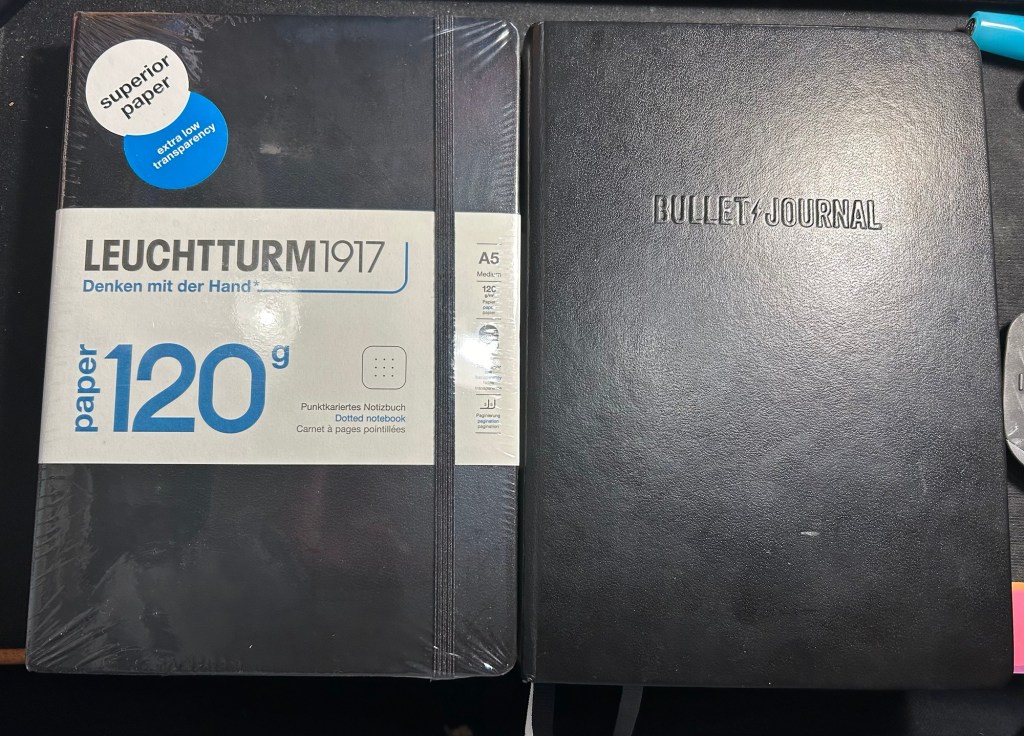
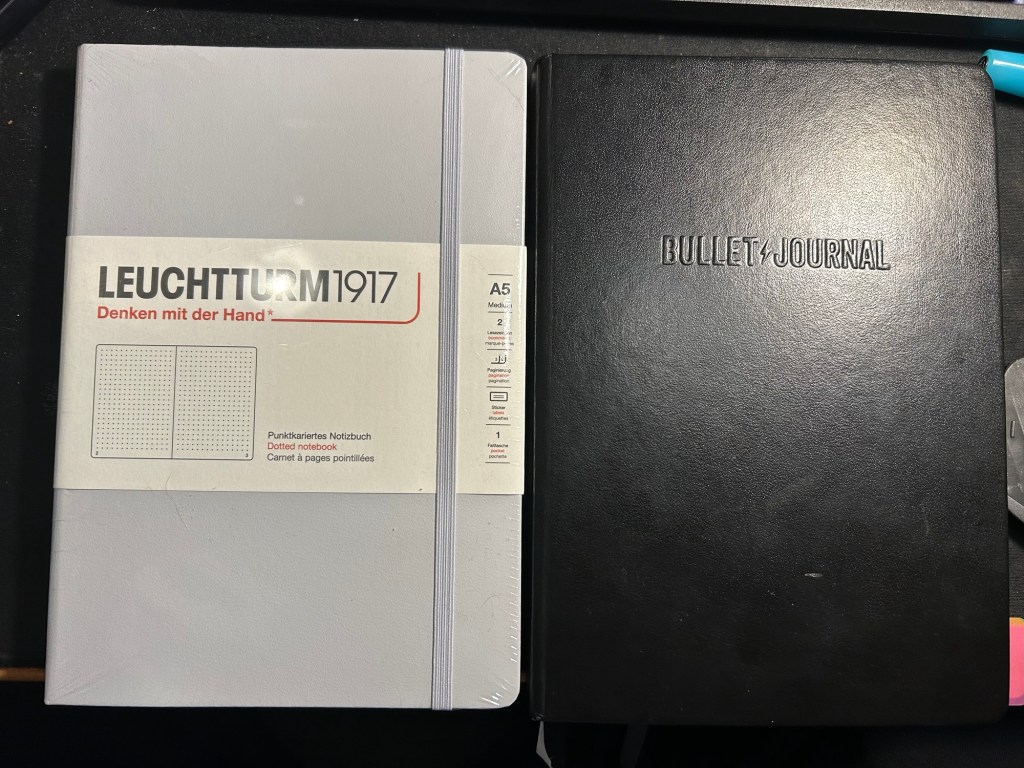
A few months ago I started using the Leuchtturm1917 Bullet Journal – at first as it was intended, but very quickly it turned into a general weekly and quarterly planner for me. As I neared the halfway mark of the notebook I decided to purchase a replacement, but instead of buying another Bullet Journal I purchased a 120gsm dot grid Leuchtturm A5 notebook. The paper was the same in both notebooks, and as I didn’t use any of the Bullet Journal features and the 120gsm notebooks are slightly cheaper, I thought that it would be a good replacement.
While I was still waiting for my 120gsm notebook to arrive, I happened to find a light grey standard (or 80gsm) dot grid A5 Leuchtturm notebook at a local store at a decent price. I purchased it and decided to compare the three notebooks.
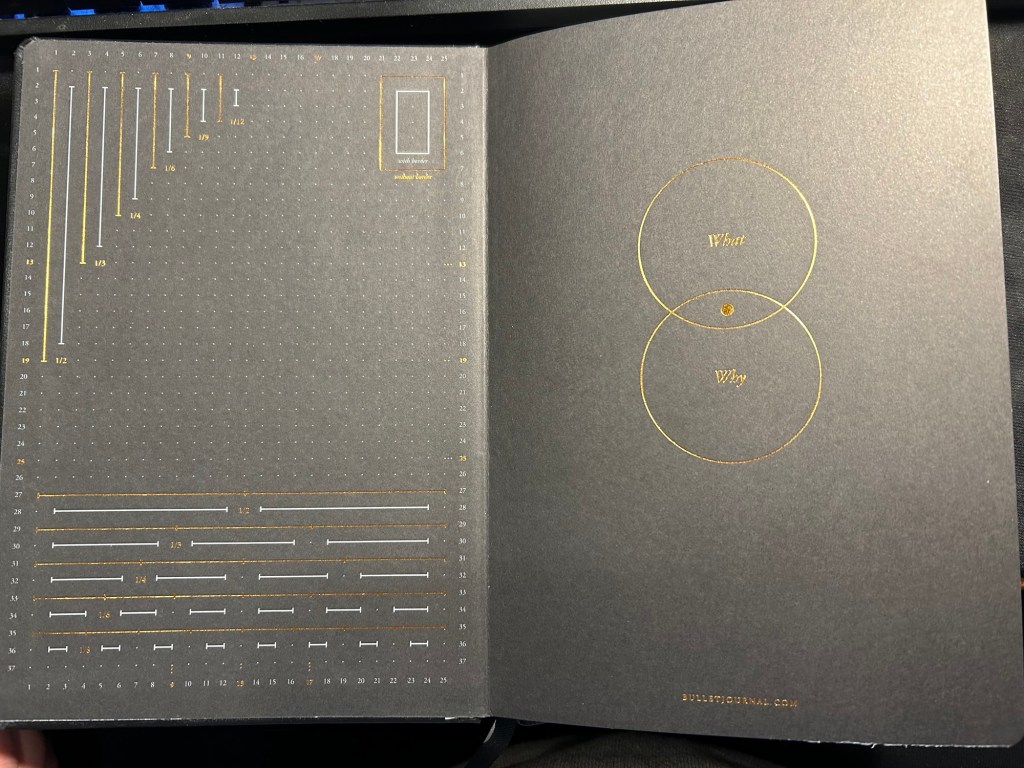
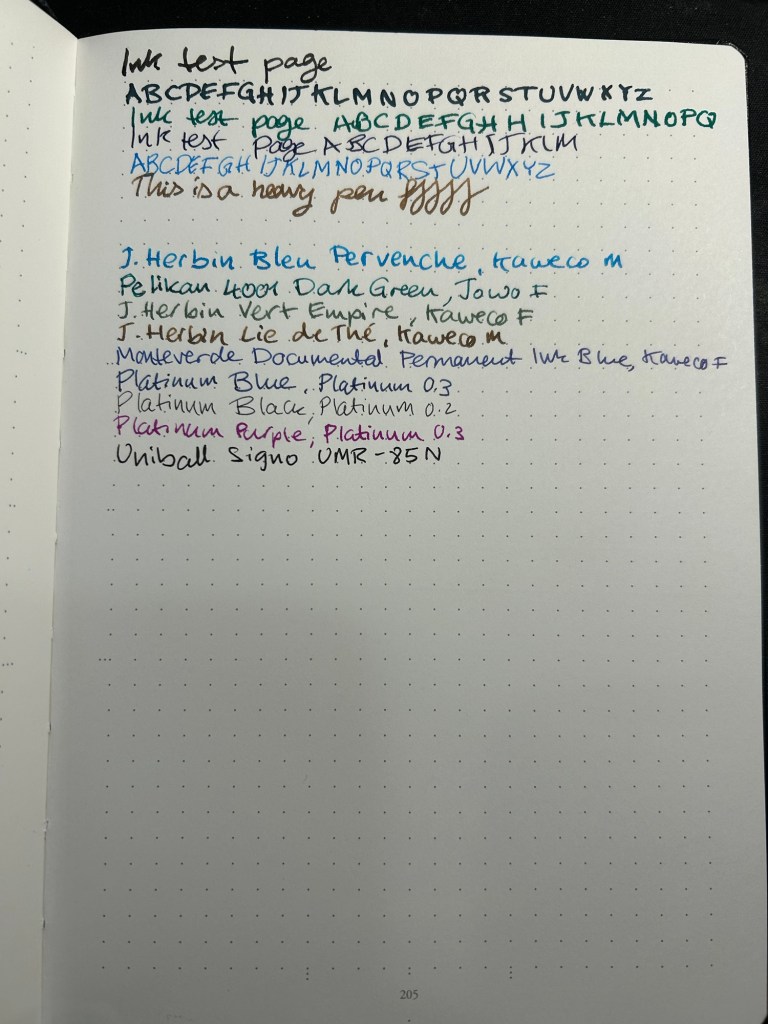
The Bullet Journal is the most expensive of the three, but also comes with the most “stuff”. There’s a booklet that explains how to bullet journal, stickers for bullet journaling, a specially formatted front endpaper, a key for bullet journaling, three ribbon bookmarks instead of two, and several pages with dedicated bullet journal appropriate titles (intentions, index, future log). It has the fewest colour options (just three) and features Bullet Journal branding on the front cover and the spine.
The original- Bullet Journal
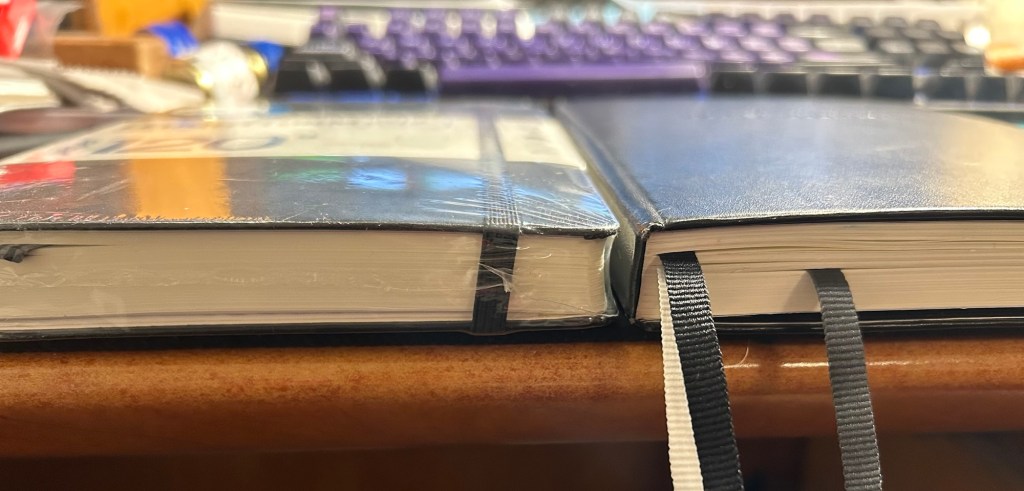
The Leuchtturm 120g notebook has a few more colour options, and is basically a stripped down Bullet Journal edition. In terms of thickness the two notebooks are the same (i.e. very thick notebooks, about twice the thickness of a Moleskine), but the 120g notebook has just two ribbon bookmarks (instead of three), no special endpapers, stickers (beyond the regular ones that come with each Leuchtturm notebook), titled pages, key or booklet. It’s cheaper than the Bullet Journal and has the same paper that the Bullet Journal has.
120gsm on the left, Bullet Journal on the right
Same thickness and form factor:
120gsm on the left, Bullet Journal on the right
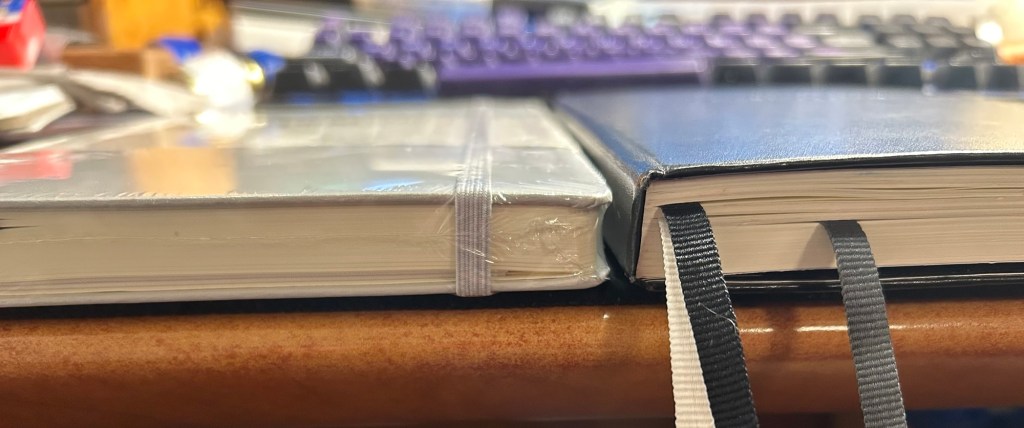
The regular Leuchttuem dot grid (which I’ll refer to as the standard from now on) is 20% thinner than the other two, features 80gsm paper and not 120gsm and like the 120g has two ribbon bookmarks, label stickers for the notebook, and a pocket on the back. It’s also a bit lighter than the two other notebooks.
Standard on the left, Bullet Journal on the right
Where the standard notebook wins in a knockout is page count. The standard has 251 pages, the 120gsm has 203 pages and the Bullet Journal has 205 pages, but several of those pages feature dedicated Bullet Journal titles (Index, Future Log, etc).
Standard on the left, Bullet Journal on the right
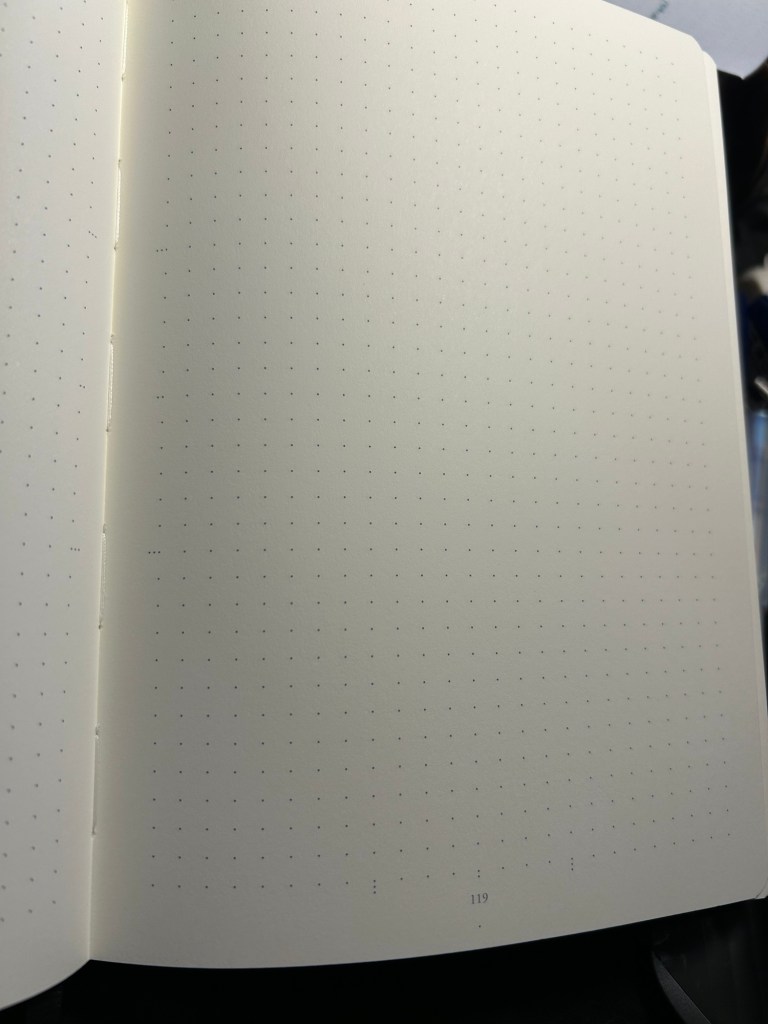
All three notebooks open flat, feature an off white paper, and the last 20 pages are perforated so you can tear them out. The standard and 120gsm contain two lined table of content pages, which the Bullet Journal does not. The Bullet Journal is also the only one to contain special divisions on the paper, which are notated on the front endpaper:
Bullet Journal front endpaper
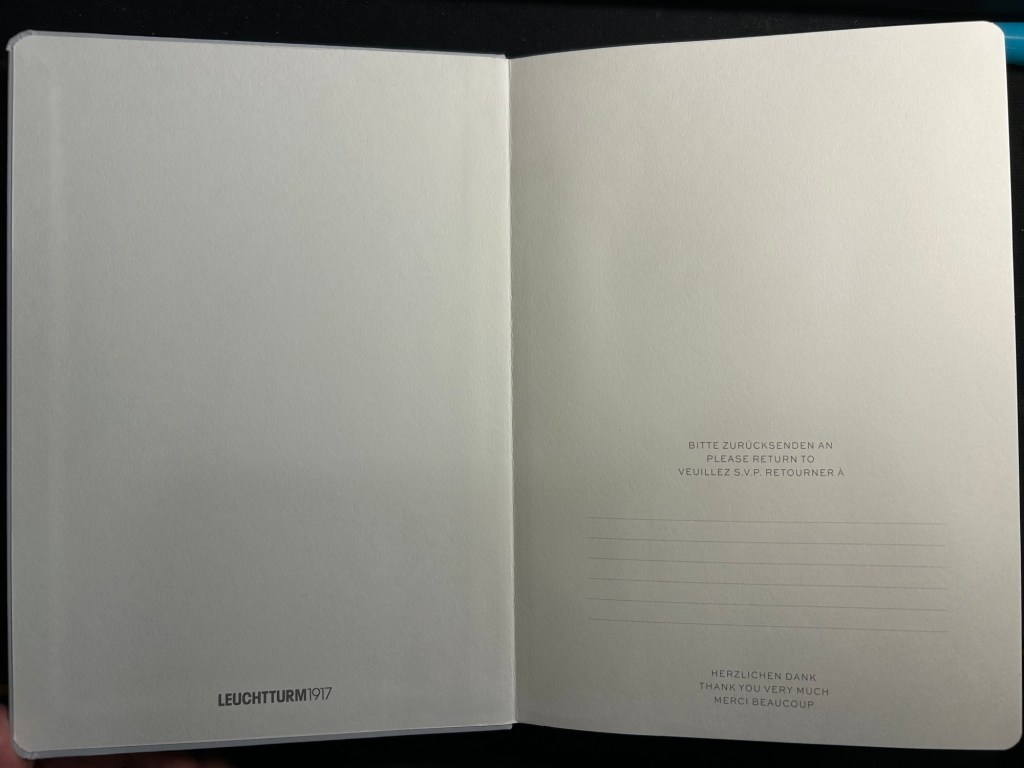
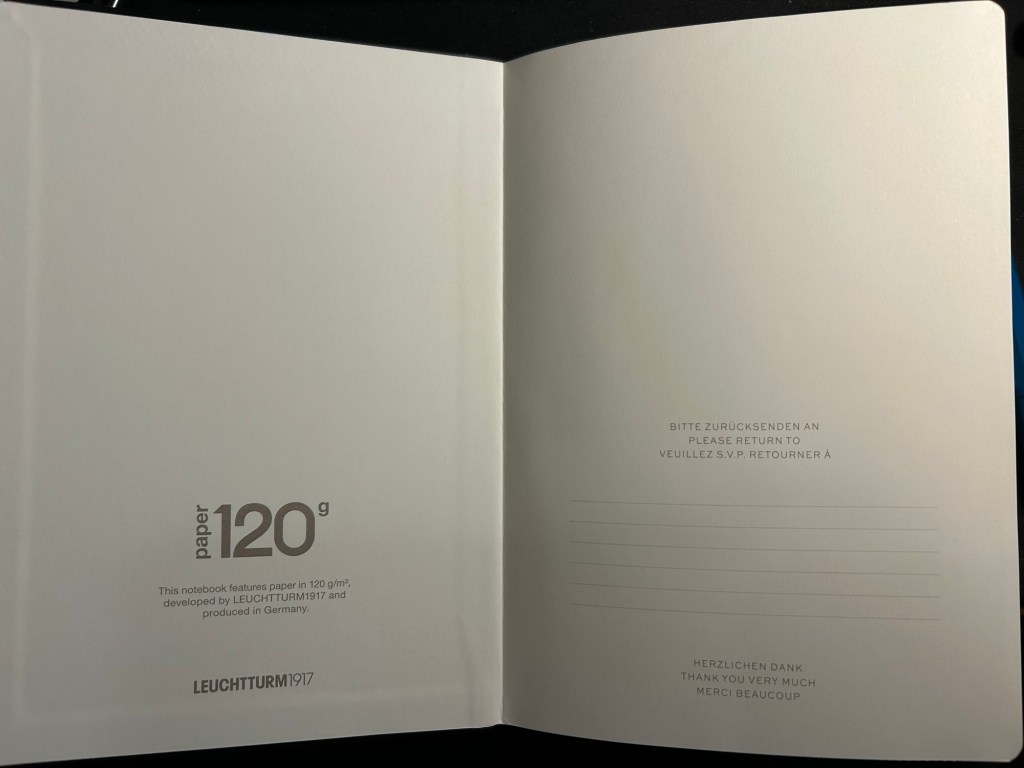
The front endpaper on the standard and the 120gsm look very similar, but the 120gsm has a bit of additional branding:
Standard front endpaper120gsm front endpaper
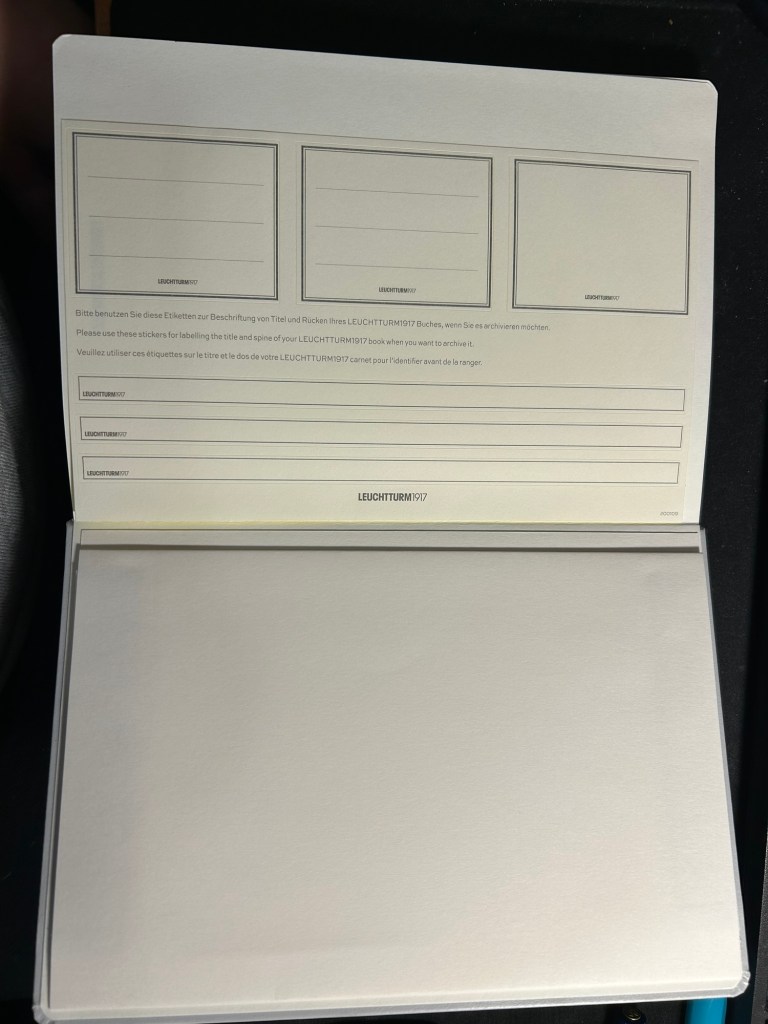
The stickers on the standard and 120gsm are the same, and are meant to be used on the cover and spine, to label the notebook:
Stickers in the Standard and 120gsm
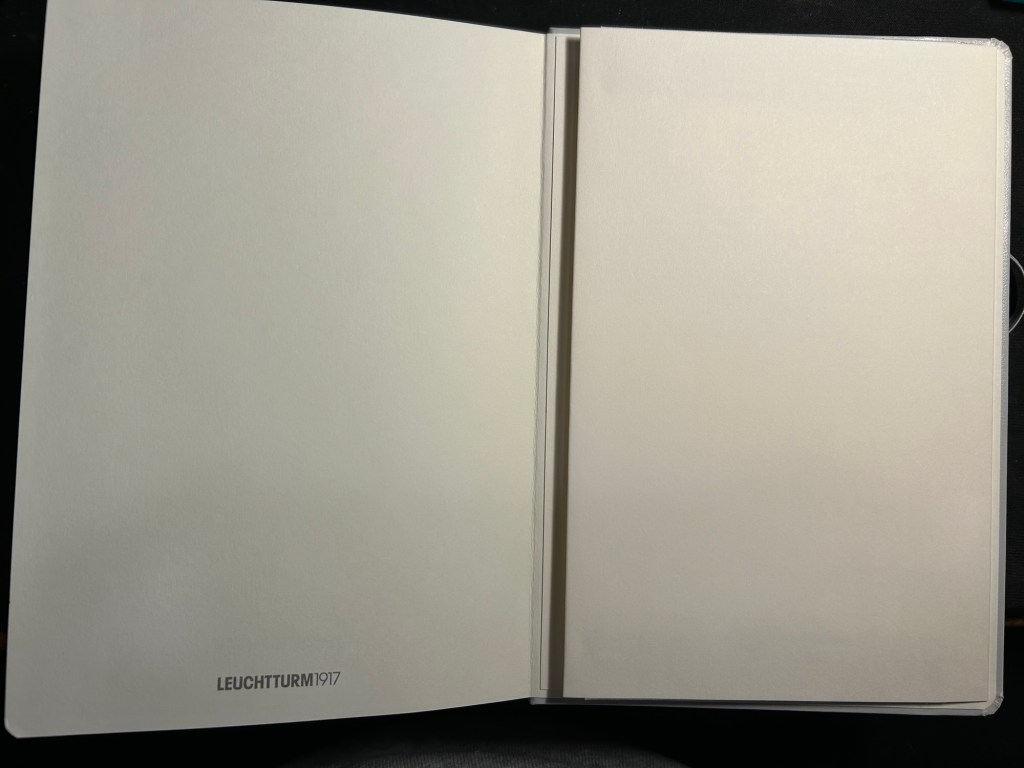
The pockets on all three notebooks look and function pretty much the same.
Back endpapers and pocket in the Standard and 120gsm
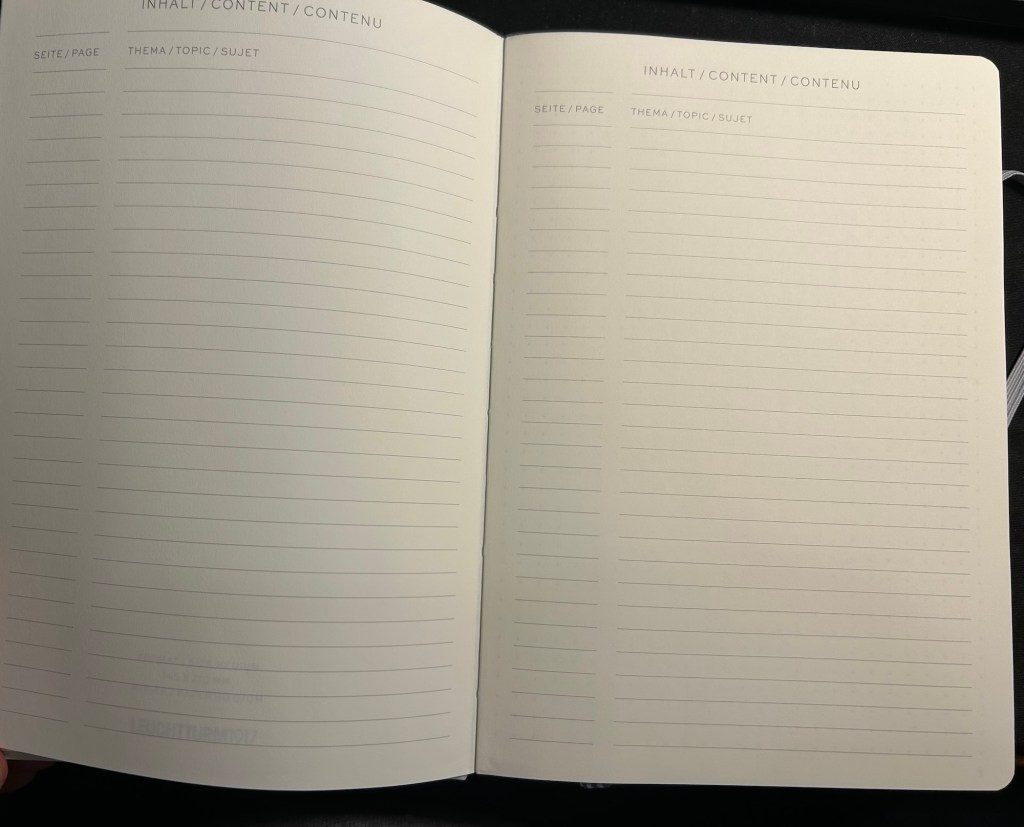
The table of contents pages on the standard and 120gsm is useful if you use your notebook for project management or meeting notes, for instance, and want to be able to quickly reference a certain page. The pages are already numbered, so it’s just a matter of building the reference pages in a way that makes sense to you. This doesn’t exist in the Bullet Journal because Leuchtturm is assuming that you’ll be using the official Bullet Journal way of referencing and finding pages.
What Leuchtturm confusingly calls Bookmarks – two index pages in the Standard and 120gsm
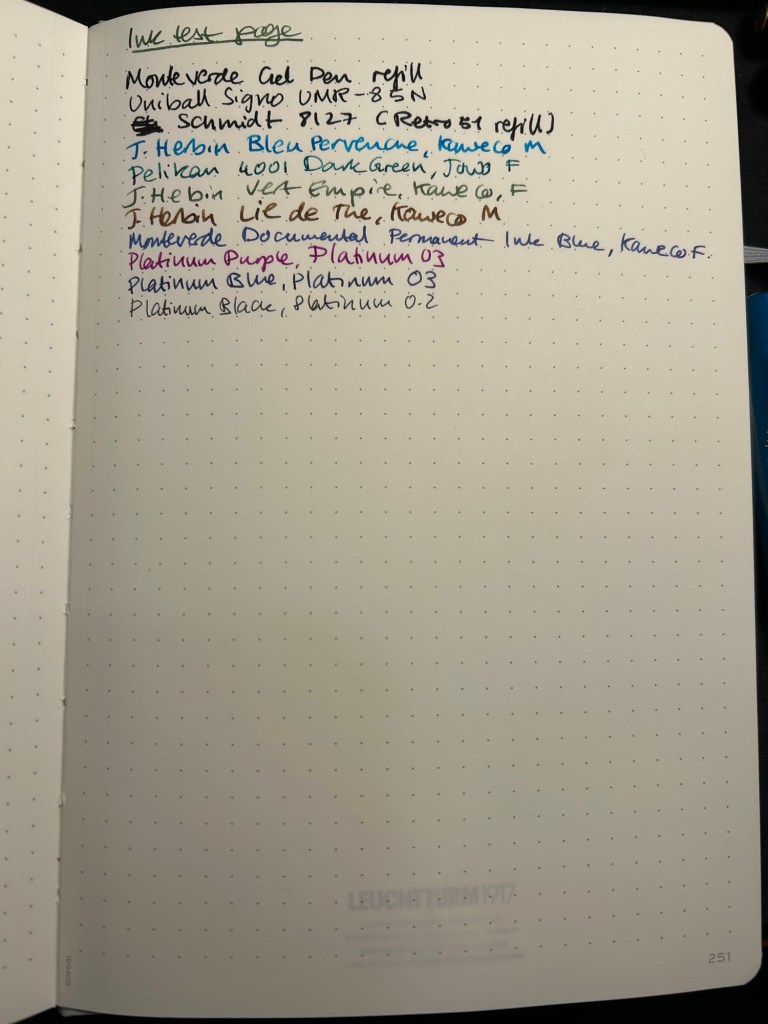
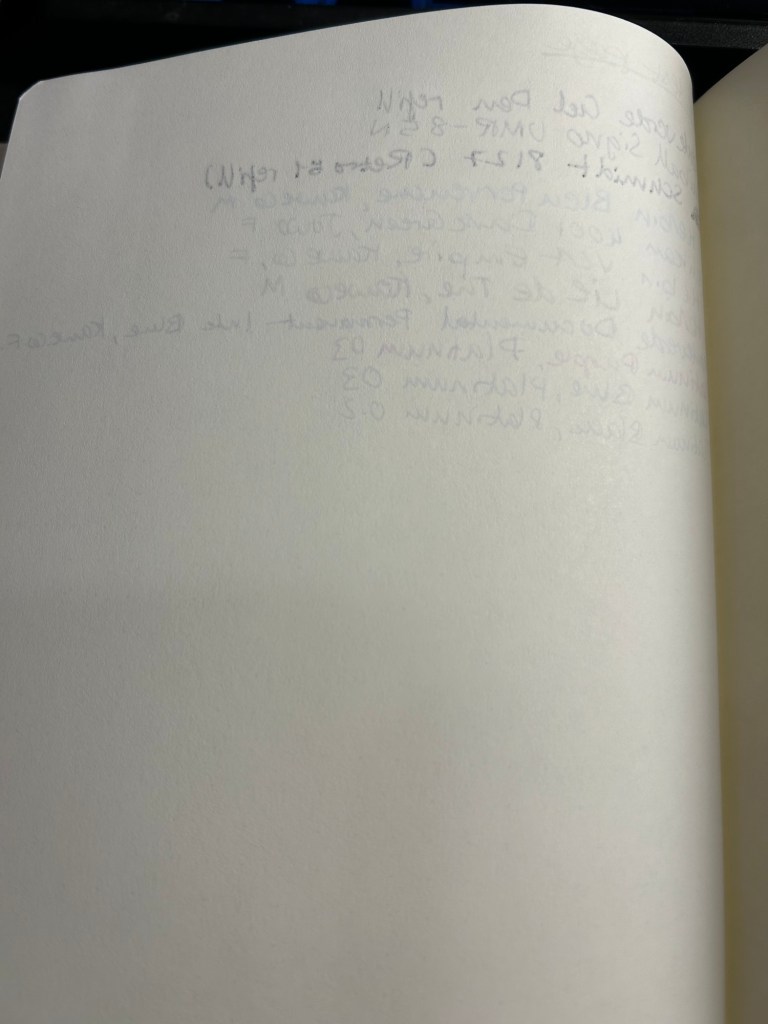
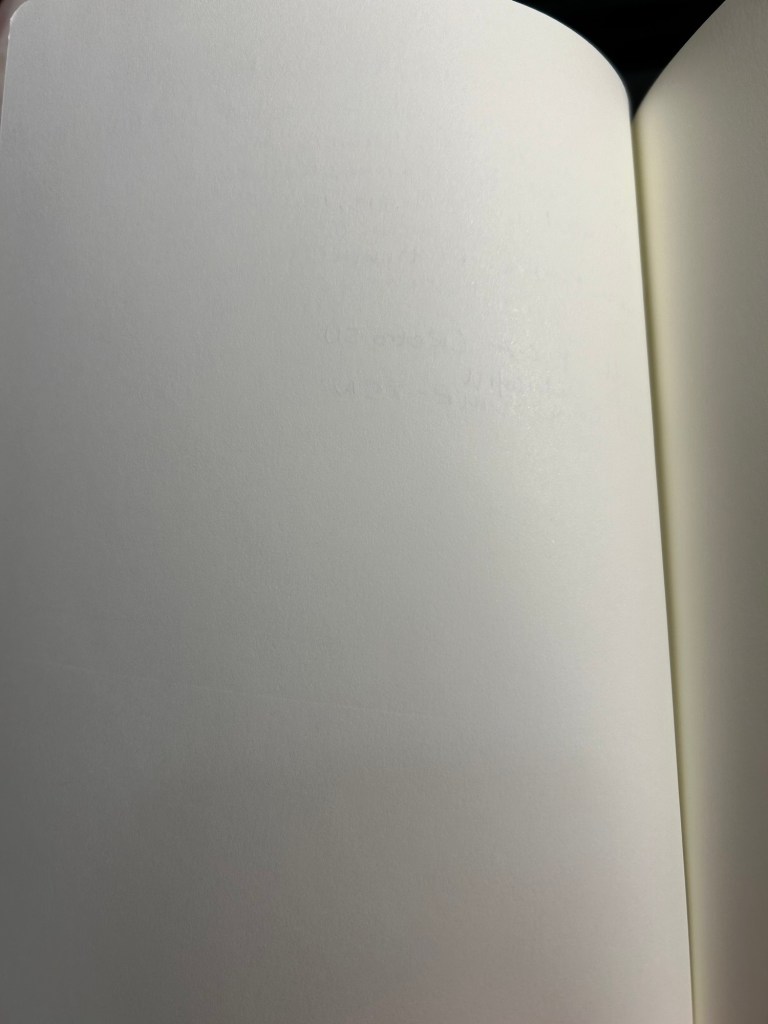
Now for the paper. The dot grid is the same on all three, but the paper in the standard is by far the inferior of the three. The page is practically transparent (you can see the Leuchtturm1917 logo on the back pocket on the bottom of the page) and you will have show through with all kinds of inks, pens and nib sizes, and bleed through with most pens and inks (including wider gel ink pens!):
Ink test page for the Standard
This is a notebook that you either need to use with a very specific kind of pen, or be willing to write on only one side of the page (therefore giving up on the price and page number advantage of the notebook):
Show through and bleed through on the Standard. Even the gel inks faired poorly.
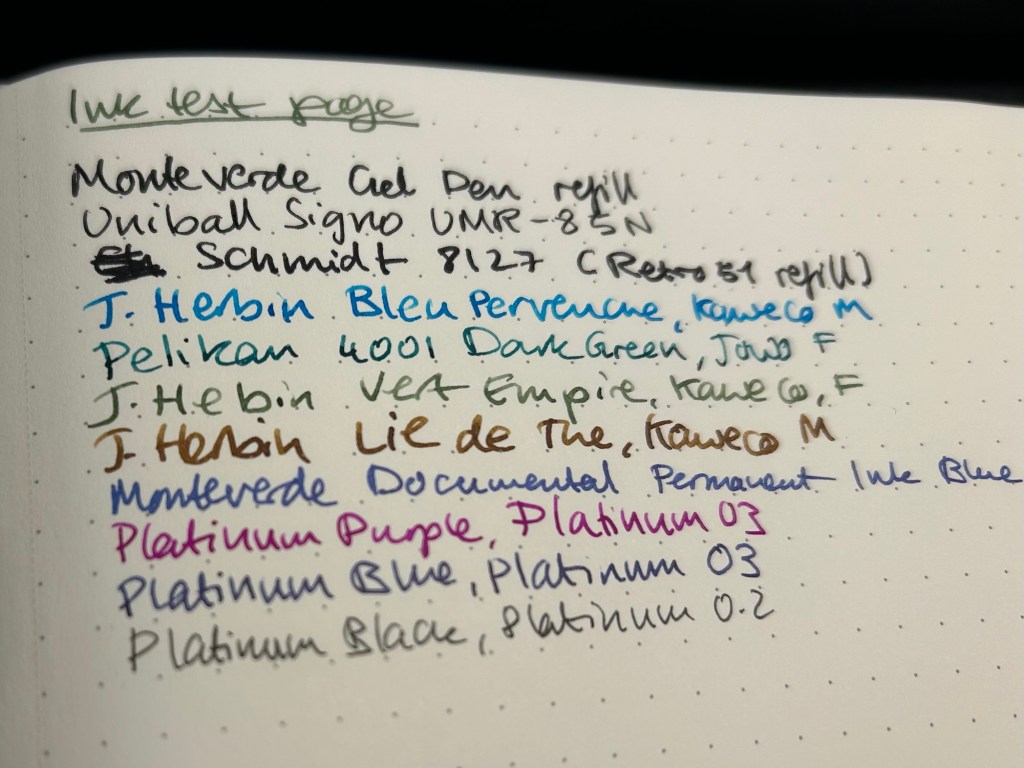
Here’s a close up of the way the ink behaved. This is fountain pen friendly paper in terms of it not spreading or feathering, but the bleed through and show through will limit you to fine and extra fine nibs and less saturated inks:
No feathering, some spread with the Retro 51 refill
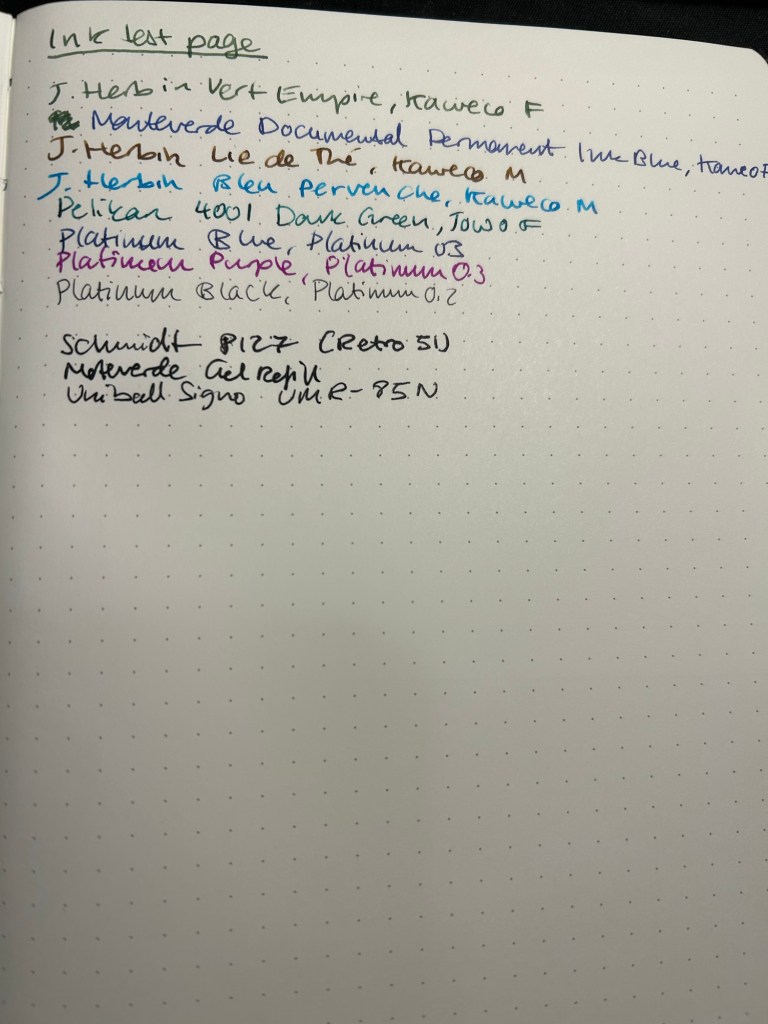
The 120gsm paper on both the Bullet Journal and the 120gsm notebook fair much better:
Ink test page on the 120gsm
You can definitely use both sides of the page with this notebook, and feel free to toss every kind of nib width and ink at it — I haven’t found one that it can’t handle.
Back of the 120gsm (Bullet Journal was the same)
I’ve been using the Bullet Journal for a while now and I have had no problems using even broad and flexible nibs on it, with wet inks. Inks take time to dry on it, but they don’t bleed through.
Ink test page with example of wet and wide nibs on the Bullet Journal
The paper in all three journals is off white. That may bother you. Here’s the page with a sample of a white page next to it:
Paper colour sample – Leuchtturm vs white paper
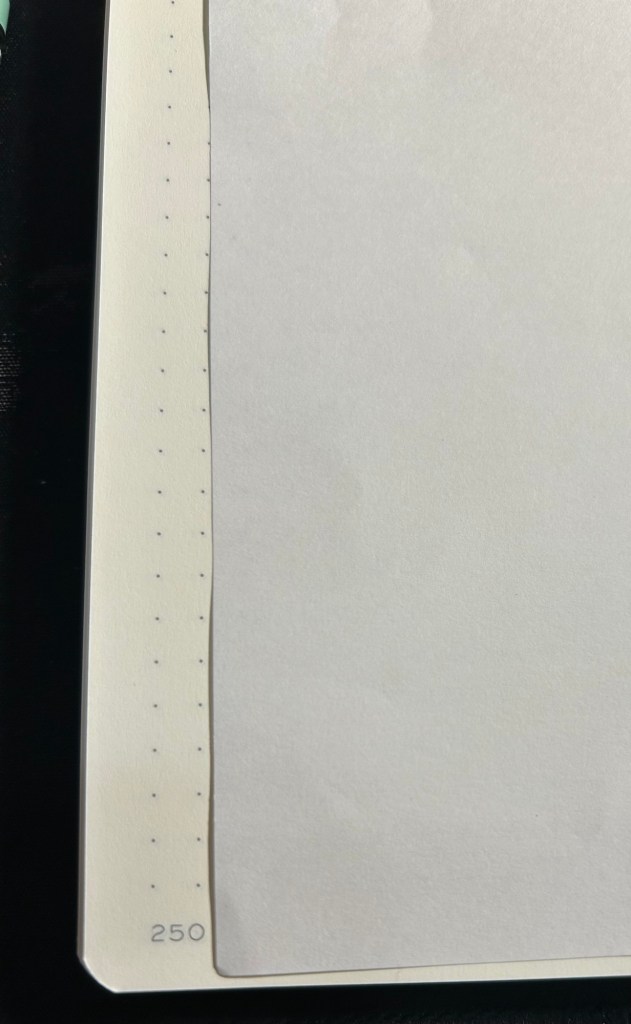
At the bottom and the left side of the page you can see the special Bullet Journal divisions, meant to help you create various BuJo formats of things. They’re very unobtrusive, so you can easily ignore them if you don’t need them:
Bullet Journal markings on the bottom and on the left margin
So, basically:
Standard — cheapest one, thinnest and lightest with the most pages. Works only if you use fine gel ink pens or fine and extra-fine nibs with unsaturated or light coloured inks. If you write with a heavy hand, or prefer to use ballpoints this paper will likely note work for you, as you’ll carve your way through several pages without really intending to. If you’re willing and able to work around its limitations, it’s worth getting. It’s also more widely available and comes with a much larger range of cover colours than the other two.
120gsm – when in doubt, get this notebook. It’s got the best paper for the least amount of money of the three. If two ribbon bookmarks aren’t enough for you, it’s likely that you’ll need more than three anyway — get post it tabs. If you don’t have to have the Bullet Journal addons and formatting, save a few bucks and get this notebook. You’ll also have a few more cover colour options.
Bullet Journal — get this if you want to use the Bullet Journal method or you want to try it. If you end up deciding not to use the method, you’re still left with a great notebook, and you can buy the 120gsm next time.
I hope this helps clarify things a bit. Personally I’m currently using the Bullet Journal as a regular notebook (my quarterly planning, weekly planner and long term lists are in it) after failing to find value in the Bullet Journal system, and the standard notebook for work projects. The 120gsm will replace the Bullet Journal once I’ve filled it.
After finishing my previous journal I just started a new journal, which is both an exciting and daunting prospect whenever it happens. There is so much potential in a new journal – it makes me want to crack it open and fill as many pages as possible in the first sitting. Yet opening that first blank page also makes me freeze in fear of “ruining” a perfectly good notebook with my scrawls.
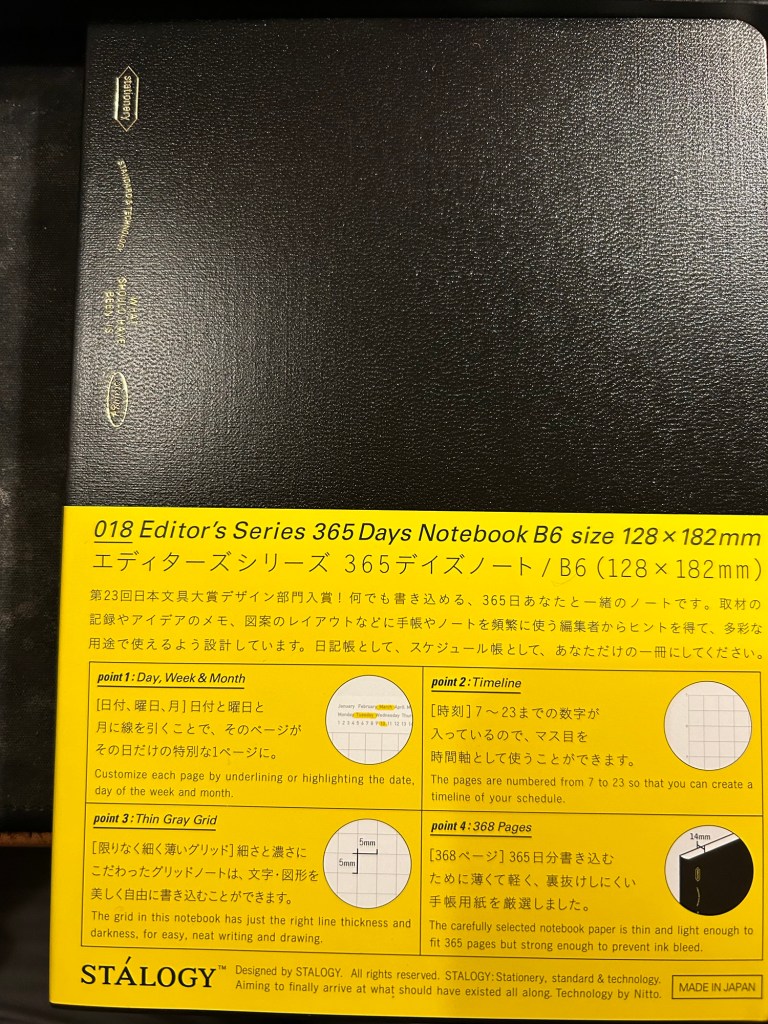
Stalogy 365 Days B6
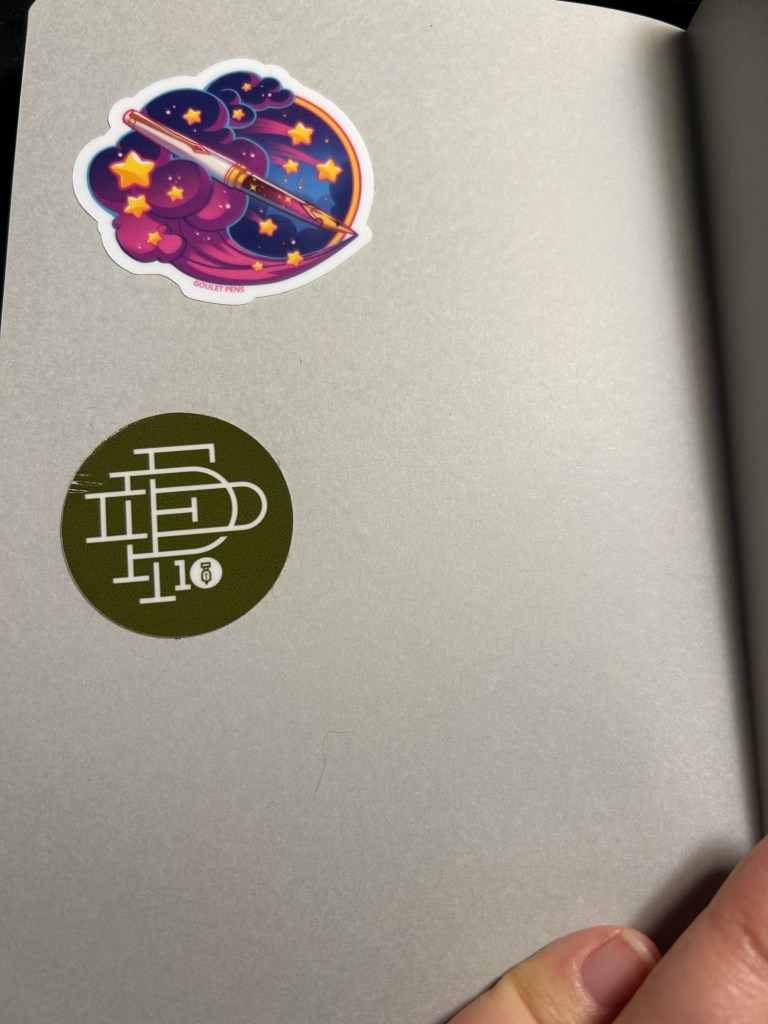
There are many tips on how to overcome that fear, ranging from deliberately destroying the first few pages to using various formulas to inspire you to fill those first pages. What I currently do is just open a new Stalogy 365 Days notebook, turn it upside down (so the header, which I don’t like, is at the bottom) and slap 2-3 stickers on the back endpages. This time I chose a 10th anniversary fountain pen day sticker and a Goulet Pens dream pen sticker to start off, but I usually add a few more stickers as I use the journal.
Stickers on the back
I then turned to the first page and started my first journal entry with the following sentence:
“New journal! My third Stalogy 365.”
After that came my usual daily gratitude list, and so I had most of the first page filled up in no time and had no problem moving on after that.
For those still in search for “new journal” inspiration, here are some pointers:
Personalize your new journal in some way. It’s about to hold your innermost thoughts, so you might as well make it your own.
Switch formats mercilessly if you find an old journaling format isn’t working for you – page size, ruling, type, etc.
Have a starting formula for your journal. If you find it difficult to start journaling each day, then pick a formula that you can use each day – like a daily gratitude list, a quote, notes about the weather, your plans for the day.
The first few entries are the hardest, but they’re also only 2-3 days out of the entire life of a journal. It’s worth remembering that and plowing through those days.
When in doubt pick a quote from a book or article you’re reading and start a discussion with the author.
If you’re really at a loss for starting ideas, use the first page, not the last one, as an ink testing page.
Do you have any new journal rituals or tips? Do you enjoy starting a new journal or find it daunting?
As I’m writing this I’m two or three pages away from finishing another journal. It’s not the first journal that I’ve finished, but somehow it’s always a tiny, little momentous occasion. After all from the moment we crack open a new notebook and dare to write on its pristine pages we envision this outcome: a notebook chock full of words, sketches and mementos.
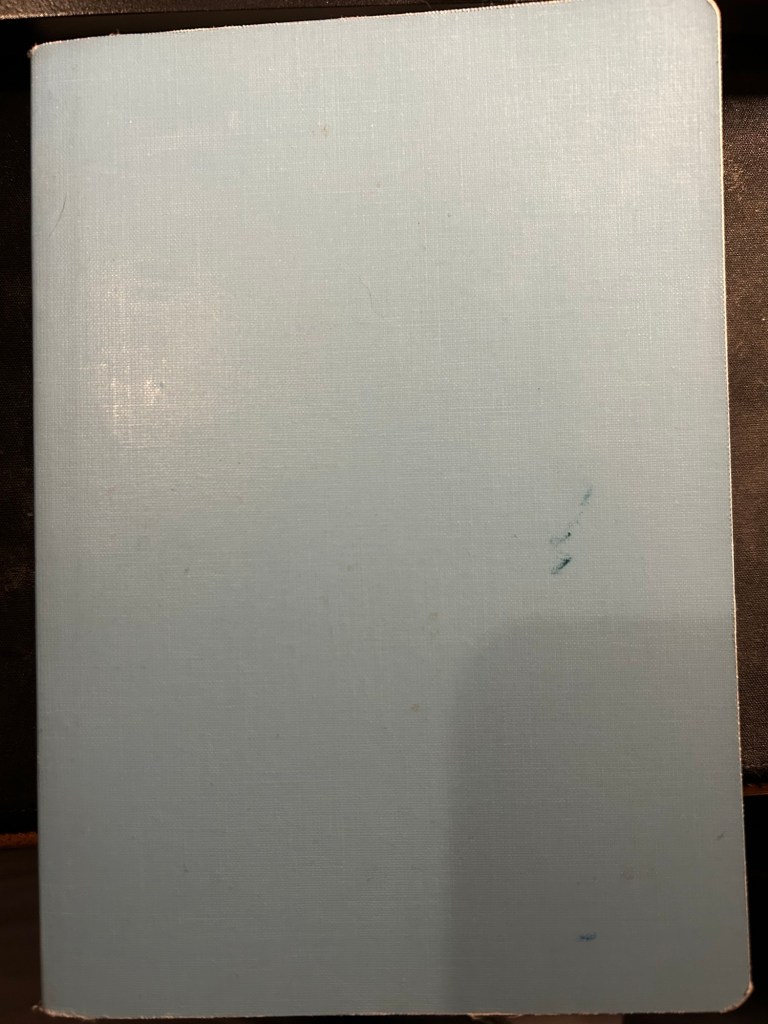
Slightly frayed and ink stained but this Stalogy 365Days B6 notebook has served me well for about 6 months
For me the end of a journal offers a change to review and reflect on its contents. The last few pages aren’t used for normal journaling, but rather are reserved for me to write notes in as I leaf through the completed journal’s pages. What key moments does it hold? What revelations? How can I look back with kindness at moments of weakness or failure, and how can I learn and grow from them? This is not always a pleasant or easy experience, but I have always found it worthwhile.
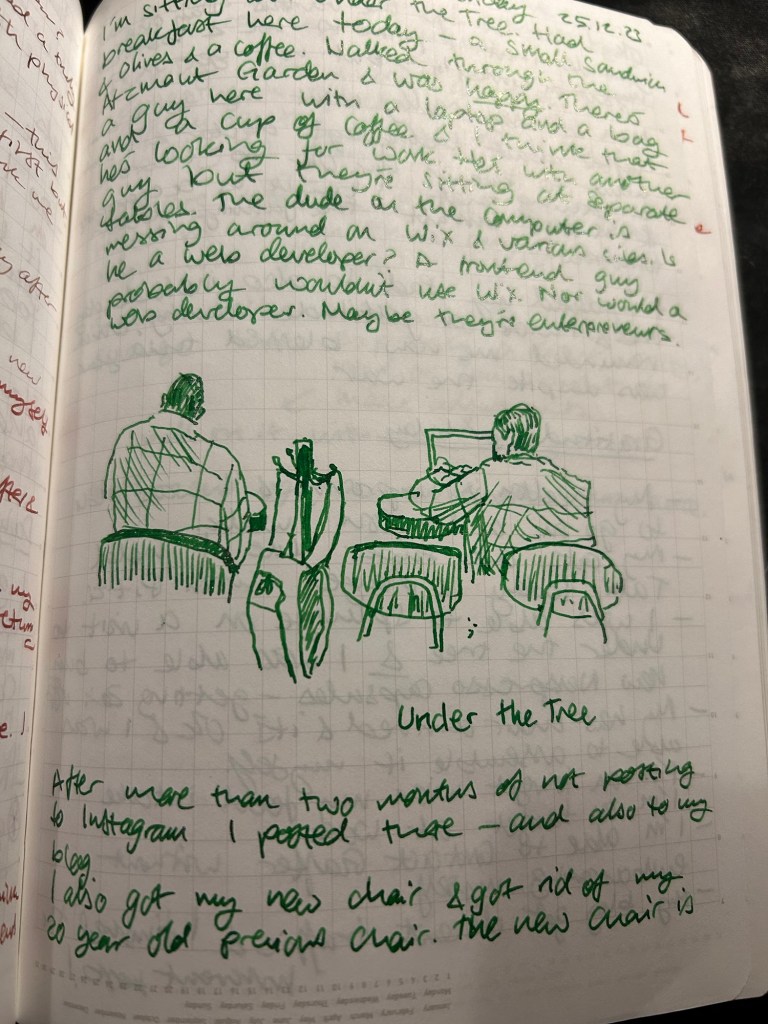
Sample page with a sketch.
This is also a time when I consider whether I need to switch a journal format or not. I’ve been using the Stalogy Editor’s Series 365Days B6 notebook for the past two journals and I’ve been happy with it, so that’s what I’ll continue using for now.
What about you? Do you have any “end of journal” or “end of notebook” habits and rituals?





 Writing at Large